
Refund a shop sale: units, reason and payment
To refund a shop sale, open the sale, tap Refund, choose the units being returned, enter the reason and confirm. Online payments go back to the card; if it was paid at the gym, you choose how to refund it. The sale keeps the refunded amount, full or partial.
Which sales can be refunded
Section titled “Which sales can be refunded”Only paid sales. A sale awaiting payment isn’t refunded: it’s canceled. The same sale can be refunded several times, until no units are left.
How to refund
Section titled “How to refund”- Open the sale from Sales, or from the Shop tab on the member’s profile.
- Tap Refund.
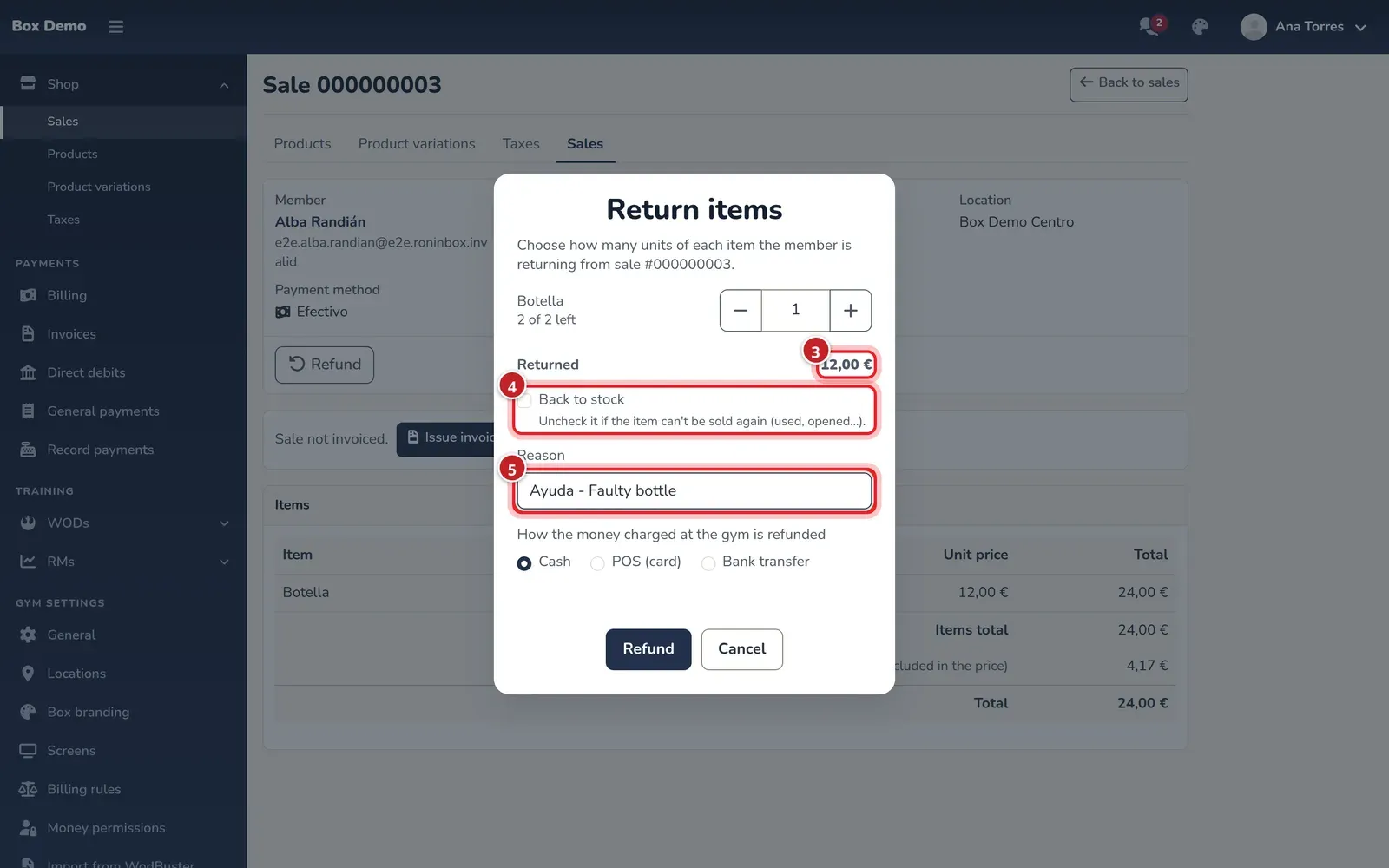
- Use the + and − buttons to choose how many units of each item are returned. The refund amount appears below.
- Leave Back to stock checked if the item can be sold again. Uncheck it if it’s used or opened.
- Enter the reason. It’s saved on the sale and included in the notice to the member.
- If part of the money was paid at the gym, choose how you refund it: cash, card terminal or bank transfer. Online payments go back to the member’s card automatically.
- Tap Refund.
The member gets an in-app message and an email with what’s being refunded.
Where the refund shows up
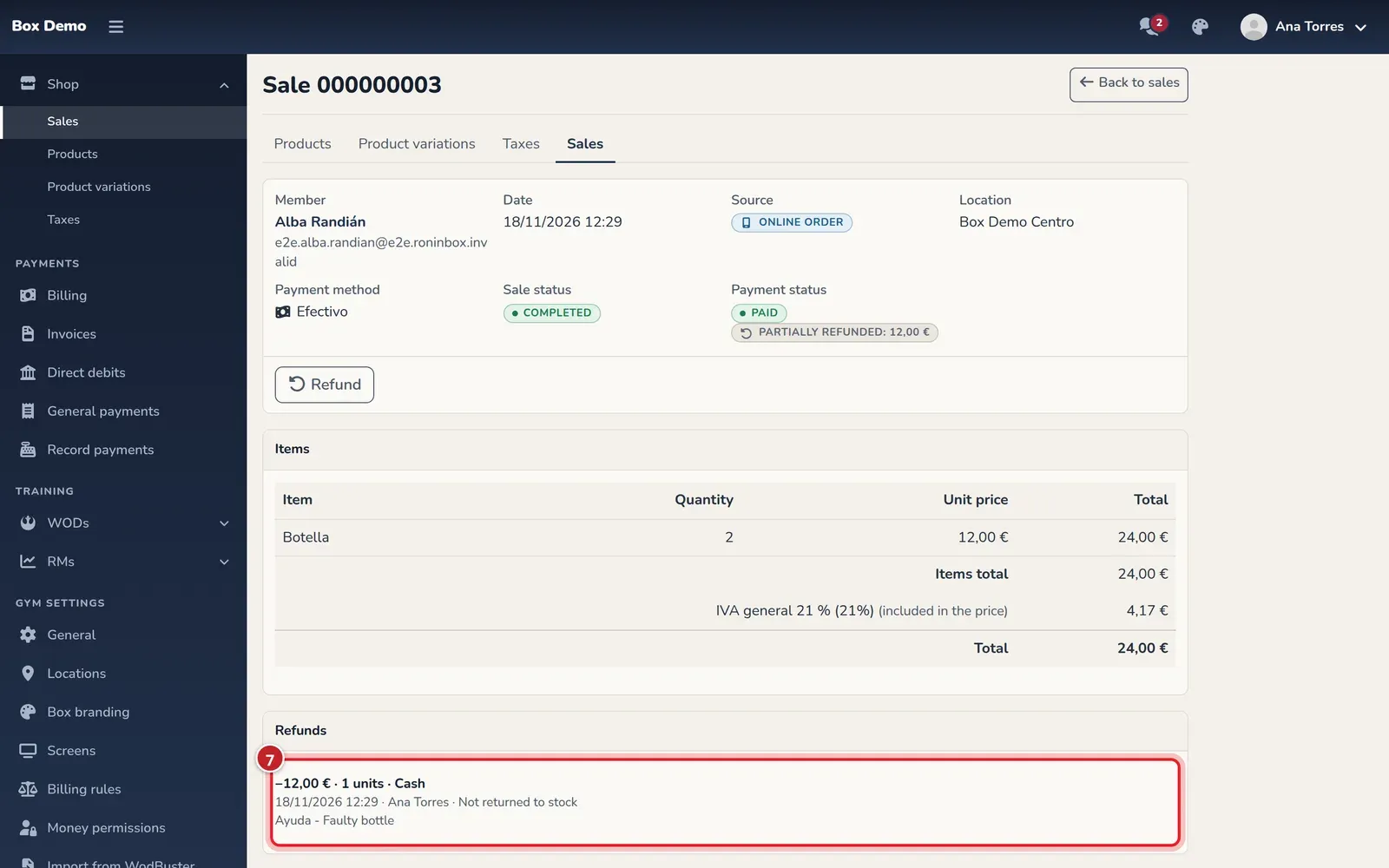
Section titled “Where the refund shows up”- On the sale: the payment stays Paid and a badge shows the refunded amount, full or partial. The Refunds card lists each refund with its date, who made it, how many units, how the money was returned and the reason.
- In Billing, on the day of the refund, a negative line “Sale refund”. The sale still counts on the day it was paid.
- What the member owes doesn’t change: a refund never puts the sale back to awaiting payment.
Video: Refund part of a shop sale paid at the gym
Section titled “Video: Refund part of a shop sale paid at the gym”Transcript
Alba bought two bottles and one was faulty.
Start the refund from the sale itself.
Choose how many units are returned.
One bottle: €12, including VAT.
Faulty: it does not return to stock.
The reason is saved in the sale and in the notice to the member.
It was paid at the box: you choose how to return the money.
It records who did it, when, how, and why.
You can see it at a glance in the sales list.
And as a negative line in the day’s billing.
Alba sees it in her app.
Video: Refund a shop order paid online
Section titled “Video: Refund a shop order paid online”Transcript
Alba bought a T-shirt online in the wrong size.
Online payments return automatically to her card.
The T-shirt is new: it returns to stock.
RoninBox requests the refund from Stripe straight away.
The sale is fully refunded.
With how the money was returned and why.
And Alba sees it in her app.