
One gym with multiple companies
Multiple companies sometimes share one gym: for example, one business entity invoices CrossFit and another invoices boxing, each with its own CIF. In RoninBox, each one is a company of the box. What you sell (plans, class passes, sign-up and other fees, products) belongs to one company, and that company handles its payment, its VAT and its invoice.
Every gym has one company, the main one. As long as there is only one, you won’t see any of this on any screen.
Before you start
Section titled “Before you start”- Only an administrator can create and change companies.
- Have the new company’s tax details at hand: legal name, NIF and address.
- Decide where it will get paid: into its own account (its own Stripe and bank) or into the same one as another company.
Add another company
Section titled “Add another company”-
Open Gym settings ▸ Companies.
-
Tap Add another company.
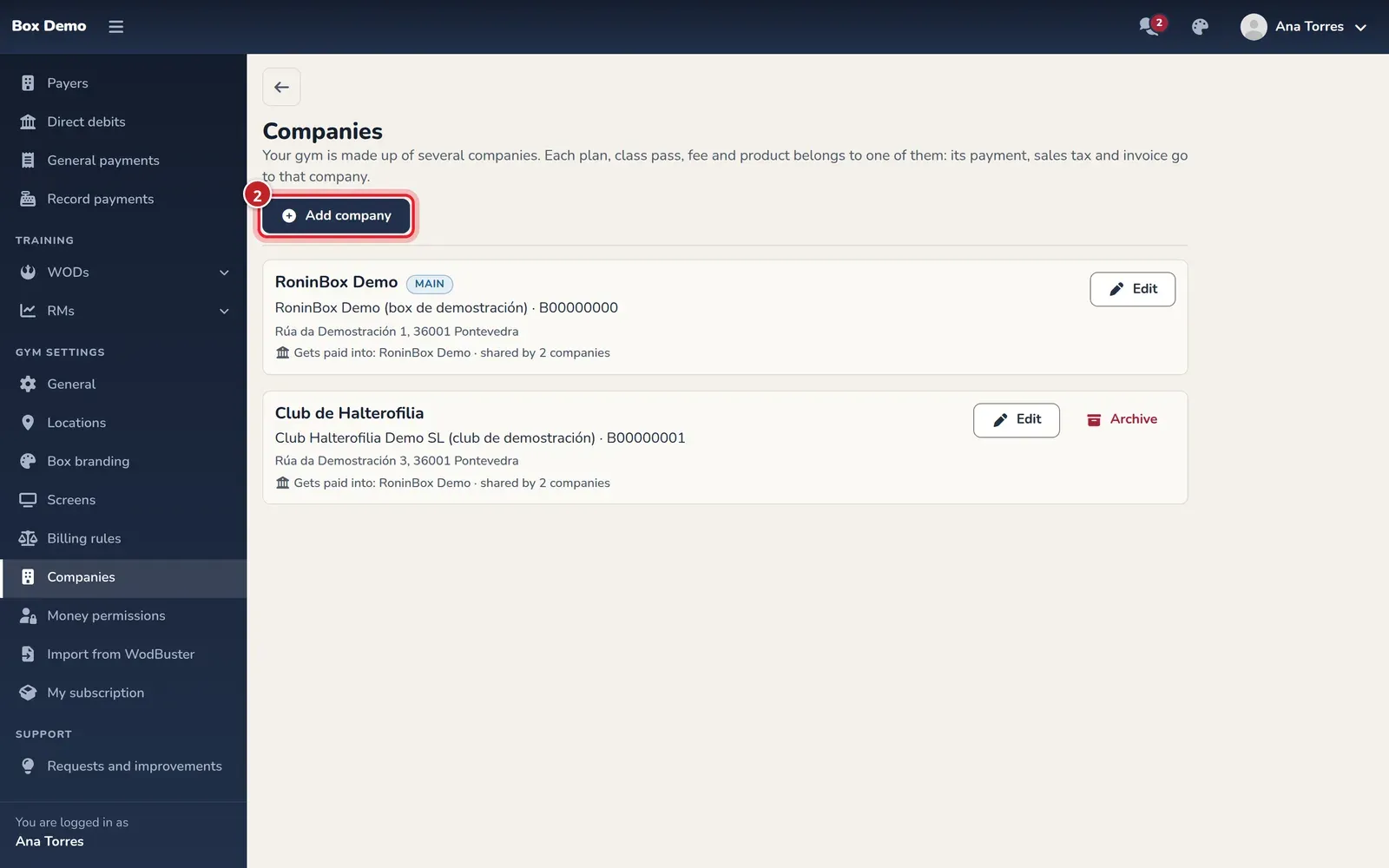
The box's companies. With several, each one has its card. -
Enter the Trade name and the tax details. They appear as the issuer on its invoices.
-
In Payment account, choose an existing account to share it, or A new account and enter its name.
-
Tap Save.
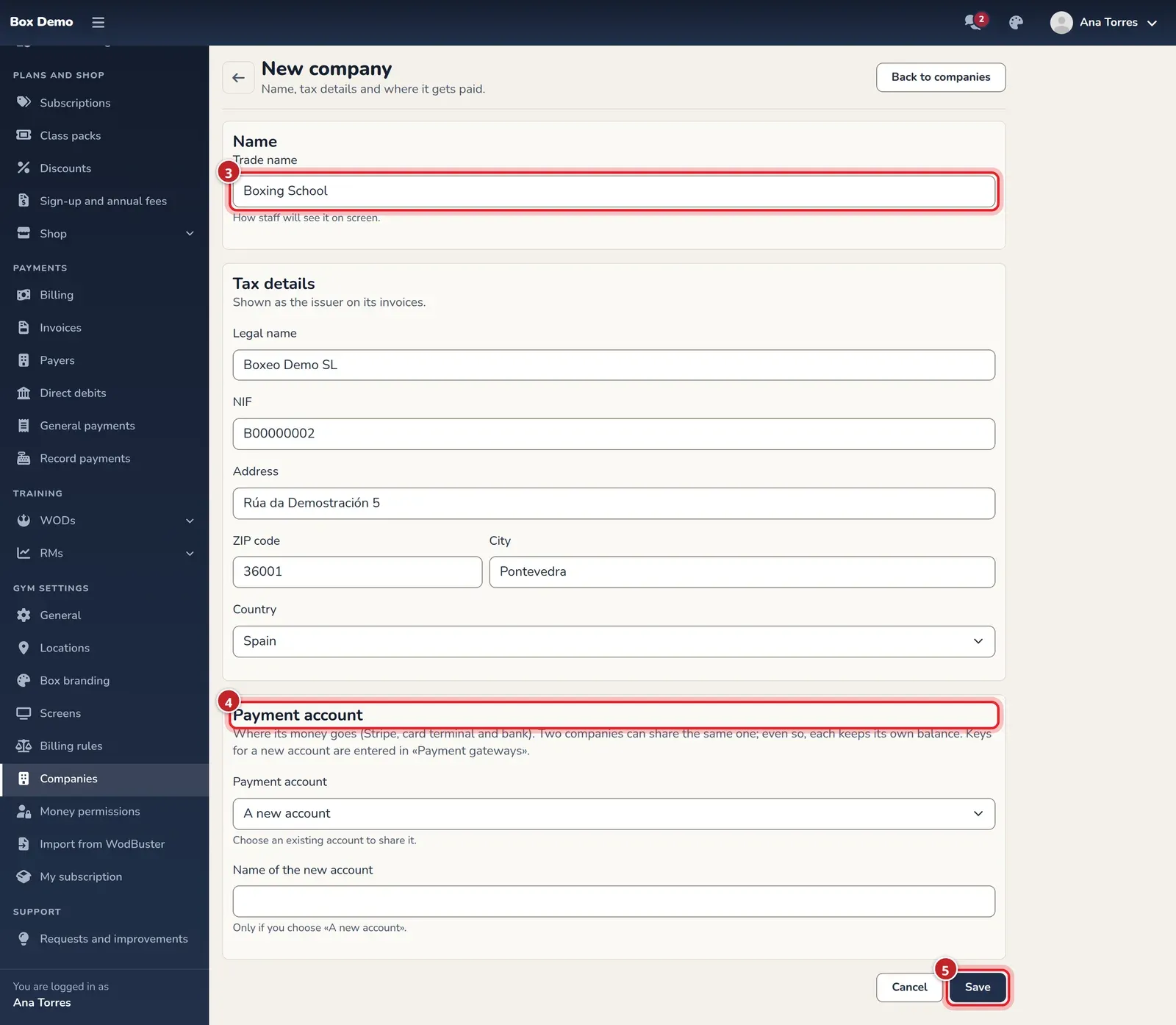
The new company's details and where it collects.
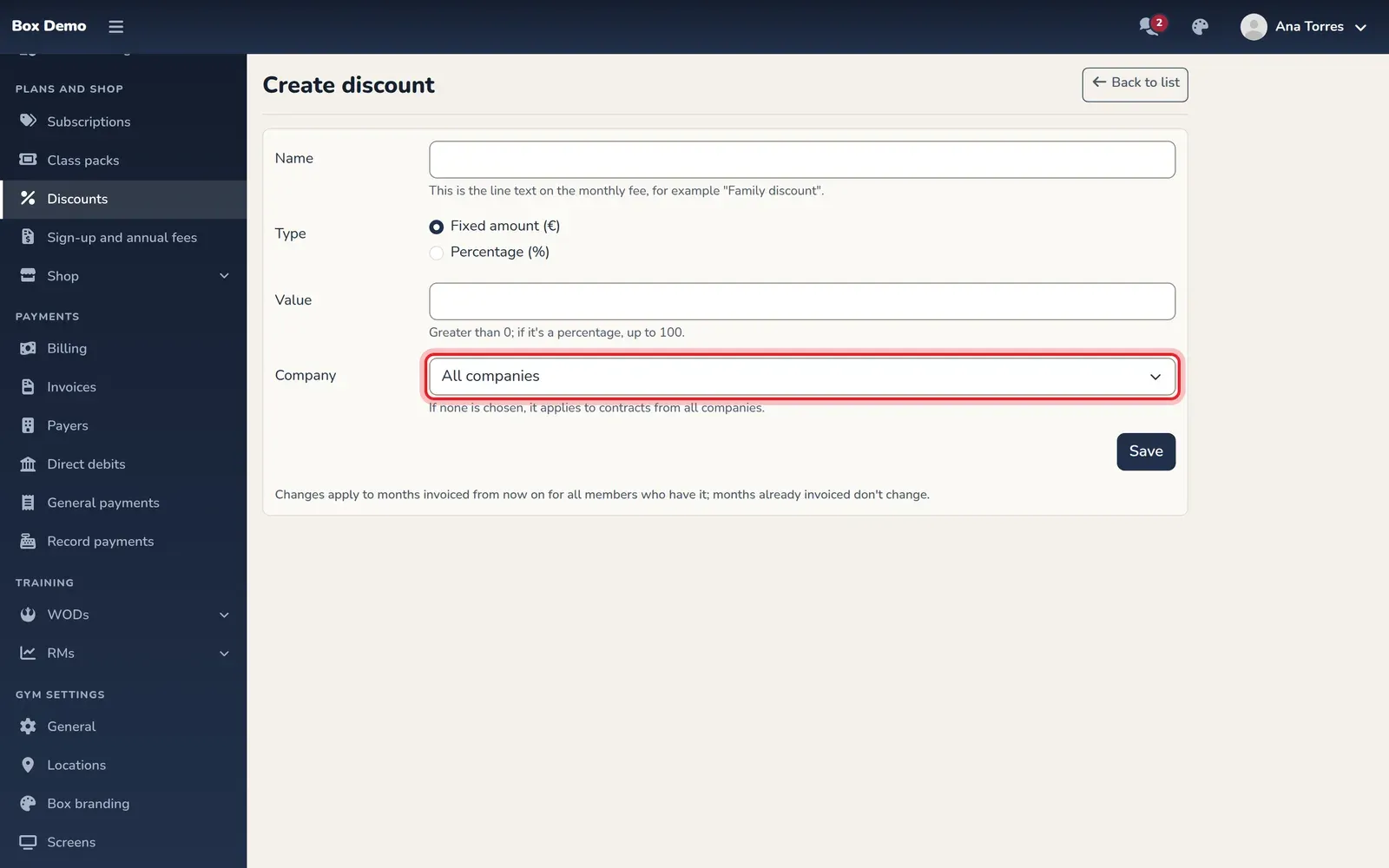
From then on, the Company field appears when you create or edit plans, class passes, fees, discounts and products.
What changes with multiple companies
Section titled “What changes with multiple companies”- Plans, class passes, fees and products: each one belongs to a company. Anything already used keeps its company.
- Discounts: you can limit a discount to one company. If you don’t choose any, it applies to contracts from all of them.
- Members: a member can have one contract with each company. A plan from the other company doesn’t change their contract: it creates a new one.
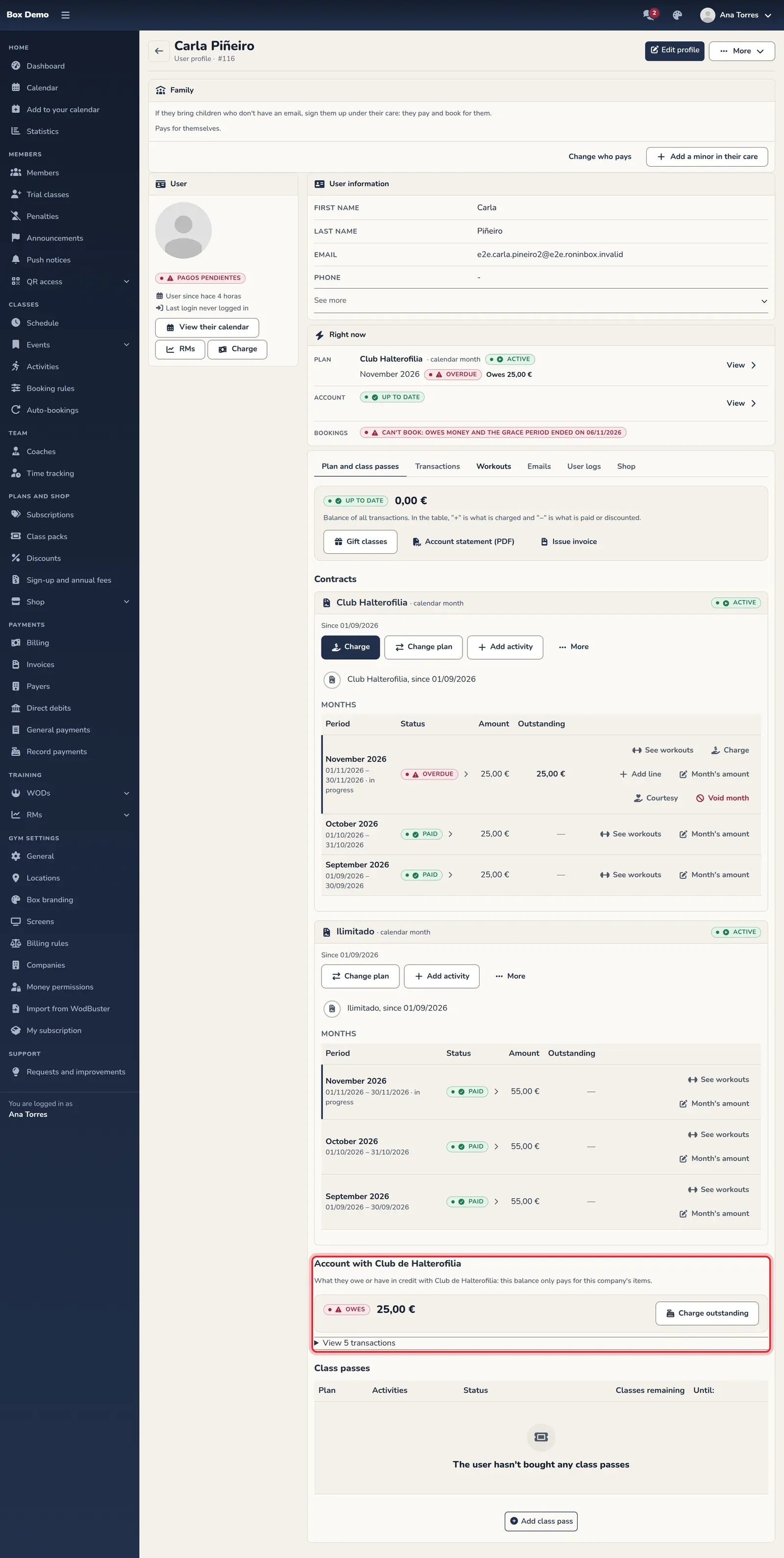
- Balance: each company has its own balance with the member. Credit with one company only pays debts with that company. On the member’s profile you’ll see a section for each company.
- Payments: if you collect debts at the counter for two companies that share an account, RoninBox records one payment for each company.
- Bookings: an overdue fee with one company only blocks booking that company’s classes.
- Shop: if a sale includes products from two companies, two sales are created, one per company, and each is paid separately.
- Invoices: each company invoices with its own series, its own VAT and, if it uses one, its own tax provider. In the invoice settings, choose the company in the tabs at the top.
Archive a company
Section titled “Archive a company”Archiving a company removes it from the lists when you create plans, class passes or products. What it already charged and invoiced stays as it is. You can’t archive a company while it has active contracts or plans, class passes or fees in the catalog, and you can’t archive the main company.