
Member transactions: charges, payments and receipts
Member transactions bring together what a member is charged, what they pay and the corrections to their account. Open their profile from Members ▸ Members and tap Transactions. Admins and coaches can review and correct them according to their money permissions.
Every entry keeps its history. A correction adds another transaction: it doesn’t delete the original.
Reading the list for a calendar-month member
Section titled “Reading the list for a calendar-month member”The list runs from the most recent transaction to the oldest. It shows the first 25; older ones expand at the bottom when there are any.
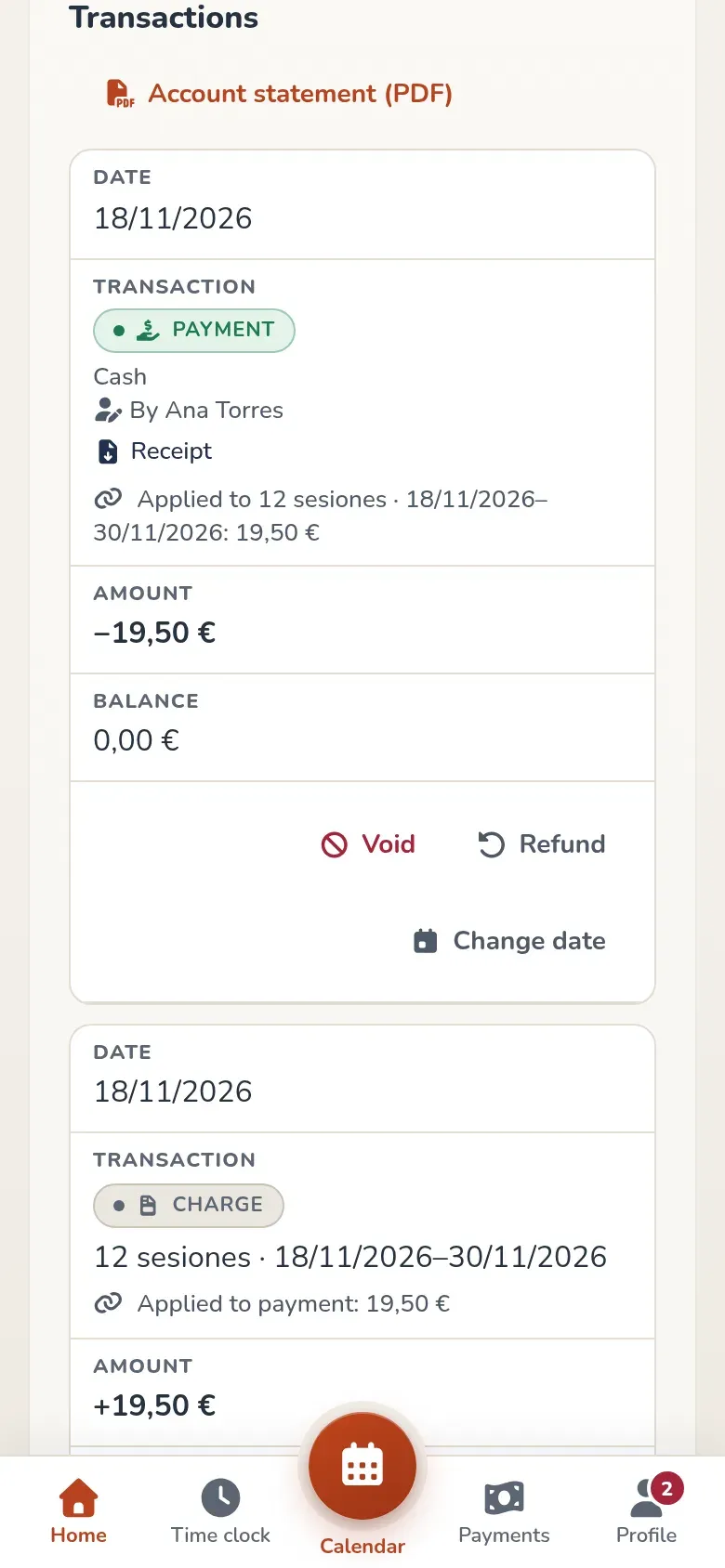
- Balance. This is the balance after that transaction. A positive amount in Amount increases what they owe; a negative one reduces it or leaves money in their favor. The current balance is shown in Plan and passes.
- Receipt. Every payment has a downloadable receipt. Below it you’ll see which charges it was applied to and how much of each it covered. Anything not applied becomes account credit.
- Account statement (PDF). Downloads the full account statement as a PDF.
- Who recorded it. Staff entries show “By” with their name. Transactions from before this change and those generated by automated processes, like Stripe or the nightly job, may have no author. Members don’t see this name in their version of the transactions.
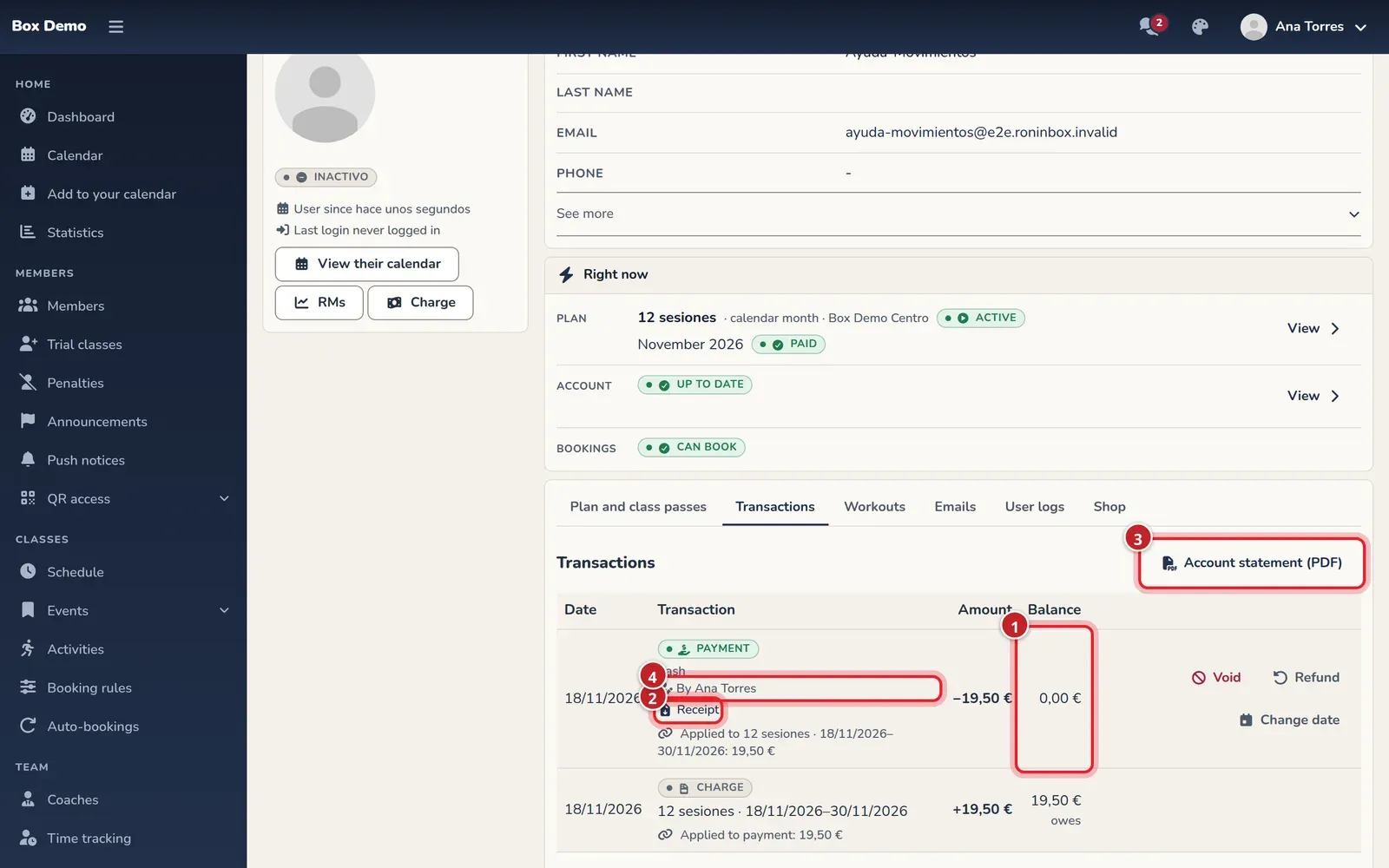
The type distinguishes Charge, Surcharge, Payment, Refund, Waived, Chargeback, Chargeback won, Credit and Reversal.
Payments show their method: Cash, Card (POS), Bank transfer, Direct debit, Online (card), Class pass or On another platform.
When a family pays
Section titled “When a family pays”In RoninBox, a family is several members whose contracts are paid by the same person. The header identifies the shared account, and each entry shows which member it belongs to. The balance and transactions belong to that family account.
The member’s drop-in class passes and shop purchases go to their own account. When it exists, it appears below the shared account, with its transactions kept separate.
On rolling months: one row per pass
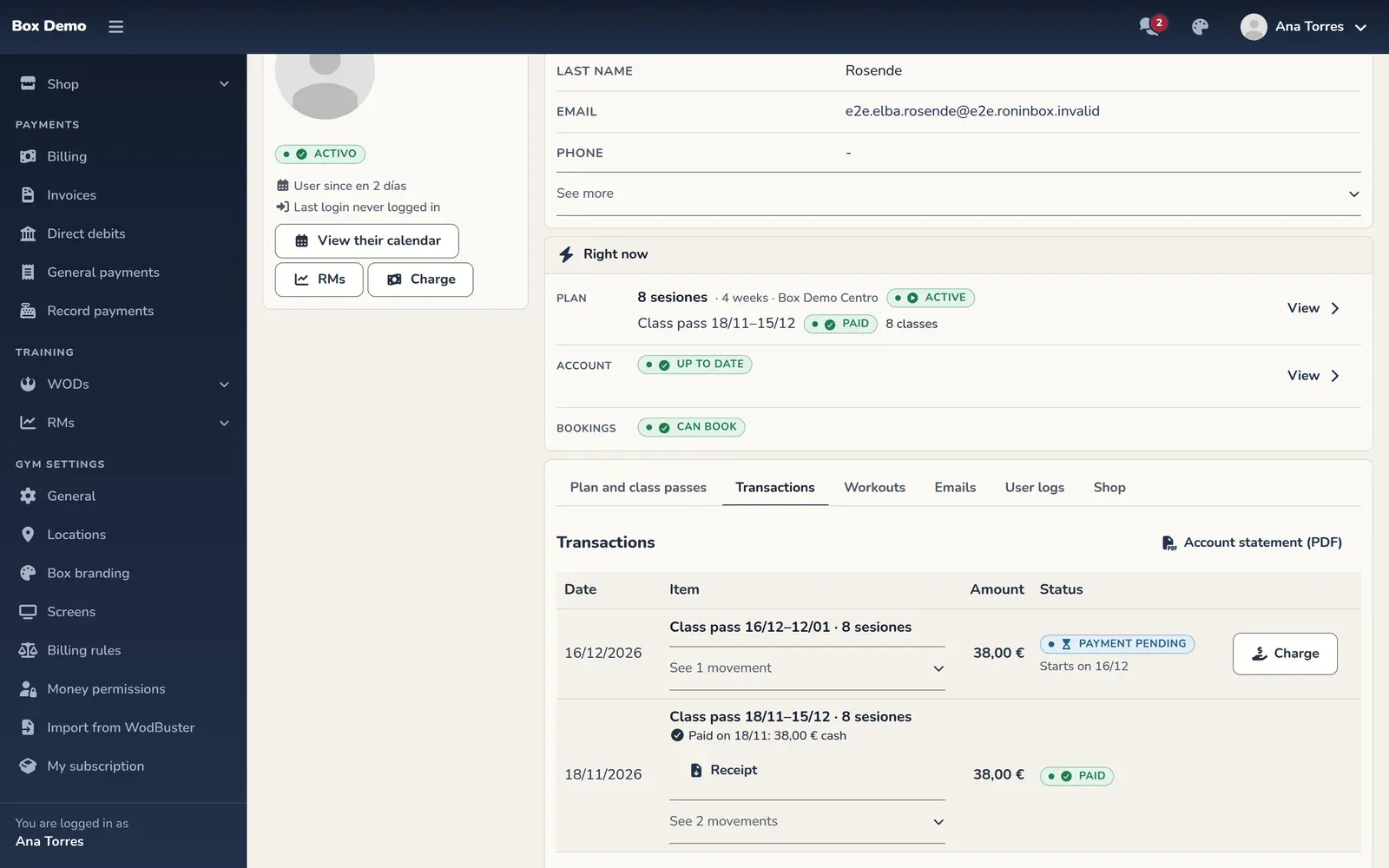
Section titled “On rolling months: one row per pass”If all of the member’s contracts are rolling-month, the list groups transactions into 28-day passes. Each pass shows its dates, plan, amount and status: Paid, Payment pending, Owed or Voided.
Transcript
For a pass-based member, Transactions is one row per pass The current pass, not yet paid: pending, not debt yet Each pass shows when and how it was paid, with its receipts Inside, its transactions: each payment shows who collected it And so on for every pass. No running balance: pass by pass Each payment’s receipt, one click away
Payments include their receipts and, when there is one, their invoice. If something is pending, Charge appears. Expand a pass’s transactions to see its charges, payments and corrections.
A transaction that doesn’t belong to a pass, such as a payment on account or a purchase, has its own row. The balance for the whole account is still in Plan and class passes.
Correcting without deleting
Section titled “Correcting without deleting”Depending on the entry and your permissions, the row offers Void, Refund, Waive or Change date. A voided original is marked as Voided and struck through.
Before confirming, tell a recording error apart from an actual refund of money. See Void, refund and write off to choose the right correction and learn its limits.
If your role isn’t allowed to see the balance, Your role can't view this account's transactions. appears.
From the contract to the receipt
Section titled “From the contract to the receipt”In Plan and class passes, tap a month’s status to open just its transactions, notes and receipts. See all transactions opens the full list with that period’s transactions highlighted.
Transcript
Ana opens a paid month, checks its charge and payment and downloads the receipt. Then she goes to all transactions with that month highlighted and opens the full account statement as a PDF.
See also Receipts and invoices and A member’s contract.
Video: Family account: one payer for several members
Section titled “Video: Family account: one payer for several members”Transcript
This member’s fees are paid by their family
The second family member gets their own discount
Collect pending only collects this member’s balance
A sibling’s debt is never collected by mistake
The transactions belong to the family, showing whose each one is
And you collect the other child’s on their profile
The receipt is issued in the payer’s name
Video: Who changed what, and daily and monthly revenue
Section titled “Video: Who changed what, and daily and monthly revenue”Transcript
At closing time: everything that came in today, payment by payment.
Search filters by member, description or amount.
Corrections appear as negative lines, with their reason.
The day’s cash report, as a PDF.
In “Monthly”, what was collected this month, with refunds already subtracted.
And all of the month’s transactions in a CSV for your accountant.
What you expected to collect this month and what’s still outstanding.
On every transaction, who did it.
“User logs” shows who made each change to the profile.
With the details of what changed.