
Recurring payments at a gym with RoninBox
Recurring payments at a gym work on a simple idea: each member has a monthly fee per period, and you decide how periods are counted and how each member pays. RoninBox generates the monthly fees on its own, tells you who owes and blocks bookings for anyone who doesn’t pay after a few grace days. This guide explains the options so you can choose before opening your gym.
The core piece: the monthly fee
Section titled “The core piece: the monthly fee”A monthly fee is a member’s billing period. It brings together their plan, extensions and payments received, with a start and end date. RoninBox creates it automatically for every member with a plan, and it determines the classes the member can book. See Monthly fees.
First decision: how periods are counted
Section titled “First decision: how periods are counted”This is a gym-wide setting, in Gym settings ▸ Payment settings. The option names are misleading:
| Monthly | Calendar month | |
|---|---|---|
| What it is | The calendar month | A 28-day period from each member’s start date |
| Dates | From the 1st to the last day of the month, the same for everyone | Each member has their own cycle |
| When it fits | You charge everyone on the same day | Each member pays from their sign-up date |
| Edit a period’s dates | No | Yes |
With “Monthly”, if you charge everyone on the 1st, your payment calendar follows the month. With “Natural Month”, a member who starts on October 5 has a first period from October 5 to November 2, and the next one starts on November 3. Details and examples in Monthly fee type.
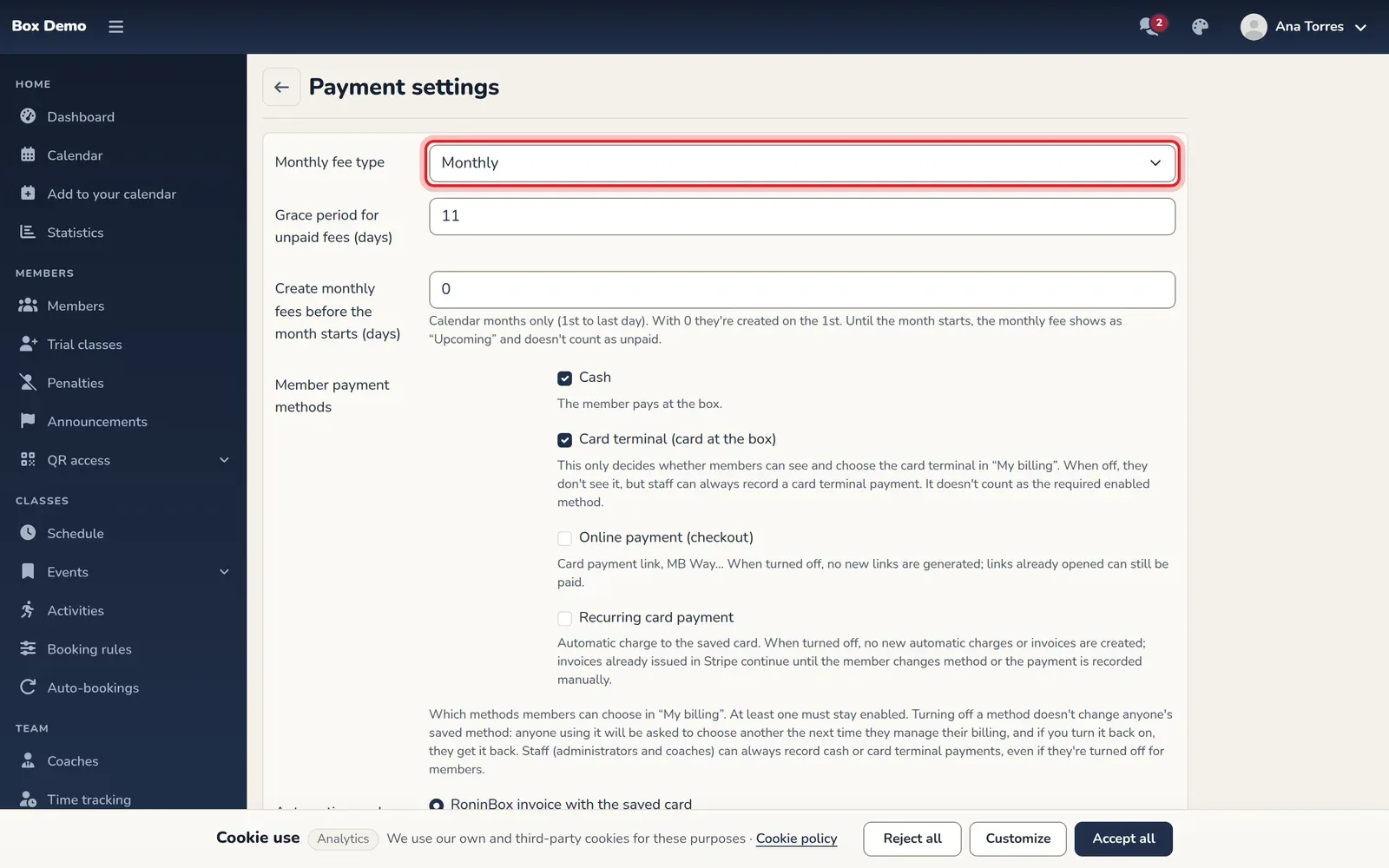
Second decision: how each member pays
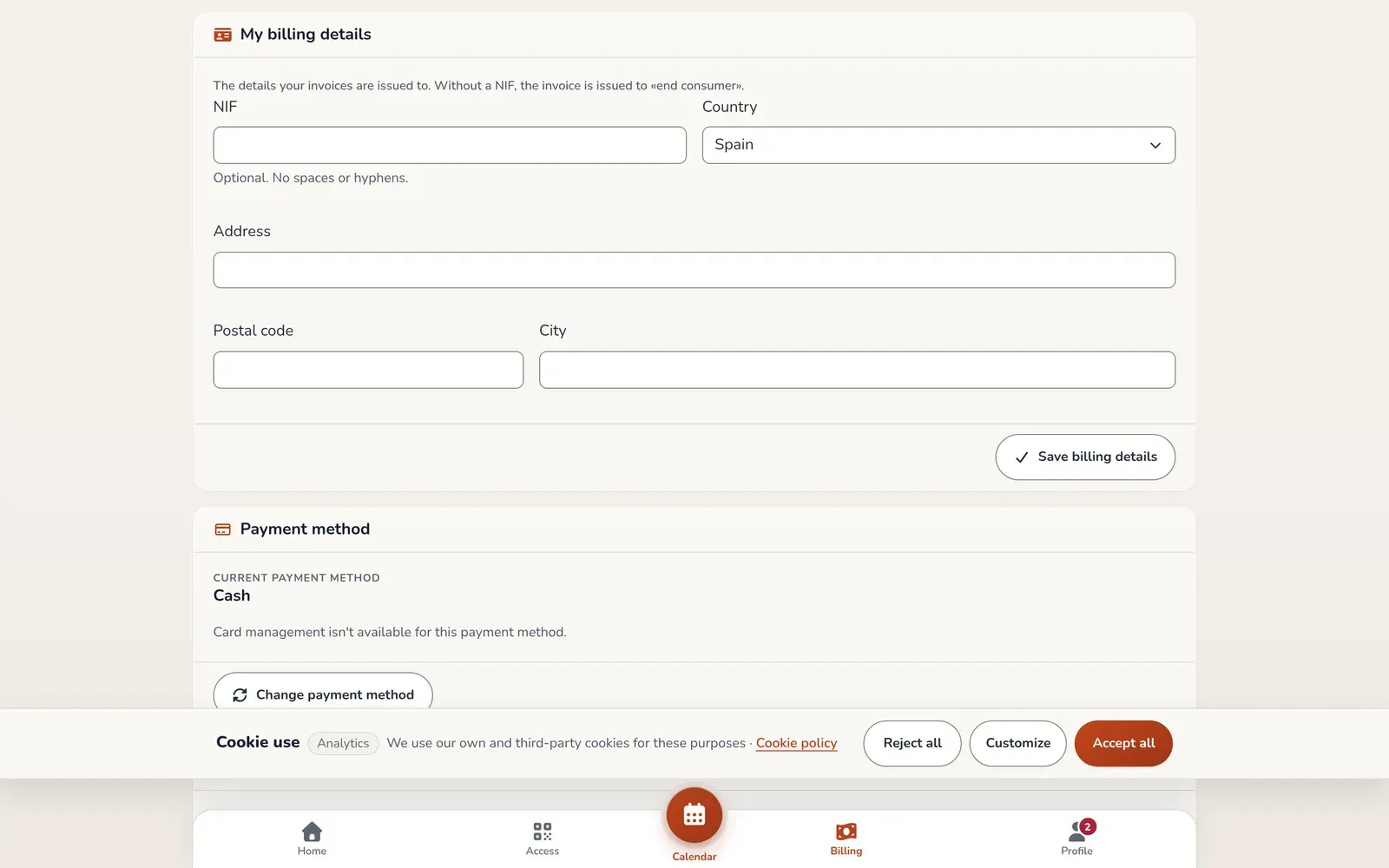
Section titled “Second decision: how each member pays”Each member has a saved payment method:
- Cash. They pay at the gym and staff record the payment.
- POS. They pay by card at the gym’s terminal. Staff also record it.
- Online payment (checkout). They pay each month with a secure Stripe payment link (card, MB Way, Bizum or other available methods) and get a reminder to complete each renewal.
- Recurring card payment. Automatic charge to their saved card: the period is paid on its own.
The last two are only available if RoninBox enables online payments for your gym; you request them from the team, they aren’t set up in the app. You choose which methods you offer your members, with at least one active. Staff can always record a cash or POS payment. See Online payments and Take cash or POS payments.
Third decision: what happens to those who don’t pay
Section titled “Third decision: what happens to those who don’t pay”A member with an unpaid monthly fee isn’t blocked right away:
- They have some grace days, which you set (from 1 to 28; 11 by default), counted from the start of their monthly fee. Within that window they can book.
- Within the window, the plan can limit how many classes they book while they owe (from 0 to 999; empty means no limit).
- After the window, they can’t book until they pay. Once they pay, they can book again without you doing anything.
With “Monthly”, an unpaid previous month also blocks bookings with no grace days. See Unpaid fees and grace days.
Tracking: who owes and how much comes in
Section titled “Tracking: who owes and how much comes in”- Monthly billing shows projected, collected and pending amounts for each month, plus the table of monthly fees with their status.
- The member list can be filtered by pending payments.
- Income that isn’t from a member, like a T-shirt, goes in generic payments and adds to the month’s totals.
Change prices without editing member by member
Section titled “Change prices without editing member by member”A plan’s price can’t be edited once created. You create a new plan, specify which one it replaces, and each member moves to the new one on their next monthly fee. See Chained plans.
Before and after
Section titled “Before and after”| Task | With a spreadsheet | With RoninBox |
|---|---|---|
| Create each month’s fee | You copy it member by member | It’s generated automatically for each member with a plan |
| Know who owes | You check row by row | You filter by pending payments |
| Raise a price | You change each member | One new chained plan |
| Block bookings for unpaid fees | Manually | Automatic after the grace days |
Next step
Section titled “Next step”To see how payments would be set up for your gym, contact the RoninBox team at roninbox.com.