
One-time extras and discounts in a month
One-time extras and discounts are added to a specific month from the member’s profile. In Plan and class passes, find the month and tap Add line. Use it to add an extra, subtract a discount, or give additional classes.
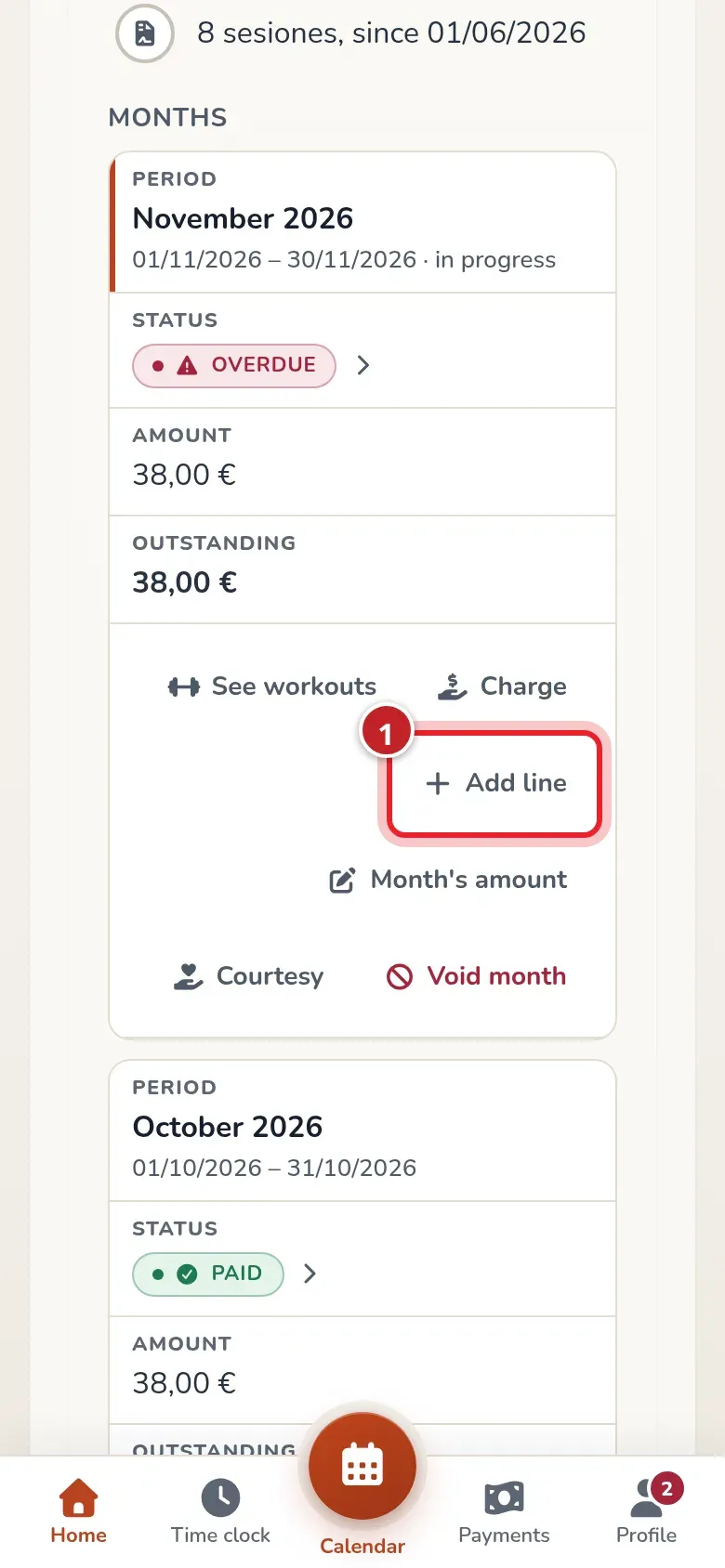
Add a line
Section titled “Add a line”- Tap Add line.
- In Add a line to the month, type the Description. Choose something that explains the reason, for example “Saturday open box”.
- In Amount (€), use a positive number to add and a negative one to discount. An €8 extra is entered as
8; a €5 discount,-5. - If it also gives classes, enter how many in Extra classes. It only adds classes; you can’t use it to remove them.
- Tap Add and check the month’s amount.
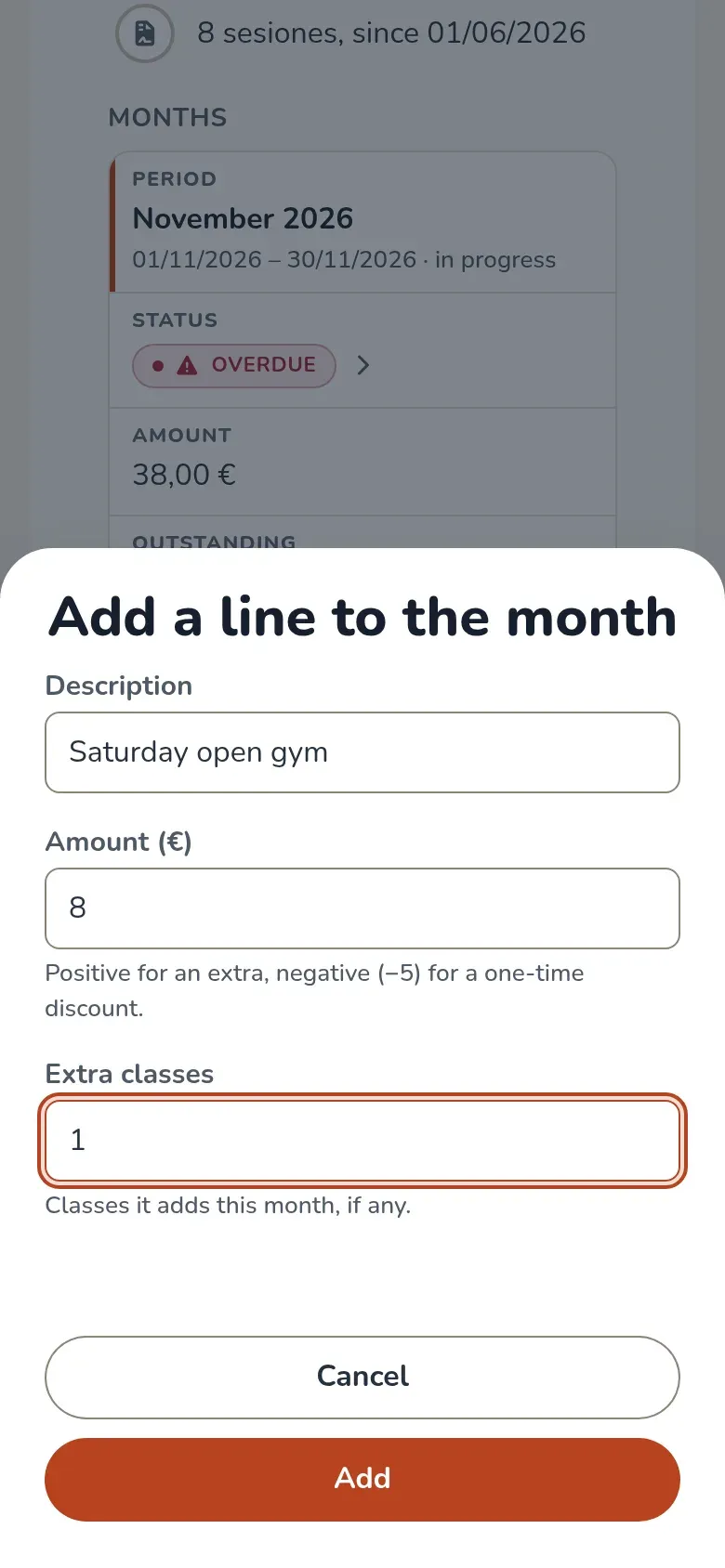
What changes
Section titled “What changes”The line appears under the month with its concept and amount. When you open the payment, the total already includes it. For example, a €38 plan, an €8 extra and a €5 discount bring the month to €41.
If money had already been collected for that month, the difference is recorded as a charge or credit in Transactions. Check the credit balance before refunding money or charging again.
Extra classes are valid within the period’s dates and are used before the plan’s classes. In Workouts they increase the total. When a booking uses them, the row keeps who added them; a line with an amount uses the added-class attribution and a zero-euro one, the gifted-class attribution. Unused classes only add to the counter: they don’t have their own row yet.
Remove a wrong line
Section titled “Remove a wrong line”Tap the X next to the line and confirm with Remove. Its amount no longer counts and the month is recalculated.
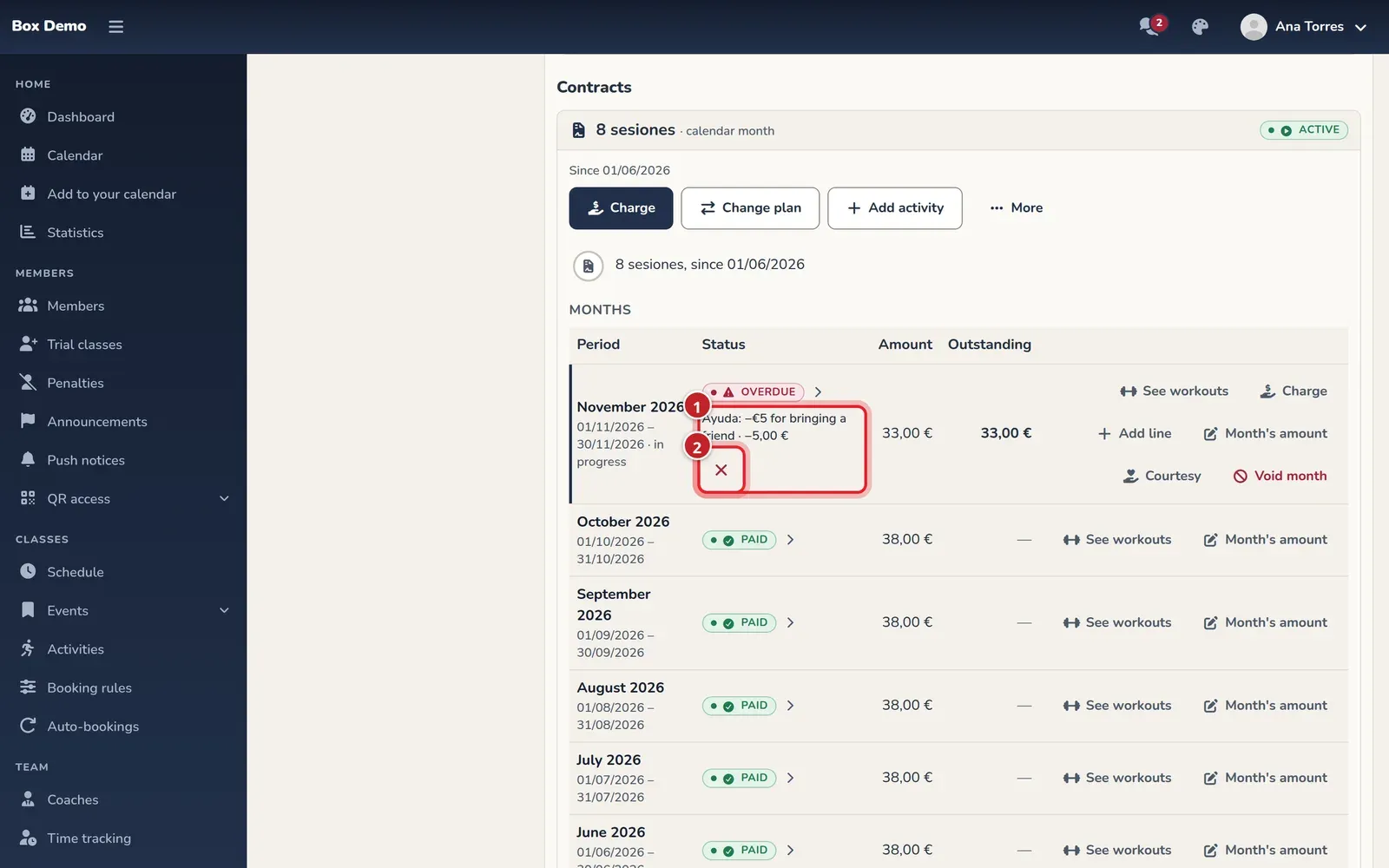
A discount can’t bring the month below zero. A line with no amount and no classes isn’t saved. Voided months, months paid outside the app or months included in a block can’t be adjusted this way. If its classes have already been used, review the bookings before trying to remove the line.
Choose the right tool
Section titled “Choose the right tool”- Recurring discount: Recurring discount.
- Discount when recording a payment: Charge a member.
- Gifting classes: Gift classes.
- Clear debt without giving classes: Void, refund and forgive.
Admins and coaches can manage lines according to their money permissions. There’s no fixed cap on coach discounts; the admin can limit their permissions.
Transcript
Marta adds an €8 extra with one class and a one-time €5 discount to Iván’s month. The month goes from €38 to €41. She removes the extra that was a mistake and it’s left at €33, also shown when opening the payment window.
Video: Gift classes in a month
Section titled “Video: Gift classes in a month”Transcript
Irene brought a friend and you gift her 2 classes this month.
A gift is a €0 line with classes.
The concept is the reason: the member will see it too.
She doesn’t pay anything extra: the month still costs €38.
Now she has 10 classes this month: 8 from her plan and 2 gifted.
You sign her up for a class.
Gifted classes are used first. The record shows what paid for it.
And her workouts show which class was gifted and by whom.
The gift stays here, in the month’s lines, with its reason.