
Coach rules: who teaches each class
Coach rules decide who teaches each class so you don’t have to assign them class by class. You manage them in Coaches, Rules tab, and only the administrator can edit them.
When you save a rule, future classes you haven’t assigned manually are updated.
The rule list
Section titled “The rule list”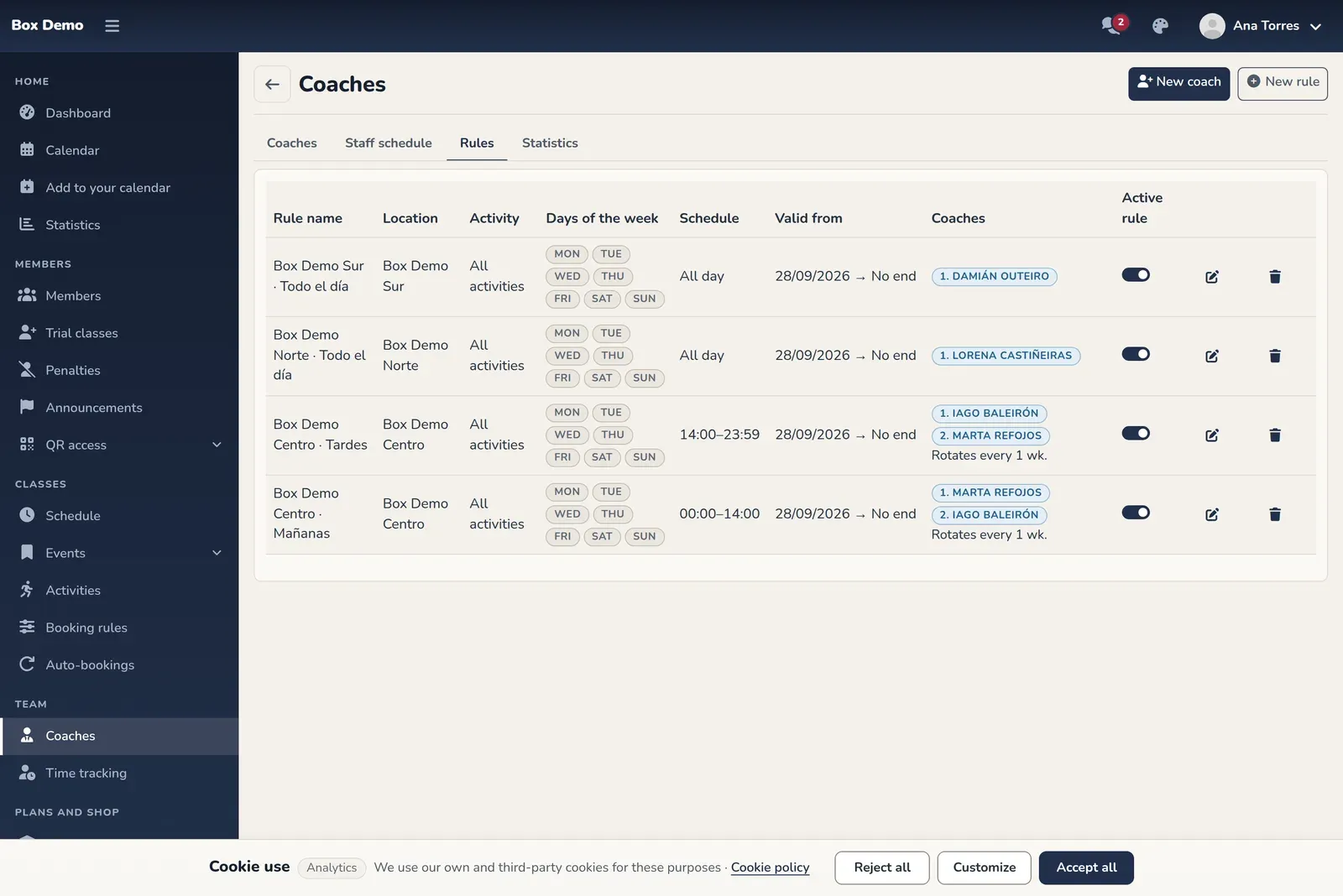
Each row shows the name, activity, days, time range, validity dates, coaches in order and whether it rotates. The Active rule toggle turns it off without deleting it. The pencil edits it and the trash can deletes it; future classes are recalculated with the remaining rules.
How to create a rule
Section titled “How to create a rule”-
In Coaches, tap New rule.
-
Fill in the form:
- Rule name: optional, to help you recognize it.
- Location (only if you have several locations) and activity: leave them on “all” so the rule applies to everything.
- Days of the week: check the days. At least one is required.
- From and To: empty means all day. If you fill in one, fill in both. The start time is included and the end time is not.
- Valid from and Valid until: the start date is required; the end date is optional.
- Coaches: add at least one with Add coach. The order matters for rotation, and you change it with the arrows.
- Rotate every (weeks).
- Active rule.
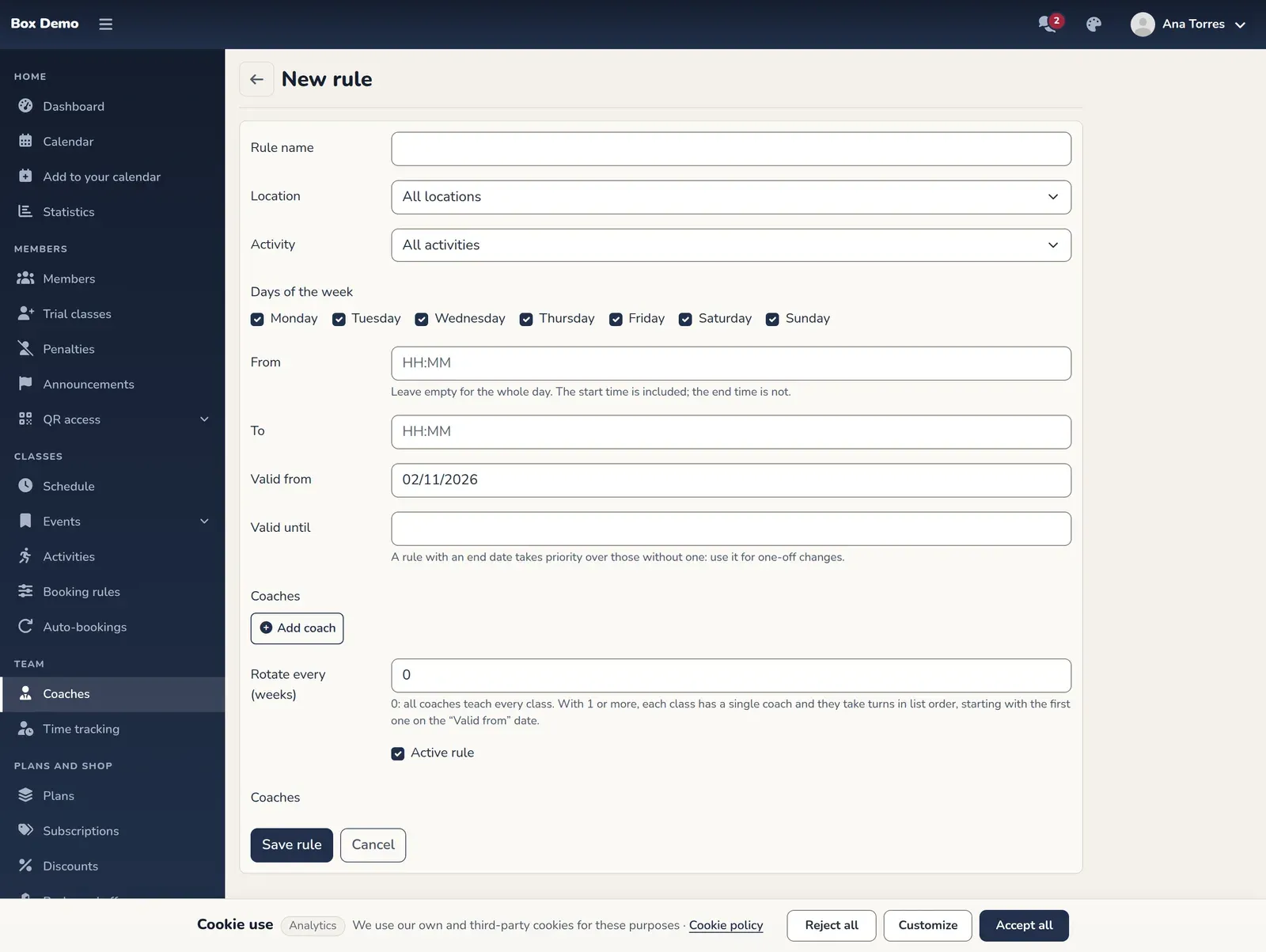
The rule form. -
Tap Save rule.
Rotation
Section titled “Rotation”- 0: all the coaches in the rule teach every class together.
- 1 or more: each class has a single coach, and they take turns in list order every that many weeks, starting with the first one on the “Valid from” date. Rotation requires at least two coaches.
Which rule wins
Section titled “Which rule wins”If several rules match a class, the most specific one wins. Having an end date counts most, then location, then activity, then time range. That’s why a rule with an end date works well for one-off changes, like a vacation. If there’s a tie, the most recent one wins.
Common errors
Section titled “Common errors”- It won’t let me save. Check that at least one day is checked, there’s at least one coach, the time range has both a start and an end, and the end date isn’t before the start date.
- A class doesn’t change coach. It may be assigned manually in the roster.