
My classes: your classes and attendees
Published on
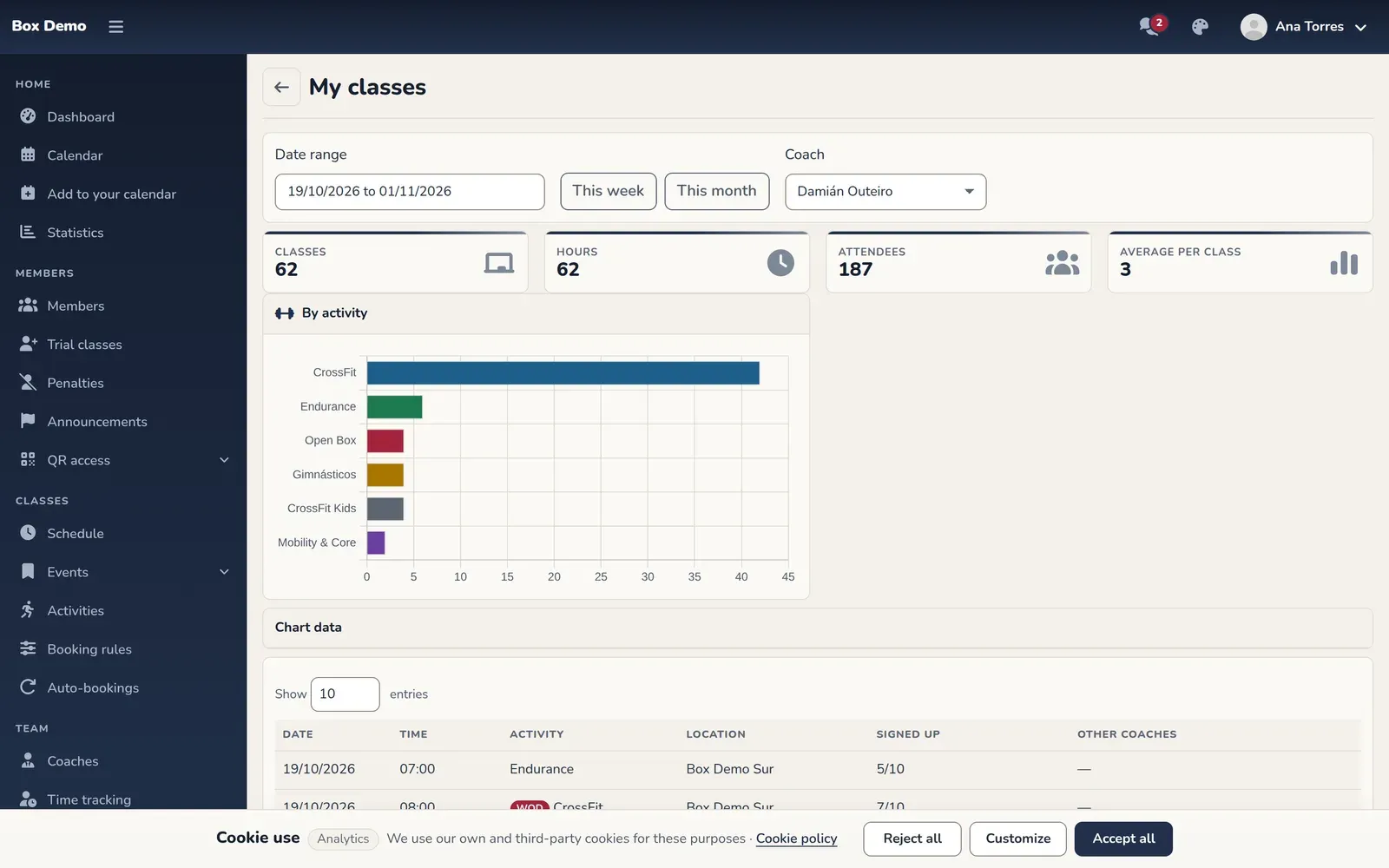
The My classes screen lists the classes a coach teaches, with the people signed up, in a date range. You get there from the My classes card in your profile, as a coach or as an admin.
What you see
Section titled “What you see”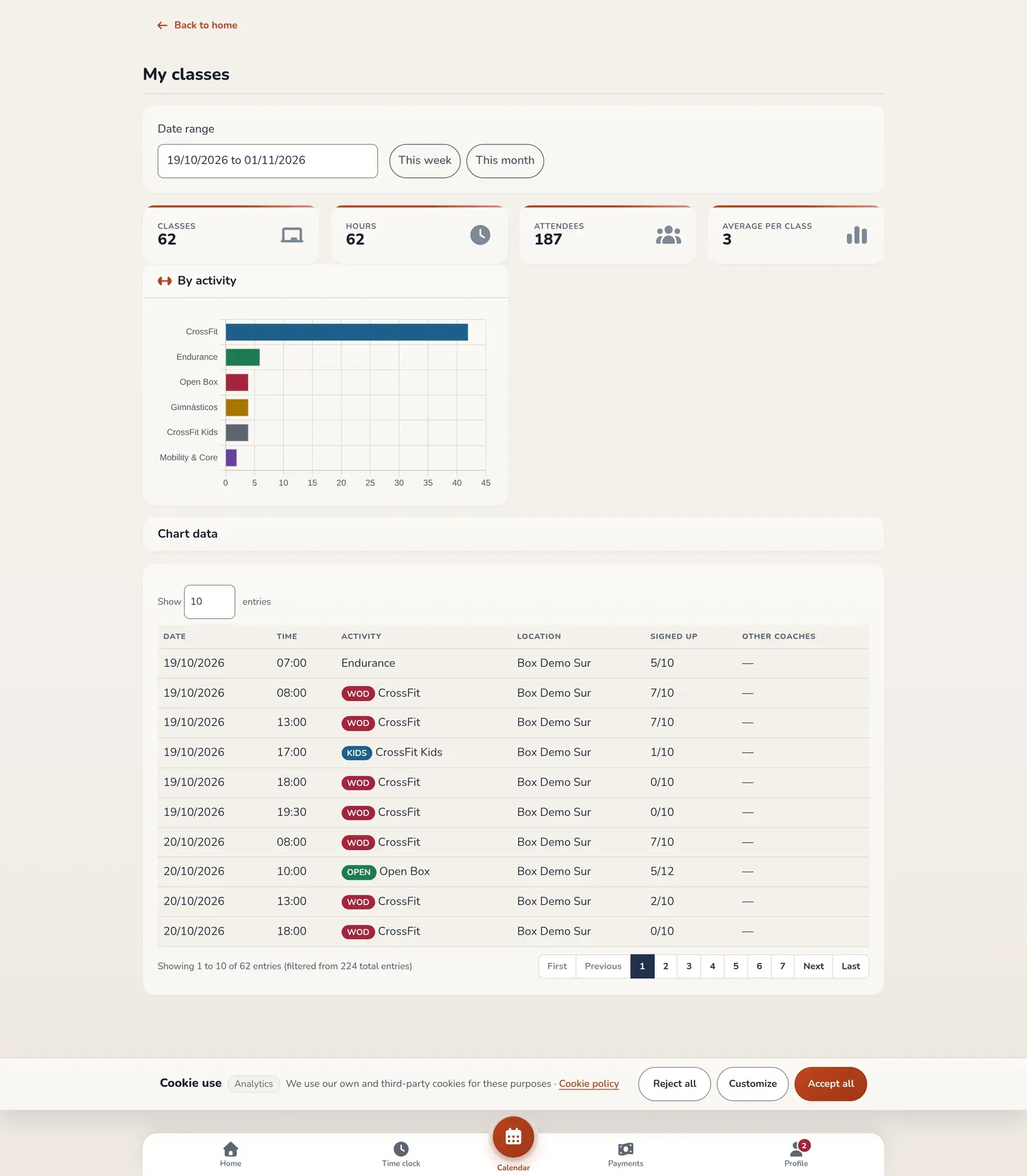
- Date filter: type a range or use the This week and This month buttons.
- Numbers for the range: Classes, Hours, Attendees and Average per class, with By activity and By week charts. The chart data is also available in expandable tables.
- Class table with Date, Time, Activity, the location if there are several, Signed up and Other coaches.
If you’re an admin
Section titled “If you’re an admin”A Coach dropdown appears so you can see any coach’s classes. A coach only sees their own.
Common mistakes
Section titled “Common mistakes”- The table is empty. Check the range: only classes already created or with bookings count. The rest are in the calendar.