
A member's credit balance
A credit balance is money paid that hasn’t been applied to a debt yet. In the account of a member billed by calendar month, it can be used for upcoming fees or refunded. The history keeps track of where it came from and how it was used.
Where to see it
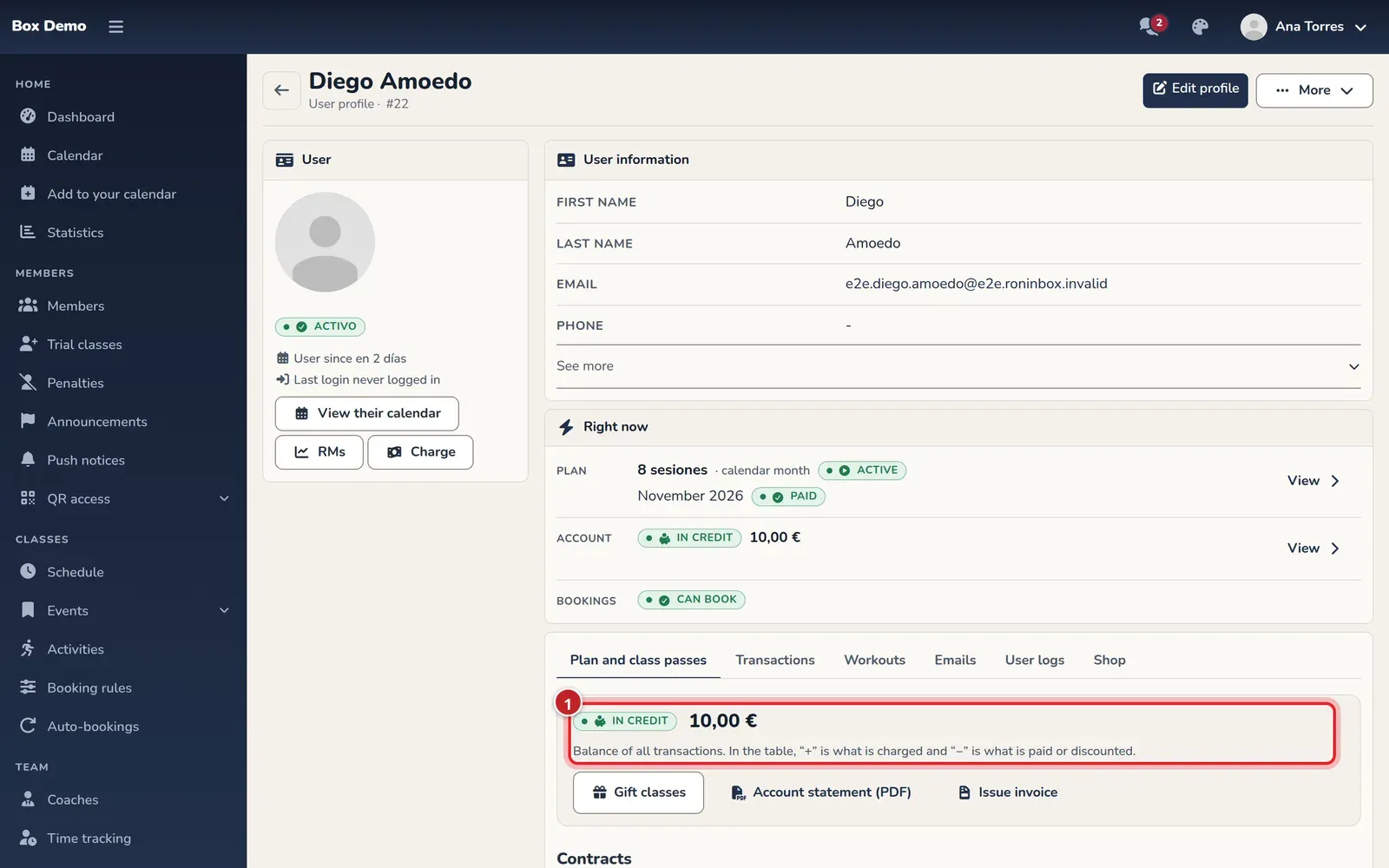
Section titled “Where to see it”Open the member’s profile and Plan and class passes. In credit appears at the top with the amount.
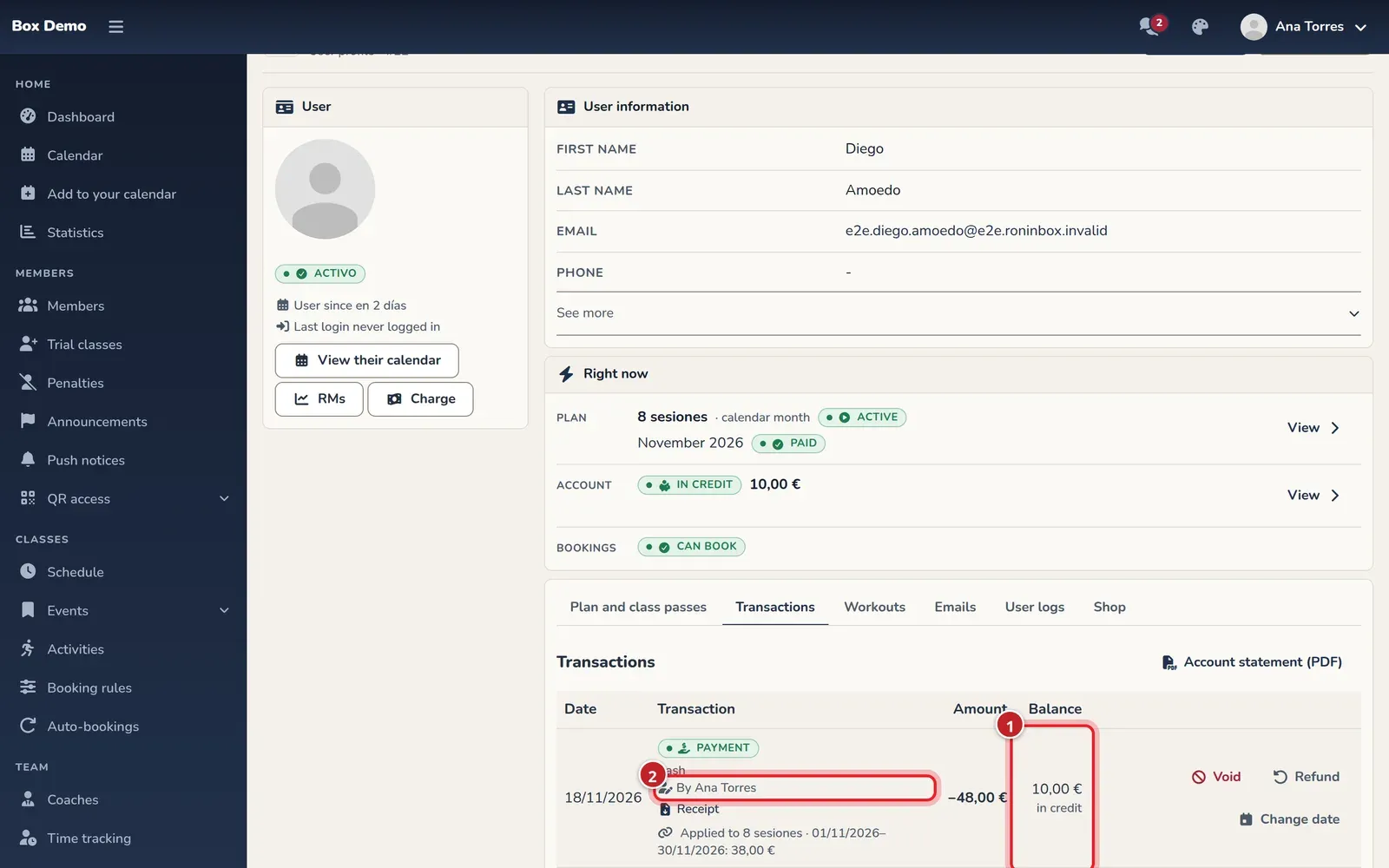
In Transactions, the Balance column lets you follow the balance after each charge, payment or correction.
In four-week class pass contracts, transactions are viewed per pass and don’t have that running balance column. See A member’s transactions.
Where it comes from
Section titled “Where it comes from”- Charging more than was owed, or recording money when there’s no debt.
- Pausing days of a month already paid.
- Downgrading plans partway through a month already billed.
- Canceling a membership under a rule that leaves the unused portion as credit.
- Receiving an online payment for something already paid or whose link was replaced.
For example, if they owe €55 and hand over €75, the payment covers the €55 and the other €20 is left in credit.
Using it on a fee
Section titled “Using it on a fee”In Billing rules, section Credit balance and proration, the option to use the credit balance on the next payment is on by default. When it applies, it goes to the oldest debt.
Check the balance and breakdown before recording another payment: don’t record money they already have in credit again. The administrator changes the rules; the coach can view the account and handle payments and corrections, depending on their permissions.
Refunding it
Section titled “Refunding it”In Transactions, open Refund on the payment that created that money. Check how much you’re refunding, how you’re giving it back and the reason. The refund is recorded along with who made it. Follow Void, refund and waive.
Transcript
Ana charges €75 for a €55 month and notes that the rest is an advance. The account is left with €20 in credit. In Transactions you can see the payment with its note and author; in the rules you check the option to use that balance later.