
Registration fee and annual fees for your box
You create the registration fee in RoninBox just once, in Sign-up and annual fees, and it’s charged automatically with the first month of every new sign-up. On the same screen you can create an annual fee, like insurance, which is charged every year on each member’s date.
Creating, changing and deleting registration fees and other fees is up to the box administrator. Viewing, adding or removing a member’s fees is done from their profile, and coaches can do it too.
Registration fee or annual fee
Section titled “Registration fee or annual fee”In When it's charged you pick one of the two:
- Once, with the first month (sign-up fee): this is the registration fee. It goes on the member’s first monthly fee.
- Every year, on each member's date (their sign-up, unless you change it in their profile).
Both appear as their own line on the monthly fee, with their name. They’re never prorated, and member discounts don’t affect them.
How to create a registration fee or annual fee
Section titled “How to create a registration fee or annual fee”-
Open Plans and shop and go to Sign-up and annual fees.
-
Tap Create sign-up or annual fee (marker 1).
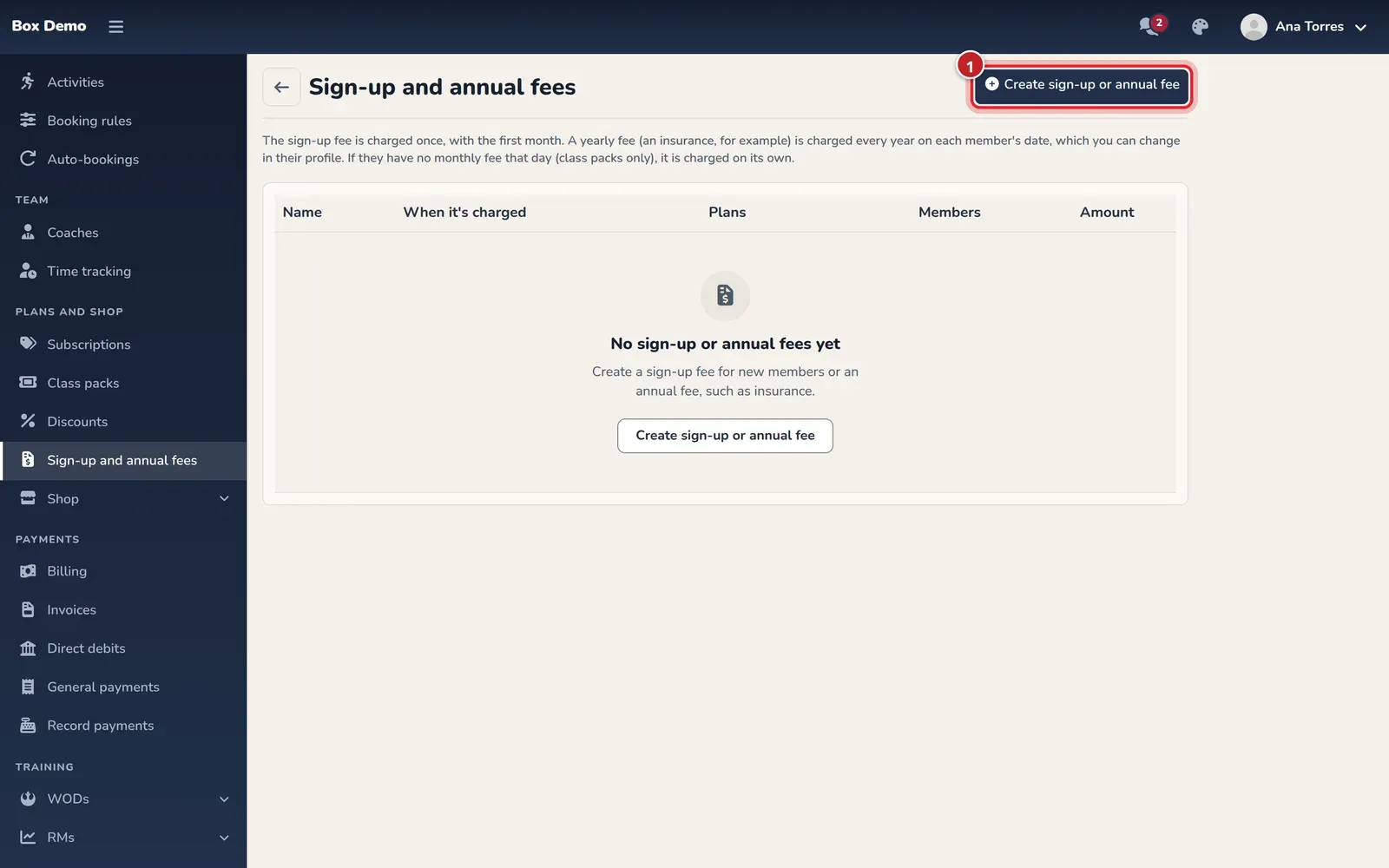
The registration fee and fees list. The create button is at the top right. -
Enter the Name (marker 1), for example “Registration fee” or “Annual insurance”. This is the text of the line on the monthly fee.
-
Enter the Amount in euros (marker 2).
-
Choose When it's charged (marker 3).
-
If only members on certain plans pay it, check them in Plans. If you don’t check any, everyone pays it.
-
Optionally, check either of these two options:
- Don't charge it if they pay several months ahead: members who start by paying several months at once don’t pay it.
- Also charge it to members who only buy class packs: members without a plan also pay it with their first class pass (and, if it’s annual, every year on their date).
-
If it’s an annual fee, choose what to do with Members who already have these plans:
- Do not give it to them: new sign-ups only.
- Each on the anniversary of their sign-up at the gym.
- All on the same date: enter the Date of the first charge.
-
Tap Save (marker 4).
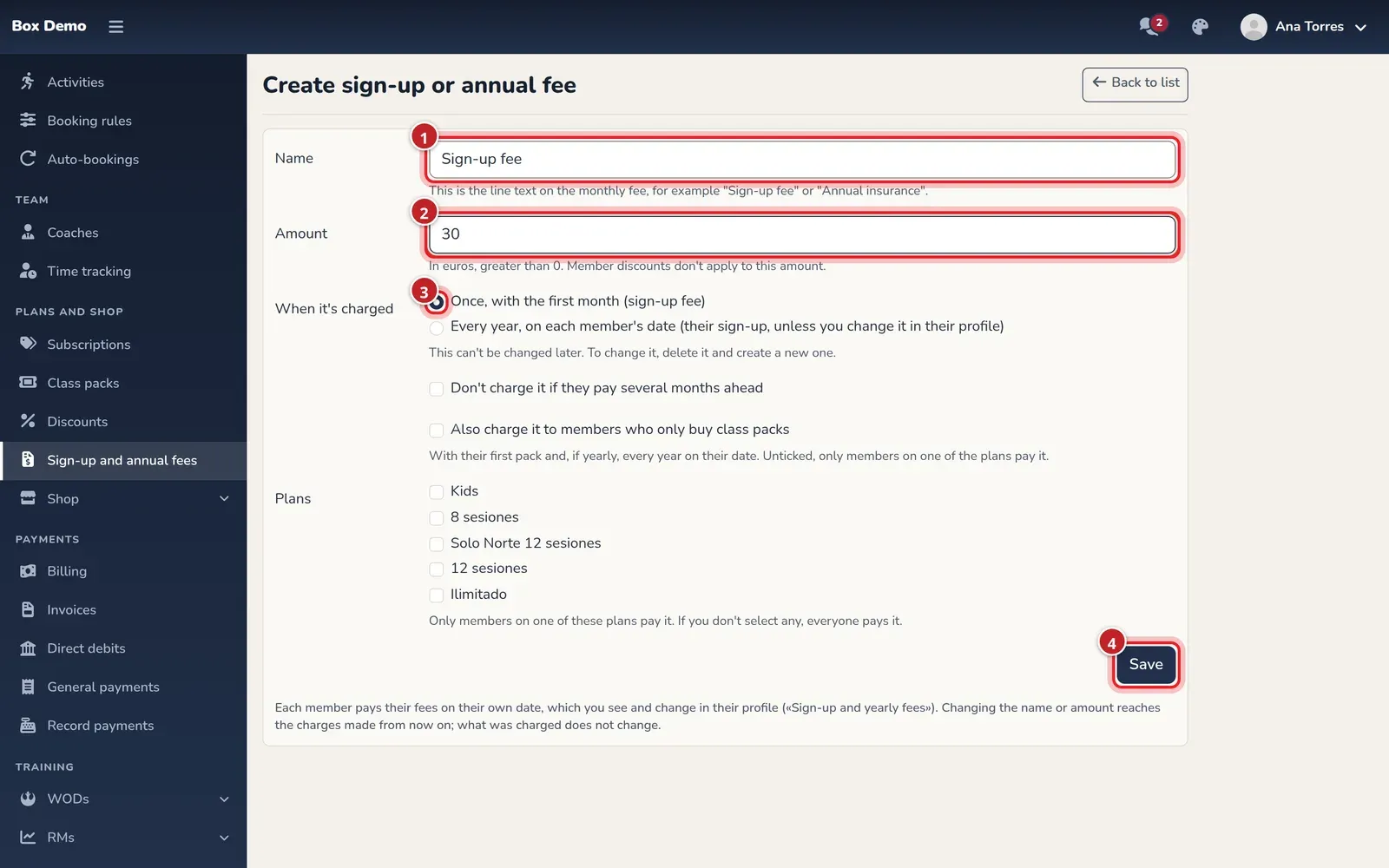
The form for a registration fee.
What happens next
Section titled “What happens next”- New sign-ups. When you create a member or sign them up from their profile, a checkbox appears below the plan for each registration fee, checked if the member has never had it, plus a line for each annual fee. Members who sign up from the app see what their first month includes in the summary.
- Each member pays on their date. On their profile, in the Plan and class passes tab, the Sign-up and yearly fees section shows when their next charge is. From there you can Change date or Remove, and with Add fee you can add a registration fee or other fee manually.
- No monthly fee that day. If the date falls on a day with no monthly fee (for example, a member who only has class passes), it’s charged separately.
- Changing the name or amount applies to charges made from now on. What’s already been charged doesn’t change.
- Deleting stops it from being charged on new monthly fees. What’s already been charged doesn’t change.
Common mistakes
Section titled “Common mistakes”- I want the registration fee to be cheaper with a discount. Member discounts don’t apply to the registration fee. If a member shouldn’t pay it, uncheck it when signing them up or remove it from their profile.
- I created an annual fee and my current members don’t have it. When you created it you chose Do not give it to them: new sign-ups only. Add it to each member from their profile with Add fee.
- I picked the wrong “When it’s charged”. It can’t be changed: delete it and create a new one.