
How to book a class in RoninBox
To book a class in RoninBox, open the calendar, tap the class and press Sign up. One credit for that activity is deducted and your name is added to the class list. If you don’t see the button, one of your gym’s rules won’t let you in right now. You’ll find which ones below.
Transcript
The app opens on the calendar. That’s where your gym’s classes are.
Use the Month and Day buttons to choose how to view it. Month gives you an overview of the whole month.
Tap the class you want to open it. You’ll see the activity, the day, the time and the open spots.
To book, you’d press Sign up. If the class is full, you can join the waitlist.
How to book
Section titled “How to book”-
Open Calendar in the bottom bar. If your gym has several locations, choose the location.
-
Tap the class you want.
-
The class details open. Check that the time and location are right and press Sign up (marker 1).
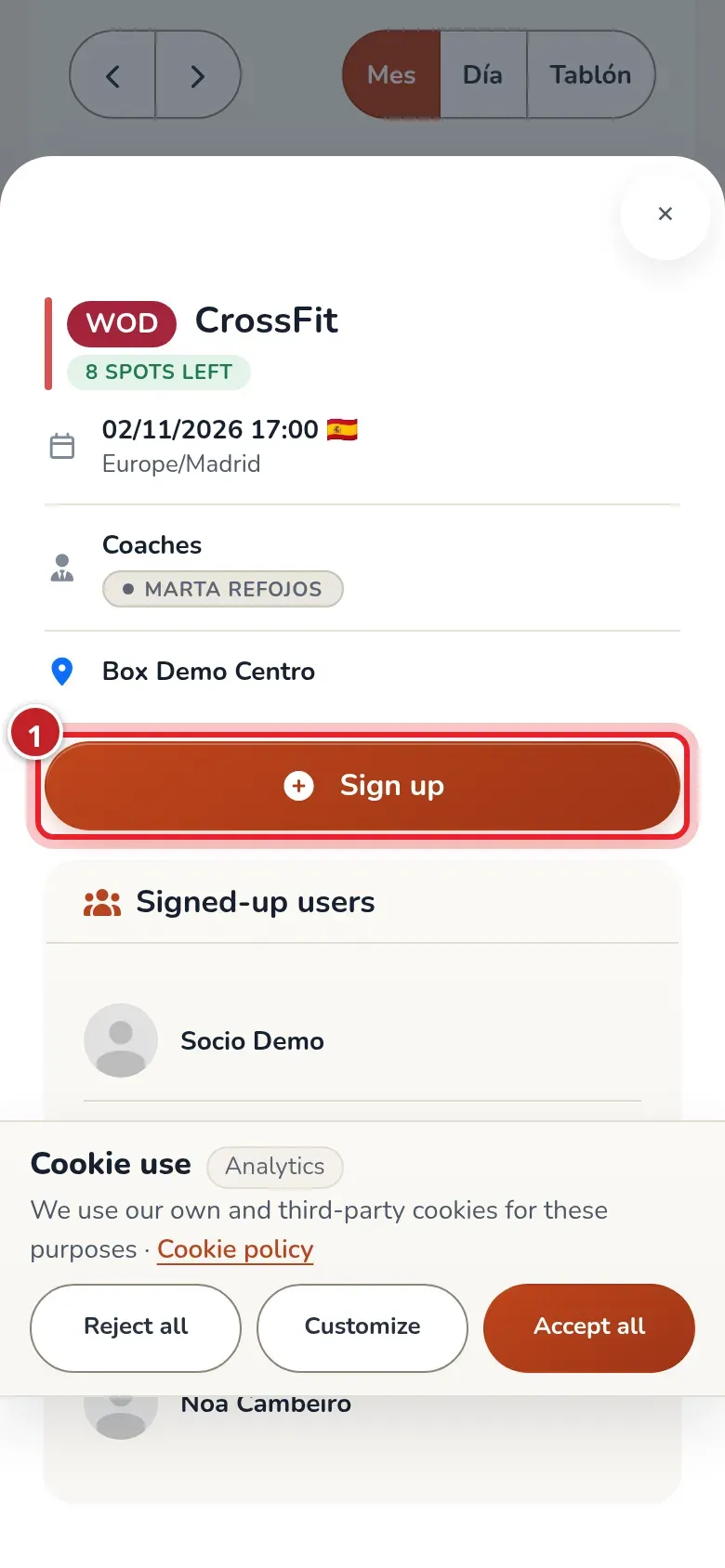
The details of a class with open spots. The Sign up button is highlighted. -
The details update: you now see yourself in the list of signed-up members and the button changes to Cancel.
What the class details show
Section titled “What the class details show”- The class name and, next to it, how many spots are left. If they’re all taken, it says Full. If the gym has closed the class, you’ll see Class closed.
- The date and time, and the time zone.
- The class coaches, if the gym has assigned them.
- The location.
- The list of Signed-up users and, if there is one, the Waitlist.
When you can’t book
Section titled “When you can’t book”The app checks these rules in this order. In most cases there’s no message: the Sign up button just doesn’t appear. Only four cases come with a written notice.
| What’s happening | What you see |
|---|---|
| The class is closed. The gym has closed it and nobody can sign up or cancel. | The «Class closed» label and no button. |
| It’s about to start. The gym sets a minimum time before the class to sign up («Minimum sign-up time (minutes)» option). | No button. |
| It’s too early. The gym limits how many days in advance you can book («Maximum booking window for classes (days)» option). | No button. |
| The week hasn’t opened for you yet. If the gym uses weekly opening, next week’s classes open on a specific day and time. | A notice: «Sign-up isn't open yet», a countdown and the date: «Booking for this class opens for you on 10/12/2026 09:00.» Further down, the countdown. |
| Your plan doesn’t include this location. | The calendar notice «Your subscription doesn't include this location. You can see the classes but not book them.» and no button on the class. |
| The class is full. | The Full label. You can join the waitlist. |
| You already have a class of that activity that day, if the gym has the one-class-per-activity-per-day rule. | A notice: «You already have a CrossFit class that day.» with the name of the activity. |
| You have unpaid monthly fees, or the month’s grace days have passed, or you’ve reached the maximum number of classes your plan allows with pending payments. | No button. Check My billing. |
| You have no credits left for that activity: you’ve used up the classes included in your plan. | A notice: «You can't sign up because you've used up your limit. Message the gym if you need more.» |
| You lost the credit for this same class by canceling it too late. | A notice: «You canceled this class too late and lost its credit, so you can’t sign up for it again.» |
If you’re already in the class, you see Cancel instead of Sign up.
The booking opening countdown
Section titled “The booking opening countdown”If your gym opens each week’s bookings on a set day and time, when you look at a week that hasn’t opened yet, the class details and the board card say «Sign-up isn't open yet». Below that is a countdown to the opening (for example «2 d 04:12:09», or «04:12:09» if less than a day is left) and the exact date and time.
- In the meantime, the board button says Not open yet and can’t be pressed.
- When it hits zero, you don’t need to reload: within a few seconds the calendar checks again and the button changes to Book.
- It may open later for you than for others. If you canceled a class too late and your gym has that penalty, your opening for that week is delayed by a few minutes. The countdown and date are already yours, with the delay included. More in cancel a booking.
- If your phone’s clock is way off, the countdown doesn’t show, only the date: that way it won’t give you a wrong time.
Automatic bookings
Section titled “Automatic bookings”Your gym can give you a fixed class every week. If it has, your profile shows Auto-bookings with those classes: RoninBox signs you up automatically as soon as each week opens, with the same rules as above and using a credit like any booking. If you can’t make it one week, cancel as usual; you won’t be signed up again that week. Only the gym can create or change these rules.
Common issues
Section titled “Common issues”- I signed up and I’m not sure it worked. Open the details again: if you see yourself in the list of signed-up members and the button says Cancel, you’re in.
- The button doesn’t appear and there’s no notice. Go over the table above, especially pending payments and credits.
- I want to cancel the booking. See cancel a booking.