
Recurring discount for a member
A recurring discount lowers a member’s fee every month without you having to remember: a fixed amount (for example €5 off) or a percentage of their plans. RoninBox adds it as a negative line, with the discount’s name, on every new monthly fee for the member.
Discounts are created once in the box’s catalog, in Discounts (see Box discounts), and then assigned to each member from their profile.
Who can do it and where
Section titled “Who can do it and where”Box staff, in the member’s profile: Subscriptions tab ▸ Edit subscriptions, the same form where you assign a plan. Creating or changing discounts in the catalog is up to an administrator.
How to assign a discount
Section titled “How to assign a discount”-
Open Members ▸ Members and go to the member’s profile.
-
Open the Subscriptions tab and tap Edit subscriptions.
-
In Recurring discounts (marker 1), tap the field and choose the discount from the list; you can type to search for it. Each option shows how much it takes off. If the member has several, choose them all.
-
Tap Save.
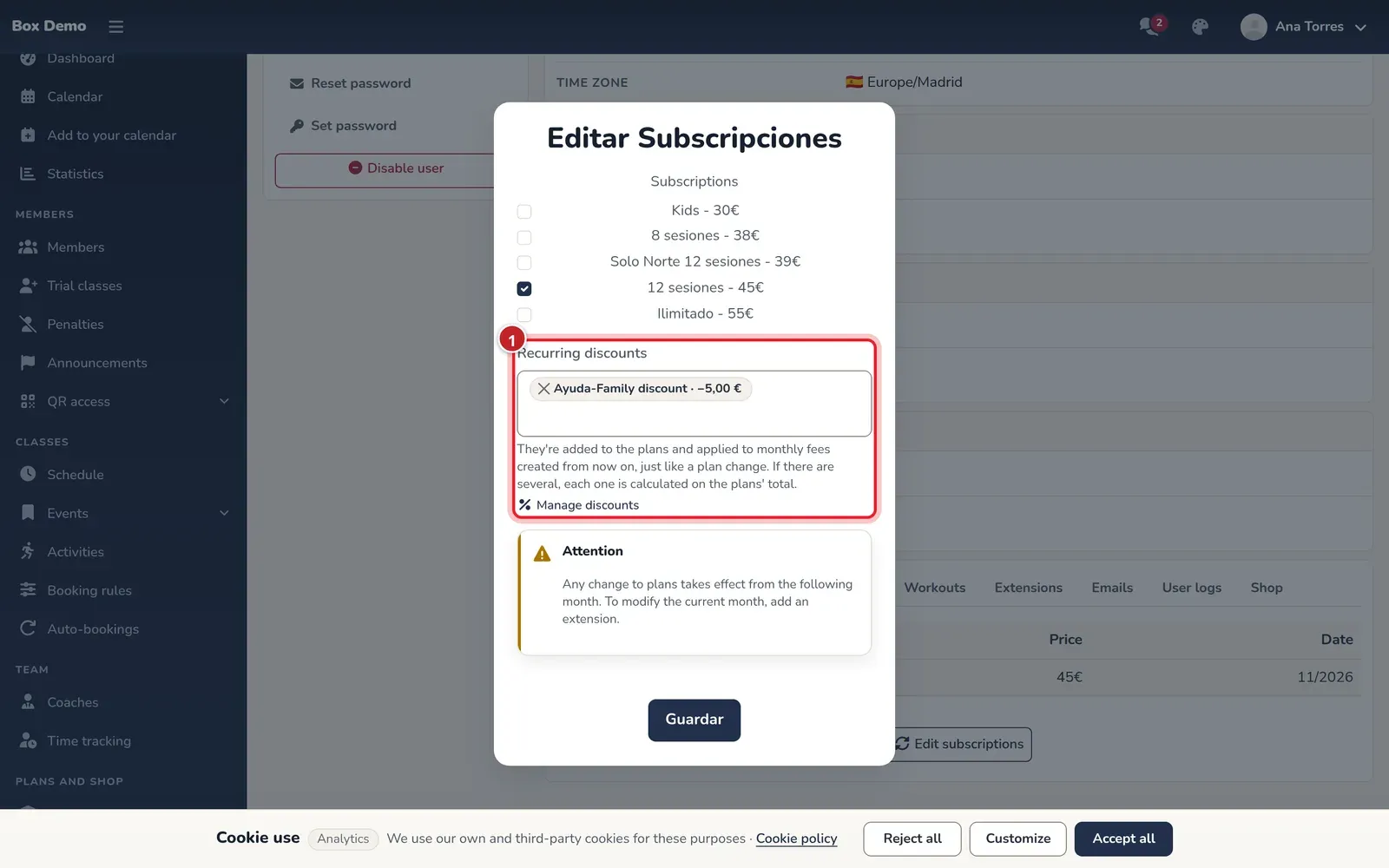
Discounts are chosen from the catalog in the same form as the member's plans.
If the discount you’re looking for doesn’t exist, the Manage discounts link opens the catalog in another tab so you can create it.
In the Subscriptions tab, a row appears for each discount with the note every month.
What happens next
Section titled “What happens next”- Every monthly fee created from now on has one negative line per discount. Existing ones don’t change.
- A percentage is calculated on the sum of the plans in that monthly fee. With several discounts, each one is calculated on that same total, and together they never exceed the total: the fee doesn’t go below zero.
- It doesn’t apply to a free monthly fee or to one created with an offer or a pack.
- If someone deletes a discount the member has from the catalog, the member keeps it: in their profile it shows as retired.
To remove a discount from a member, go back to Edit subscriptions, tap the × on the discount in the field, and save. To remove it from all members at once, use Remove from all members in Box discounts.
Common mistakes
Section titled “Common mistakes”- Expecting it to lower the current month. It only affects new monthly fees. To change the current month, the window itself reminds you to add an extension.
- Creating a new discount for each member. There’s no need: the same catalog discount can be assigned to every member who needs it.