
Grace extension on an unpaid monthly fee
A grace extension lets a member with an unpaid monthly fee keep booking classes and entering the gym until the day you choose, inclusive. It’s useful for the member who pays at the end of the week or is waiting on a bank transfer: you don’t have to lift the unpaid-fee block for the whole gym.
Who can do it and where
Section titled “Who can do it and where”Only a gym administrator. It’s in the member’s profile, on the Monthly fees tab, in the row of an unpaid monthly fee.
How to give a grace extension
Section titled “How to give a grace extension”-
Open Members ▸ Members and go to the member’s profile.
-
On the Monthly fees tab, find the unpaid month and tap the button with the hand and heart (marker 1), Grace period this month.
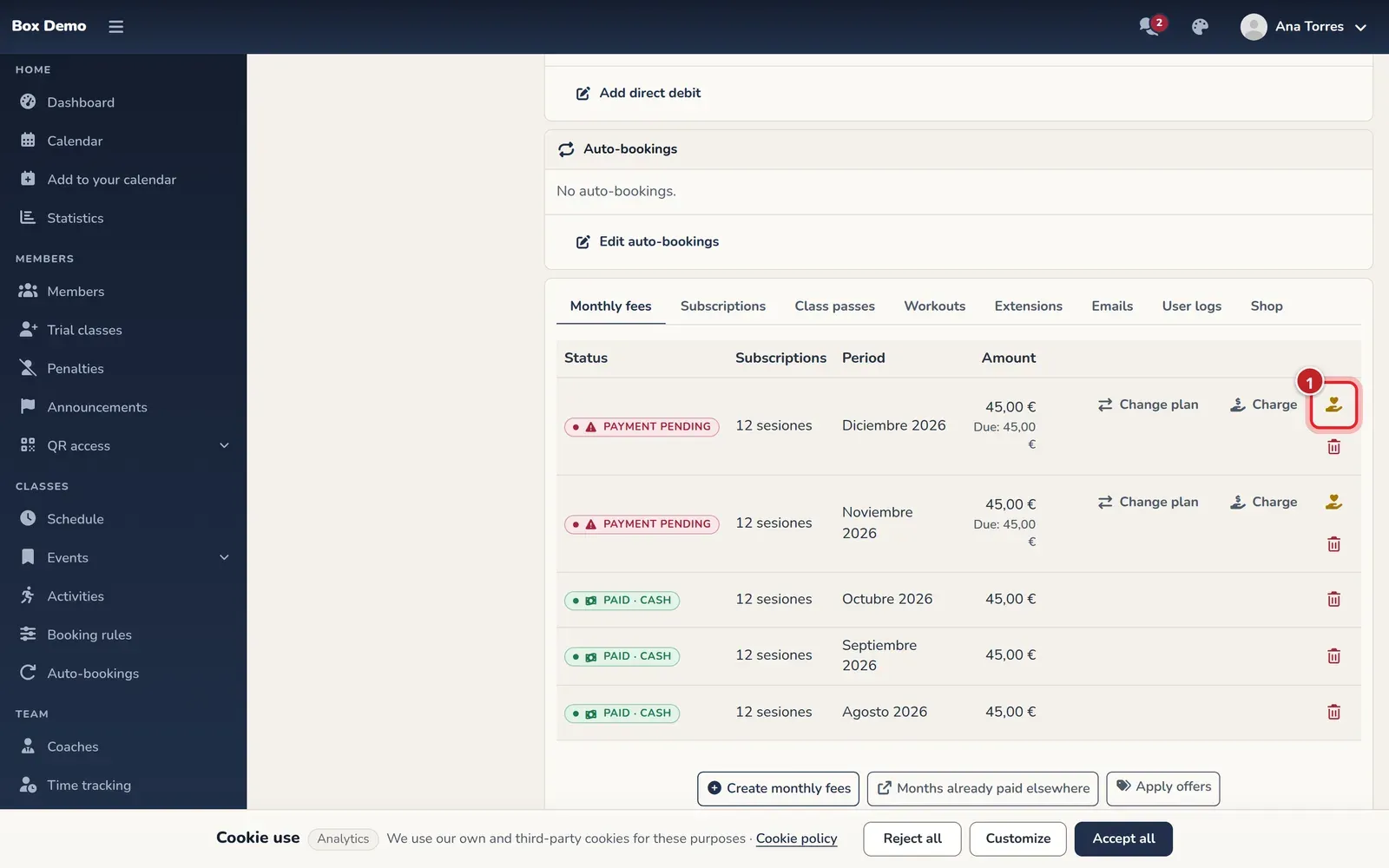
The grace extension button, in the row of the unpaid monthly fee. -
In Can book and enter until, choose the date. It must be today or a later day.
-
Tap Save.
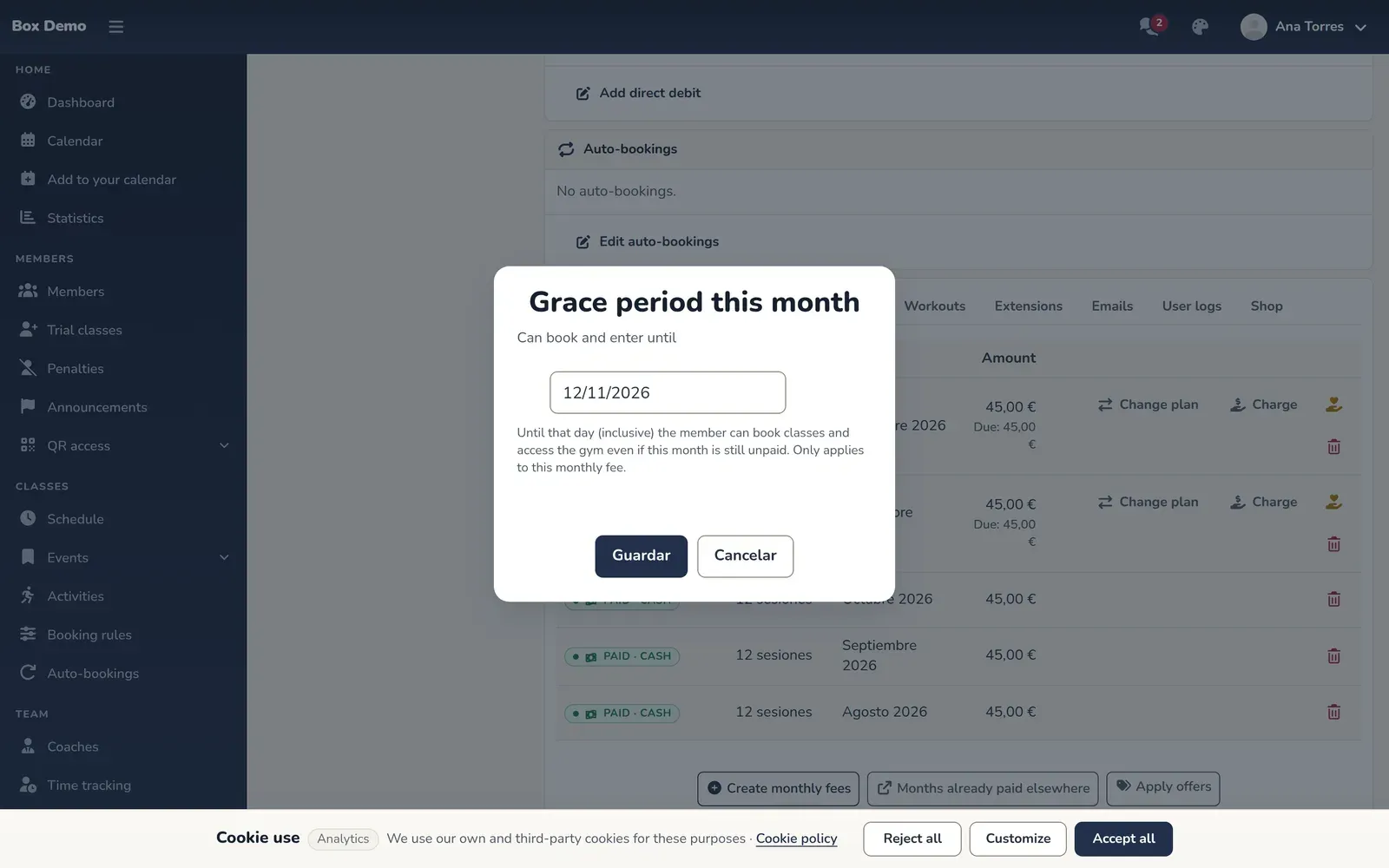
The date until which the member can book and enter.
The monthly fee row shows the label “Grace until” and the date.
What happens next
Section titled “What happens next”Until that day, inclusive, and only for that monthly fee:
- The member can book classes even if the gym’s grace days have passed.
- It doesn’t count toward the maximum number of classes with a pending payment.
- QR access doesn’t deny entry because of that unpaid month.
The monthly fee is still unpaid: the grace extension neither charges it nor waives it. This is explained in Unpaid fees and grace days. Every grace extension you give or remove is recorded in the member’s activity history.
To remove it early, tap the button again and choose Remove grace period.
Common mistakes
Section titled “Common mistakes”- Looking for the button on a paid month. It only appears on unpaid monthly fees.
- Expecting it to apply to the next month. It doesn’t: each monthly fee needs its own grace extension.