
How to use the QR code to get into the gym
To use the QR code to get into the gym, open Access in the bottom bar and show the code to the turnstile reader. The same code works for getting in and getting out. This button only exists if your gym has QR access turned on.
How to get in and out
Section titled “How to get in and out”-
Open Access in the bottom bar (mark 1 in the image below).
-
You see a QR code. If you’re not inside, the title is "Gym entry". If you’re already inside, it’s "Gym exit".
-
Hold your phone up to the turnstile reader: "Show this QR code at the turnstile to get in.".
-
Wait for the response. Your phone screen changes right away. If everything goes well, you’ll read "Access granted" and "You've entered the gym successfully." or "You've left the gym successfully.".
The code is valid for 3 minutes. A countdown, "Expires in", reminds you. When it runs out, the screen reloads on its own and shows a new code. Each code can be used only once.
Once you’re inside, the app only offers you the exit code: you can’t get in twice in a row. Remember to scan on your way out too.
If you get “Access Denied”
Section titled “If you get “Access Denied””Instead of the code you see "Access denied" and the reason.
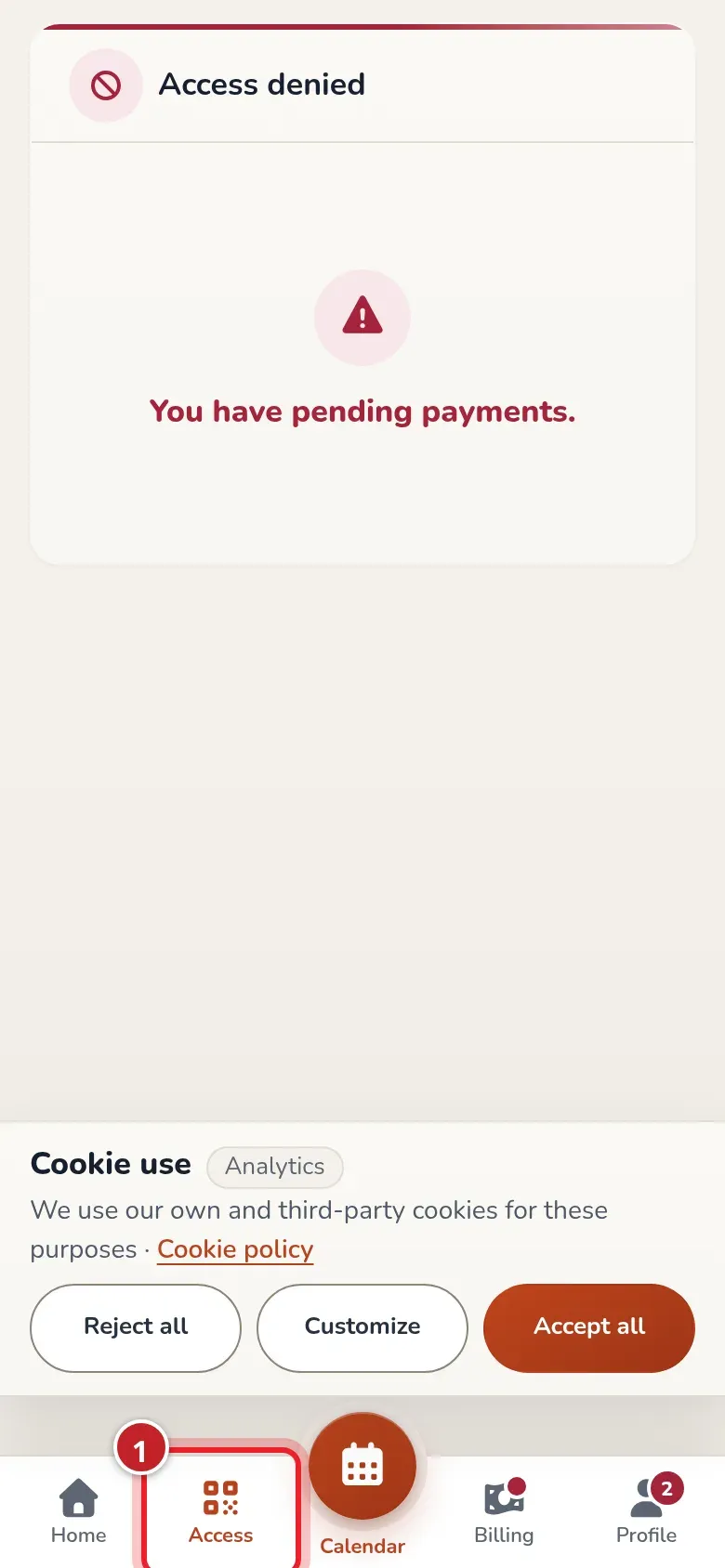
The app checks the reasons in this order. Once you fix it, open Access again and you’ll see your code.
| Reason | What it means | What to do |
|---|---|---|
| "You don't have an active subscription." | You don’t have any plan. | Ask the gym to assign you one. |
| "You have pending payments." | You have unpaid monthly fees. | Pay in My billing. |
| "You don't have an active monthly fee." | You don’t have the monthly fee for this period yet. | Ask at the gym. |
| "Your current monthly fee hasn't been paid." | The current monthly fee isn’t paid. | Pay in My billing. |
| "You don't have any classes booked for today." | You don’t have any class booked today that hasn’t ended. | Book a class. With an unlimited plan, no class is required. |
If you’re the gym owner and want to know how to turn it on and see who’s inside, see QR code access.
Common issues
Section titled “Common issues”- The reader won’t read it. Check that the code hasn’t expired. If the countdown has reached zero, wait for the new code.
- I got in, but the app still shows exit. That’s normal: while you’re inside, there’s only an exit code.