
Legacy members after the new billing model
Legacy members keep their payments and classes after the November 5, 2026 change. Monthly fees, payments and extensions became contracts, months or passes, and movements; during the migration, the debt, collected and class figures were checked against the previous ones.
What you’ll see on their profile
Section titled “What you’ll see on their profile”In Plan and class passes you’ll find the contract with the plan they had and since when. Their months keep the status they had. Ended contracts appear collapsed; you can open them without reactivating the member.
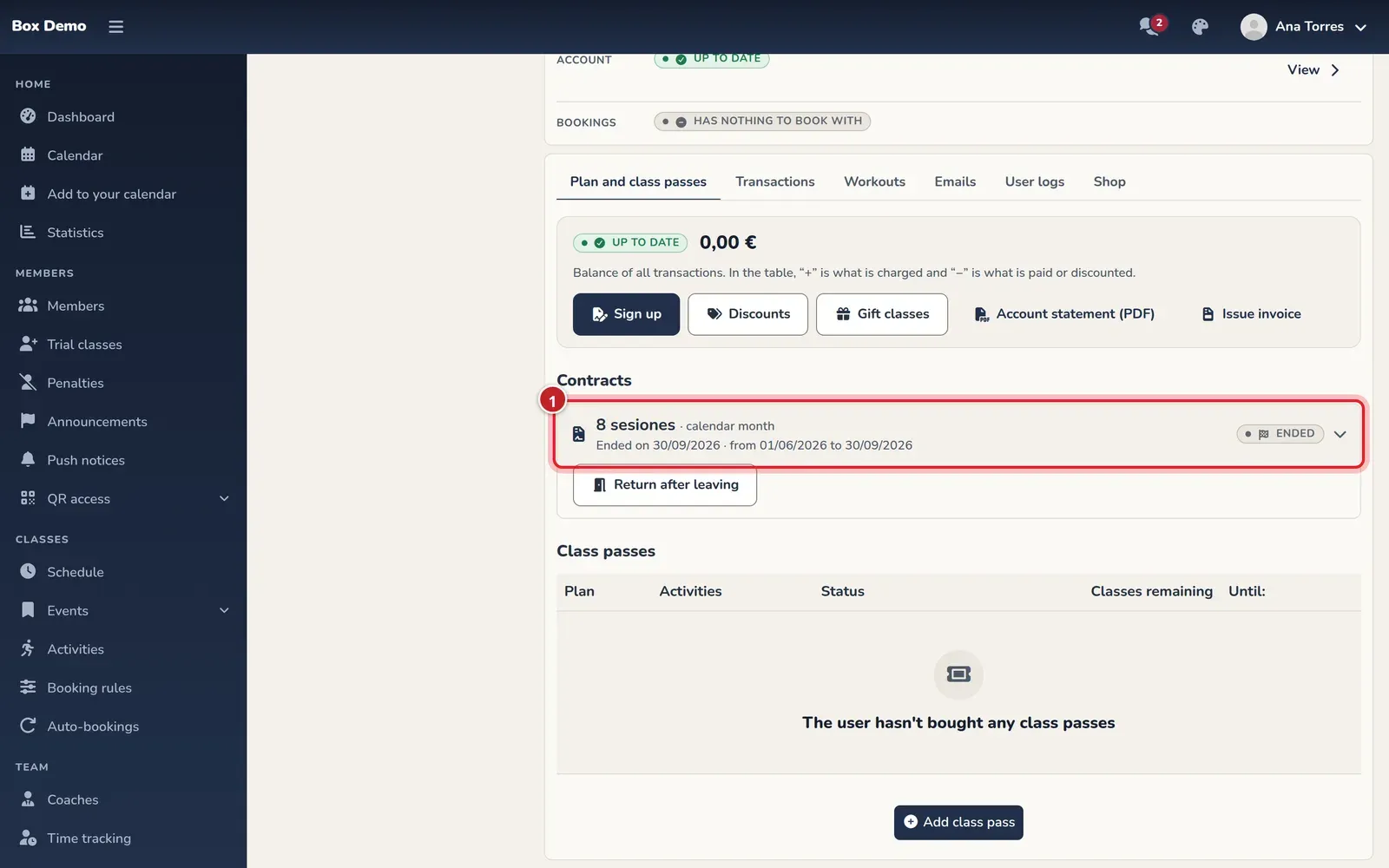
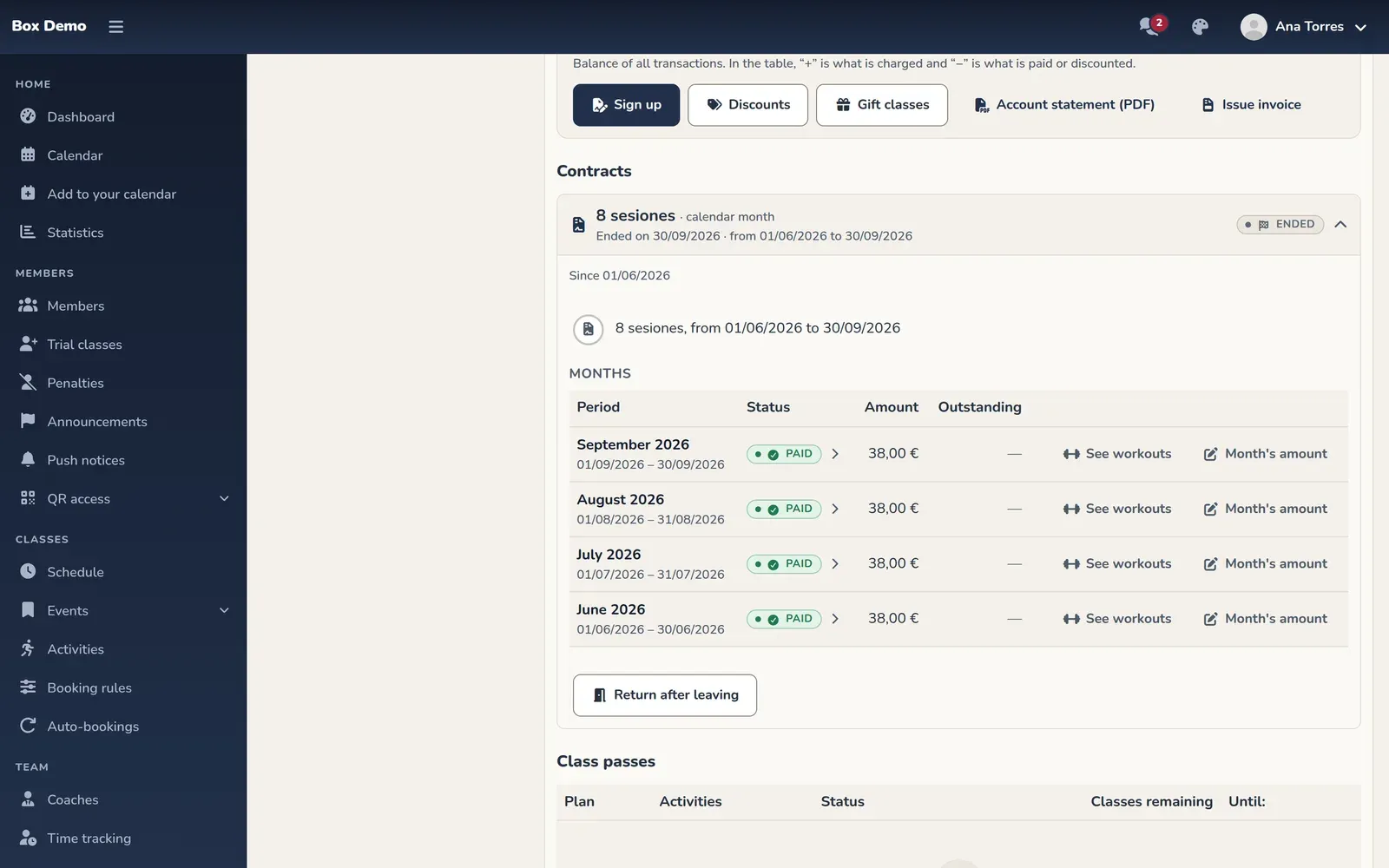
All of this year’s months are visible in Plan and class passes. Months from previous years show up when you expand the earlier months. You don’t need that button to see September or October of this year.
Passes for drop-in classes are still in the Class passes section of Plan and class passes, with their remaining classes. If they were paid on another platform, check their note, the classes used elsewhere and the expiration date.
Where earlier payments are
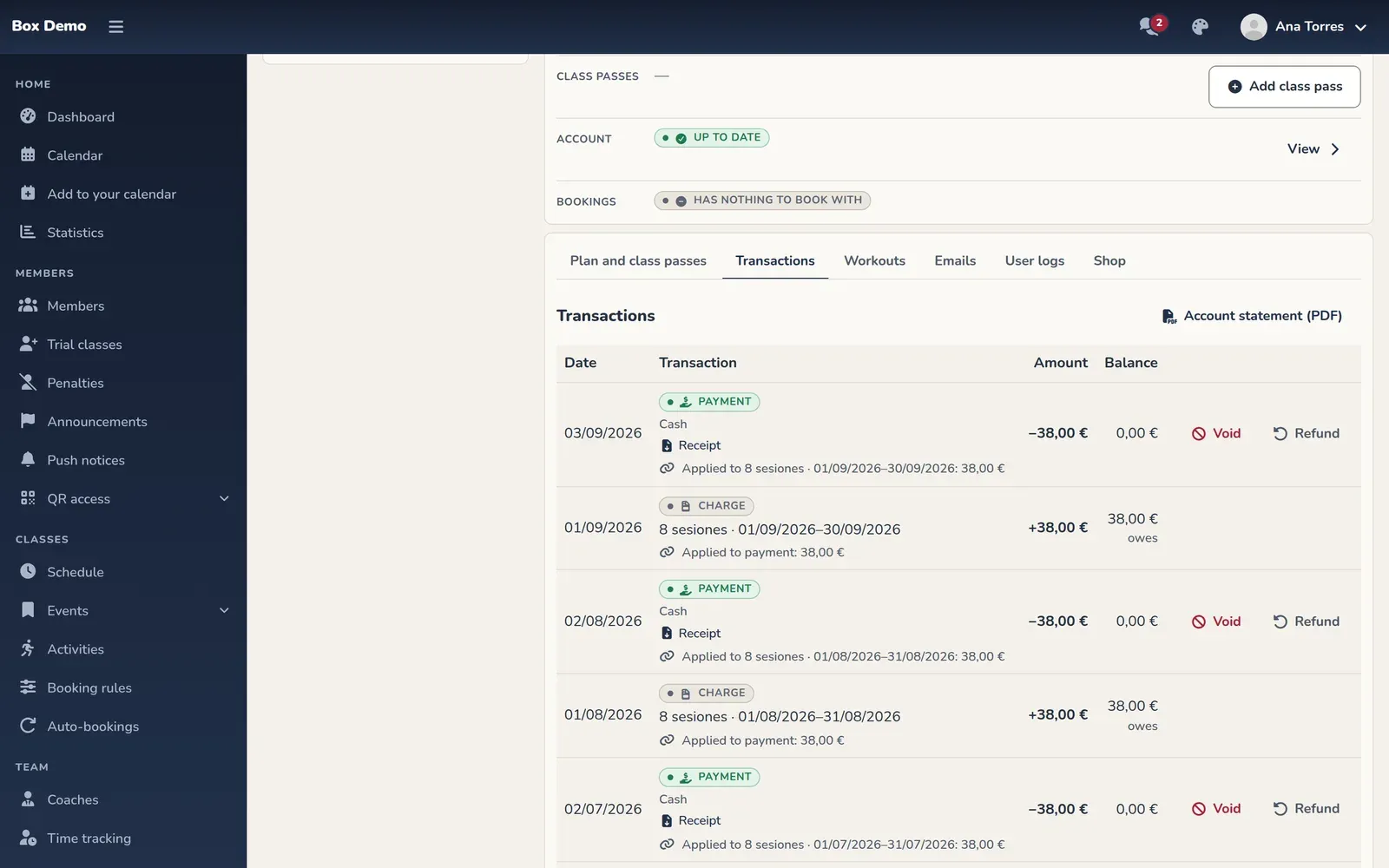
Section titled “Where earlier payments are”Open Transactions. There you’ll find charges, payments, refunds and voids, with their payment method and receipts. Movements carried over from before have no personal author. Corrections made now by staff do show “By” and their name.
If they came from WodBuster or another platform
Section titled “If they came from WodBuster or another platform”They may have stretches of months paid elsewhere. In those months, money received on the previous platform isn’t charged again. In the gyms where it applied, RoninBox marked this during the migration; check before doing it again.
A partly used class pass is added with the payment method “already paid elsewhere,” its used classes and its expiration date. It isn’t entered as a stretch of months or as cash received today.
In a rolling-month gym
Section titled “In a rolling-month gym”Earlier passes keep their dates: some may be 29 days. New ones are 28. Passes that had been prepared in advance without being paid or used were removed. Those that had already expired without being paid or used were voided without leaving debt, and their contract ended.
Bookings that could be identified were assigned to the pass for their day. The rest appear in This month's classes with no class pass. Use A member’s workouts to review them and assign a valid class.
If something doesn’t match what the member says
Section titled “If something doesn’t match what the member says”- They say they paid in cash and nobody recorded it. Check their movements and the charge. If the inherited debt isn’t right, use Waive with a reason.
- That month should never have been charged. Check Void month and whether it already has payments before voiding it.
- A payment has the wrong date. It can only be changed if it meets the conditions for a recent manual payment. See Void, refund and write off.
- They come back after leaving. Check their access and Return after leaving on the ended contract; opening the history doesn’t reactivate them.
- You need to change who pays, merge profiles or transfer a block. Contact RoninBox: these operations don’t have a management screen.
Transcript
Ana reviews a legacy member’s months and the details of a debt carried over from before. She writes it off with a reason and checks the movement with her name and what’s still pending for the current month.
What’s no longer used
Section titled “What’s no longer used”The Subscriptions tab, Edit Subscriptions and the old monthly fees window have been replaced by the contract and its actions. There’s also no automatic pass renewal; no gym charges saved cards on its own.
If This month isn't on the new payment system yet. Open it from the member's "Account" tab. appears, let RoninBox know. Don’t try to reproduce a migration from the payments on the profile.