
Member activity history
A member’s activity history is the list of what has happened in their account: when they logged in to the app, which classes they booked or canceled, which plans and monthly fees changed, and which payments were recorded or failed. It lets you answer an “I didn’t cancel” or “I didn’t make that payment” with facts.
Who can see it and where
Section titled “Who can see it and where”Only the gym’s administrators, on the member’s profile, in the User logs tab.
How to check it
Section titled “How to check it”-
Open Members ▸ Members and go to the member’s profile.
-
Tap the User logs tab (marker 1). The most recent rows are at the top.
-
To see only one type of action, choose it in the filter (marker 2). By default it shows All actions.
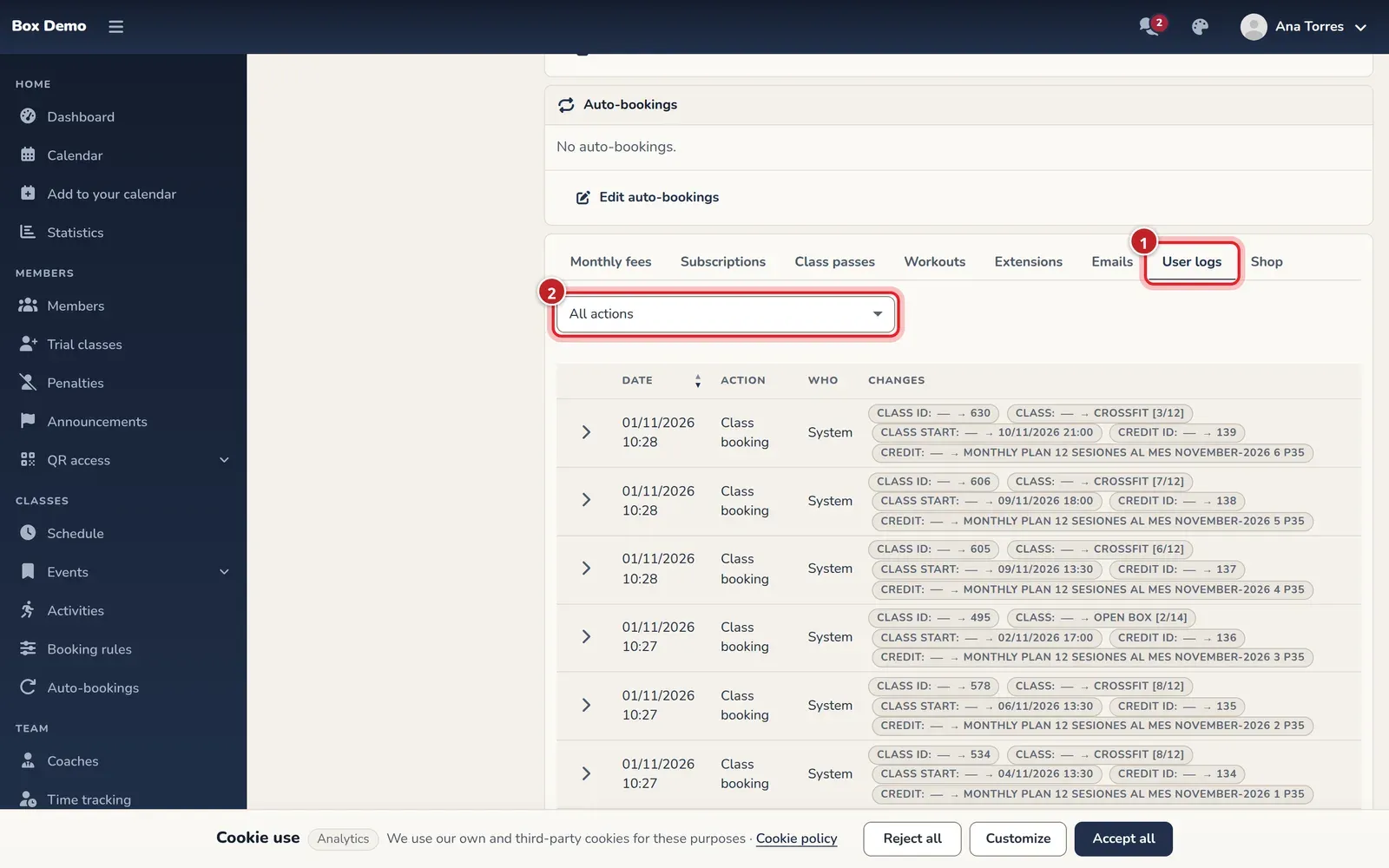
The activity history on the member's profile. -
Tap the arrow at the start of a row to see its details: Before, After and Affected item.
What is stored
Section titled “What is stored”Each row shows the Date (in the gym’s time zone), the Action, Who did it (Member, Gym staff or System, for example an automatic charge) and the Changes.
| Topic | Actions |
|---|---|
| Classes | Class booking, Booking canceled, Booking canceled with penalty, joining and leaving the waitlist |
| Plans and monthly fees | Plans changed, Monthly fee created, Monthly fee changed (including complimentary ones), Monthly fee deleted |
| Payments and invoices | Payment recorded, Payment failed, Payment deleted, Invoice issued |
| Class passes and extensions | Class passes added, removed or purchased, and extensions added or removed |
| Account | Login, Failed login, Profile changed, Roles changed, Password set by staff, account disabled or enabled |
Common mistakes
Section titled “Common mistakes”- Looking for the tab with a coach user. Only administrators can see it.
- Reading the times in your computer’s time zone. The history always uses the gym’s time zone.