
How to send a class to the TV in your gym
To send a class to the TV in your box, open that class in the calendar on your phone and tap the send button. The TV instantly shows the class, its WOD and the people signed up, even if it isn’t the one on the schedule right now.
When it’s useful
Section titled “When it’s useful”Usually the box’s TV runs on its own: it shows each class starting 10 minutes before it begins and, between classes, the box’s slides. Send a class yourself when you want to show it early, for example to explain the WOD ahead of time, or when the TV is showing a different one.
The box needs a paired TV. An administrator does this, as explained in Show classes on the TV.
How to send a class
Section titled “How to send a class”-
Open Calendar on today’s date and open the class details: on the board, with the class’s ⋮ button; in the calendar view, by tapping the class.
-
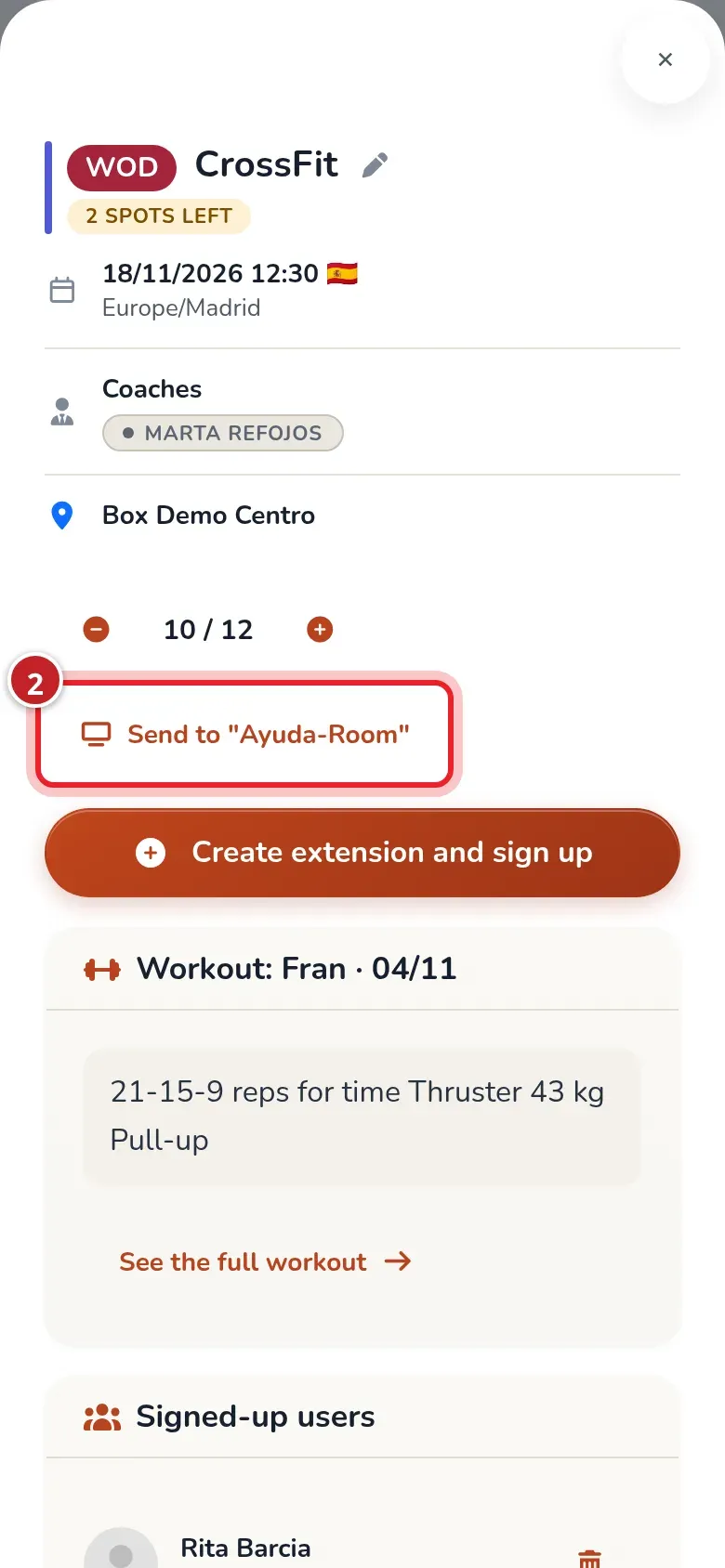
Tap the Send to ”…” button, which shows the TV’s name (marker 2). If the box has several TVs, the button says Send to screen and the TVs appear below it so you can pick one.
-
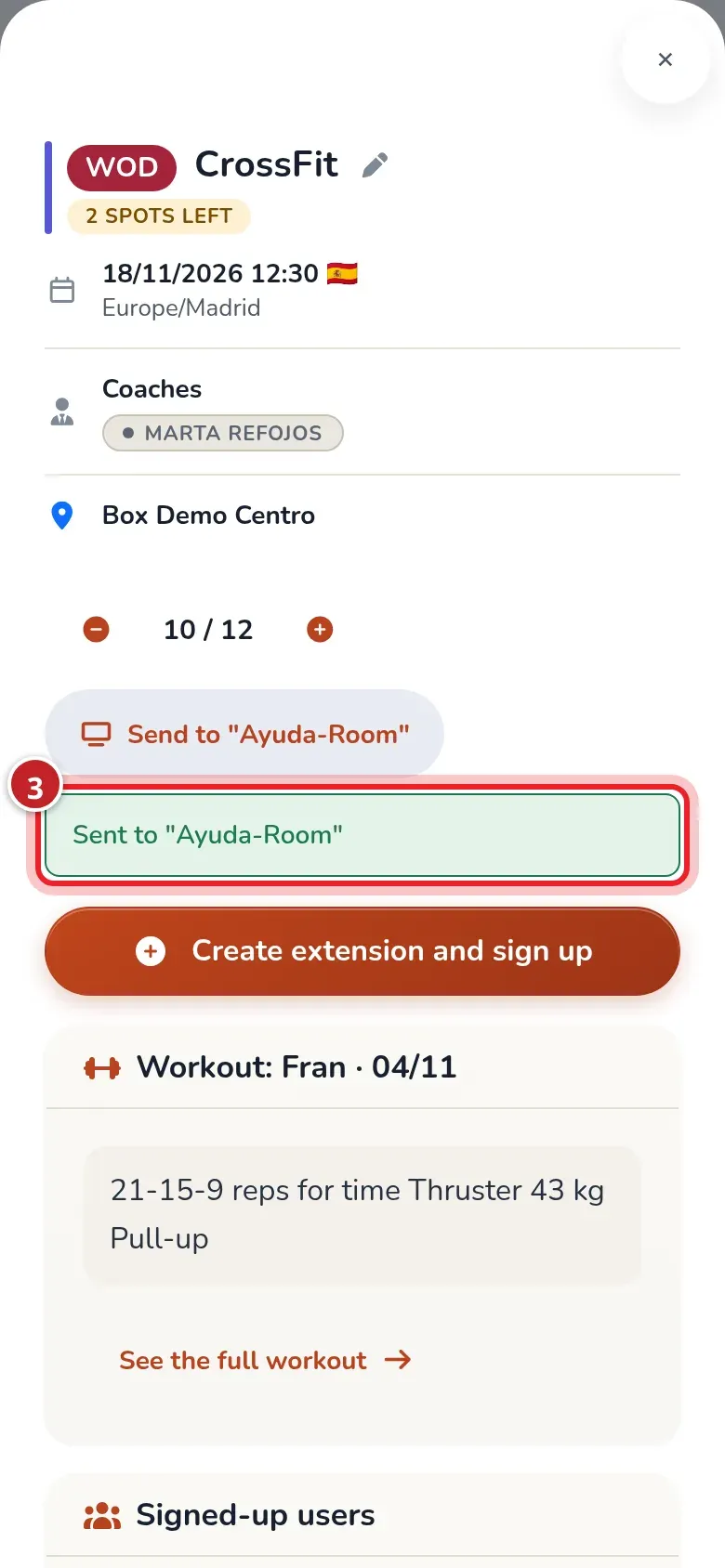
Sent to ”…” with the TV’s name appears below the button (marker 3).
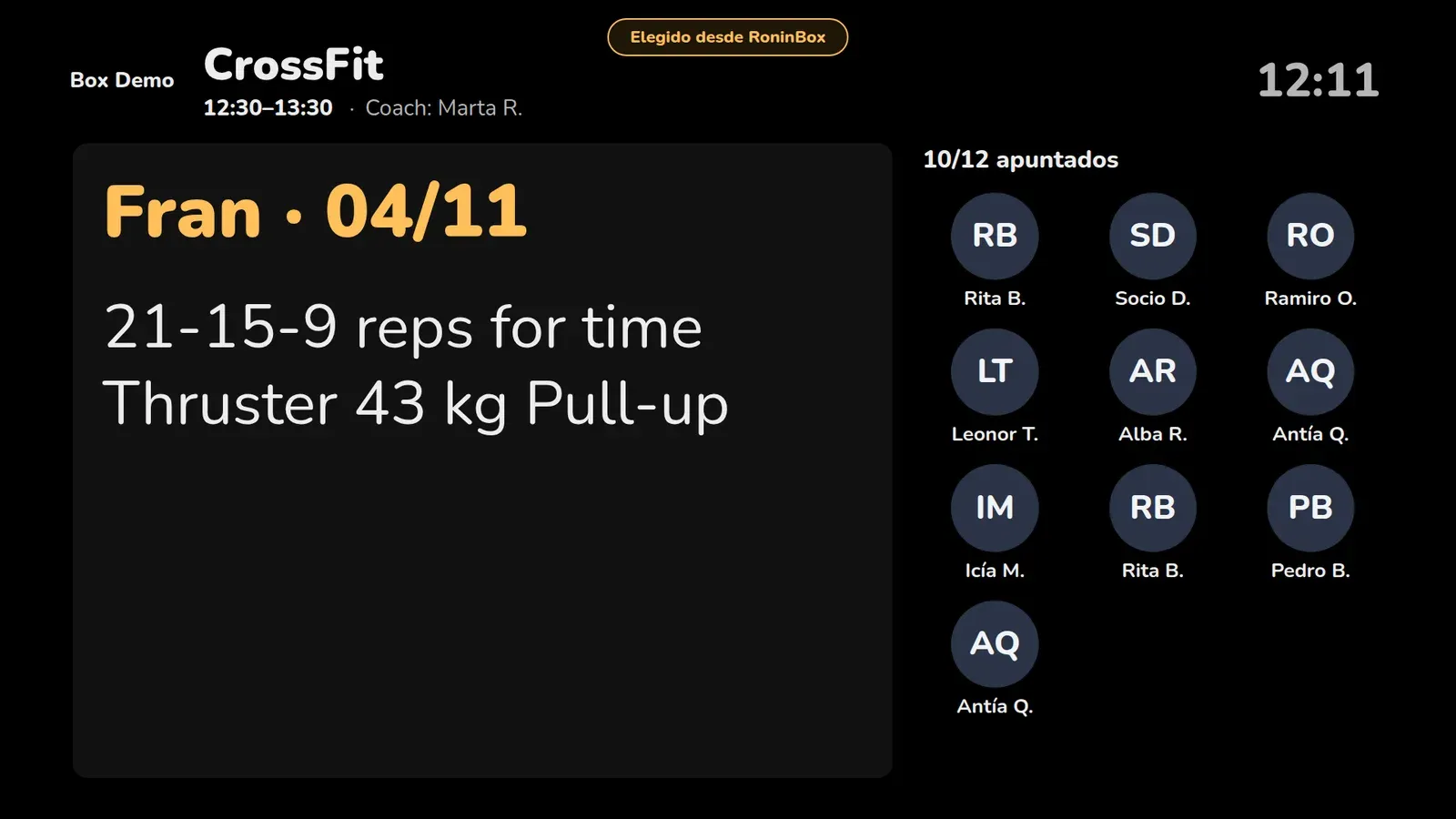
The TV switches within a second. It shows the class name, time, coach, WOD and who’s coming, each with their first name and last initial. At the top it says "Chosen from RoninBox" for as long as the class is sent.
- You can only send today’s classes.
- The class stays on the TV until 10 minutes after it ends. Then the TV goes back to the schedule on its own.
- The WOD shows even if it isn’t published yet. If you don’t want people to see it yet, don’t send the class.
Show the slides or go back to the schedule
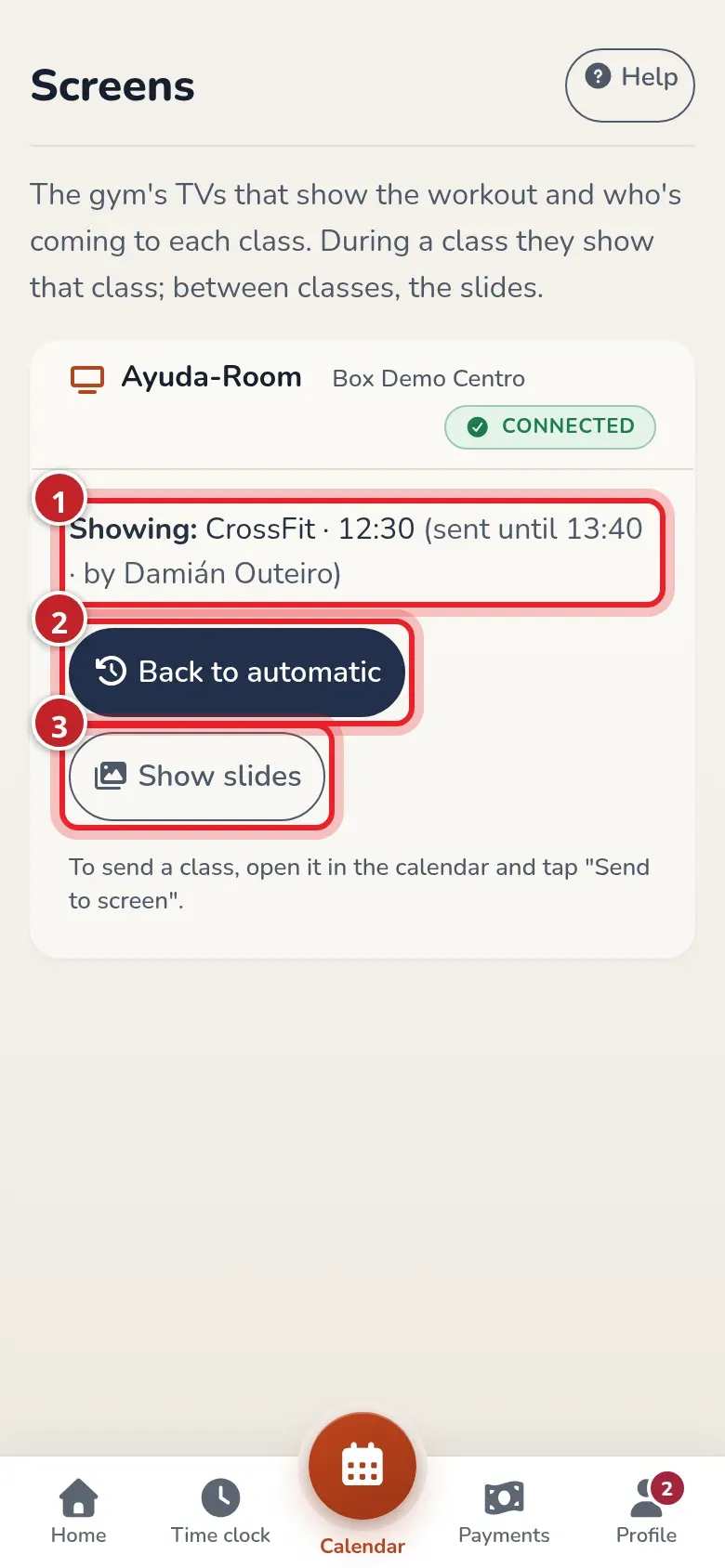
Section titled “Show the slides or go back to the schedule”From Home, tap Screens. If you’re an administrator, you can also find it in Gym settings ▸ Screens. Each TV has its own card:
- What it’s showing, until what time and who sent it (marker 1).
- Back to automatic: the TV immediately goes back to following the schedule (marker 2). It only appears when someone has sent something.
- Show slides: the TV shows the box’s slides for 60 minutes, even if there’s a class (marker 3).
To send another class, do it again from the calendar: the new one replaces the previous one.