
How to log my RMs and WOD results
To log your RMs in RoninBox, open your profile, go to My RMs and tap Add RM. An RM is your personal record in a movement, which is an exercise set up by the gym, like the squat or pull-ups. A WOD is the workout of the day: you read it in the app and can log your result below it.
Transcript
In the bottom bar, tap Profile. Your RMs and the WODs are under Shortcuts.
Tap My RMs. An RM is your personal record in a movement, and they’re all saved here.
Tap Add RM. Choose the movement and the RM type: reps, time or weight.
Fill in the reps and the weight, and choose the unit: Kg, pounds or bodyweight.
Add a comment if you want and tap Save to log the record.
At the top of each screen you have Back to profile. The WODs are in the same section: E.D.D, Heroes and The Girls. When the gym publishes one, it shows up in its list.
All of this is in your profile, under Shortcuts.
Log an RM
Section titled “Log an RM”-
Open Profile and tap My RMs.
-
Tap Add RM.
-
Search for the Movement. Type at least three letters and pick it from the list.
-
Choose the RM type: weight, reps or time. It decides which table your record is saved in.
-
Fill in the values: the Reps, the Weight with its unit (Kg, LB, BodyWeight or Pood) and, if it’s a time record, the minutes and seconds.
-
If you want, write a Comment and tap Save.
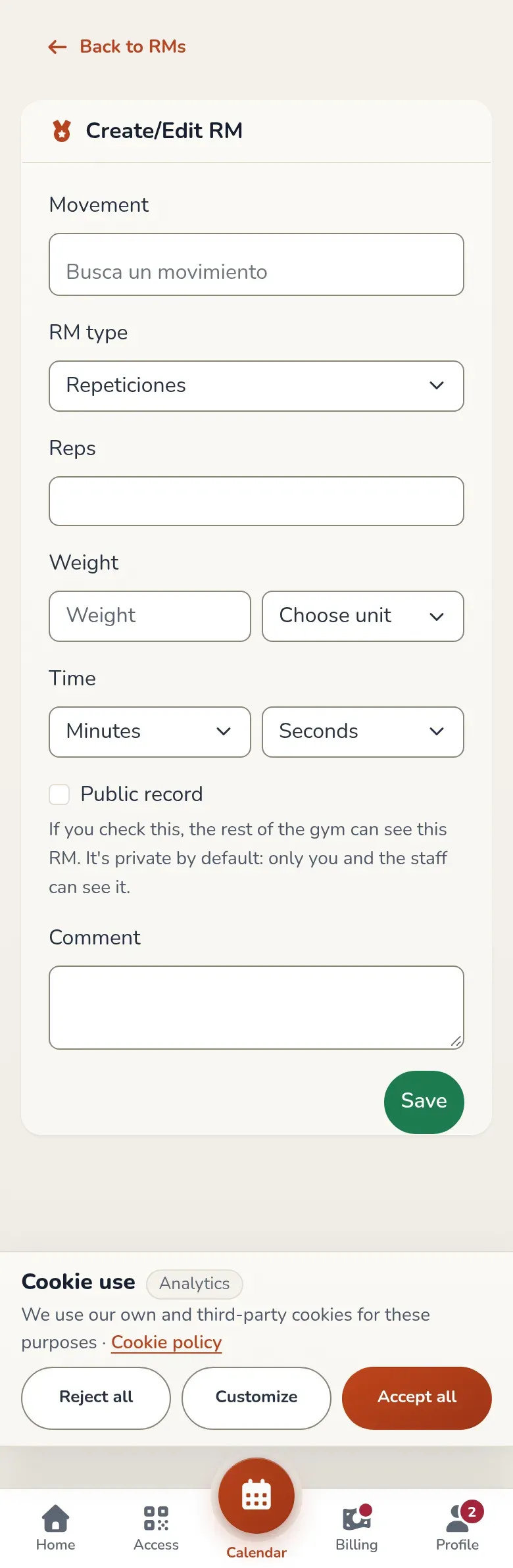
The RM form. You don't choose the user: the record is always yours.
When you save, the app takes you to the records for that movement. To fix a record, tap the pencil on its card. The trash can deletes it and asks you to confirm first.
View the gym’s records
Section titled “View the gym’s records”RMs is the gym leaderboard: one card per movement with the latest record logged, who set it, the date, the reps and the weight.
- The eye (View RMs) opens all the records for that movement, in three tables: Weight RM, Time RM and Reps RM.
- The plus sign adds a record of yours for that movement.
- The pencil and the trash can only appear on your own records.
Calculate percentages
Section titled “Calculate percentages”Open % Calculator, enter your best one-rep max in kilos and tap Calculate. You get the percentages of that weight and the equivalent weights for different rep counts. Nothing is saved. In a movement’s weight tables, the eye on each row opens a "% of RMs" window with the same thing for that record.
Read a WOD
Section titled “Read a WOD”Your profile has three workout lists: E.D.D, Heroes and The Girls.
- In E.D.D you only see the WODs the gym has already published. If there are none, the list says "No WODs yet".
- Heroes and The Girls are classic workouts created by the gym.
Tap View on a card to open the workout.
Log your WOD result
Section titled “Log your WOD result”-
Open the WOD and tap Add result.
-
Choose the Result type: Meters, Miles, Reps, KCalories or Time.
-
Enter the Result. If the type is Time, choose the minutes and seconds.
-
If you want, add a Comment.
-
Check Post result if you want other members to see it. If you don’t check it, only the gym staff can see it.
-
Tap Save result.
Below the WOD, under Results, you see the published results. Yours show four buttons: Publish result or Unpublish result, edit and delete. Other members appear with their username.
Common issues
Section titled “Common issues”- I can’t find the movement. Type at least three letters. If it doesn’t exist, the gym has to create it.
- I don’t see any WODs. The gym hasn’t published any yet.
- My result doesn’t show up in the list. You didn’t mark it as public. See the note above.
To learn how the gym sets up workouts and records, see Create a WOD and RMs and movements.