
Bookings with a waitlist and penalties
Bookings with a waitlist and penalties in RoninBox are controlled by a few gym rules: when booking opens, how late members can cancel, what happens to those who cancel late and how people are alerted when a spot opens up. All of them are optional or have a default value, and you change them on two screens. This guide explains how they fit together.
How a booking works
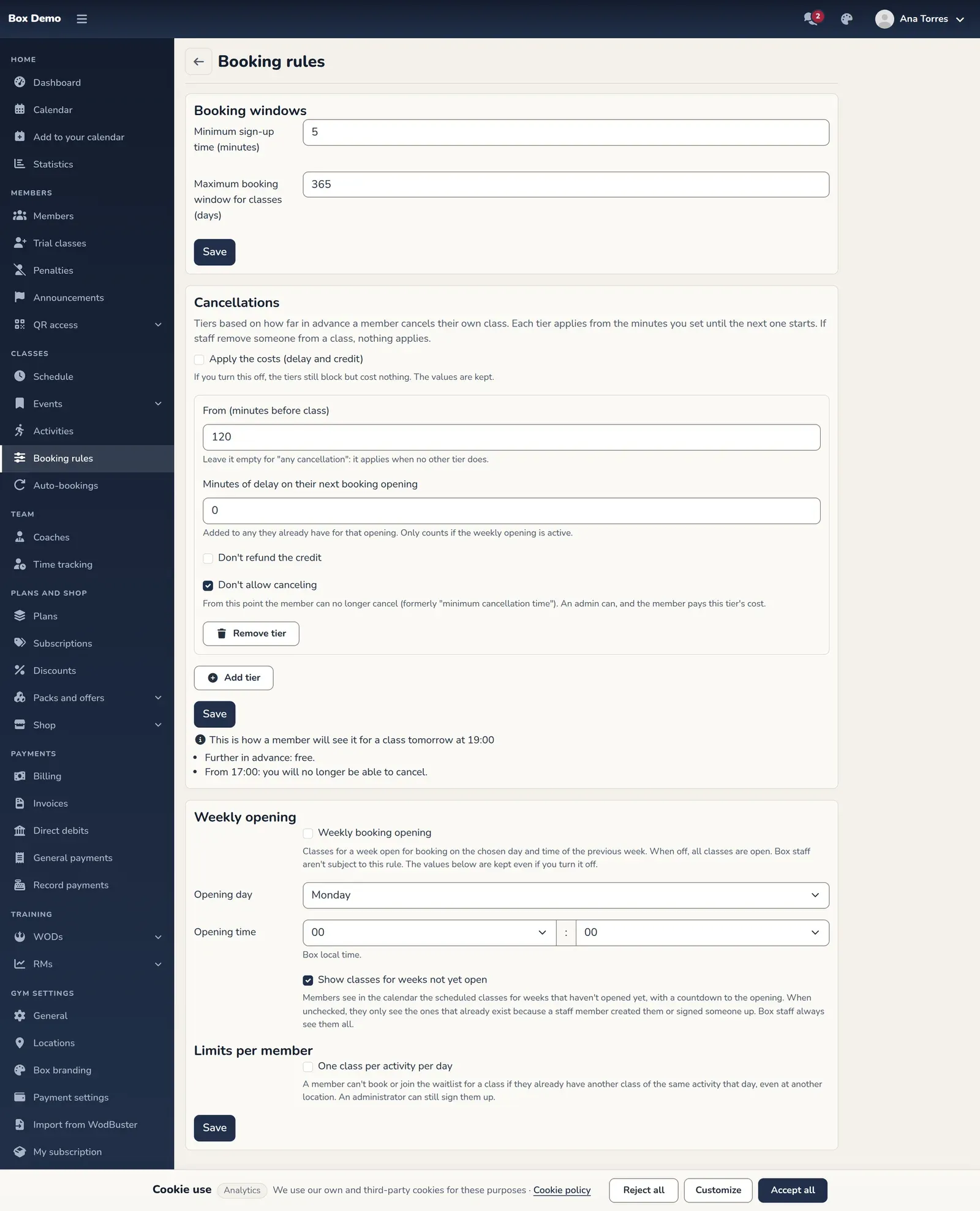
Section titled “How a booking works”- The class opens. With weekly opening turned off, all classes are open (within the maximum advance window). With it turned on, a week’s classes open on the day and time you choose in the previous week.
- The member signs up. They use one credit from their monthly fee, class pass or extension. Booking closes a few minutes before the class starts (5 by default).
- If there are no spots left, they see “Full” and can join the waitlist.
- If their plans change, they cancel with one tap. What it costs them depends on how far in advance they do it, according to the gym’s tiers. If a tier doesn’t allow canceling (by default, from 120 minutes before), from then on they can’t do it themselves.
Weekly opening
Section titled “Weekly opening”If you choose Sunday at 8:00 PM, the whole following week opens on Sunday at 8:00 PM. The current week is always open, and administrators and coaches can always book. You set it up in Booking rules.
The waitlist
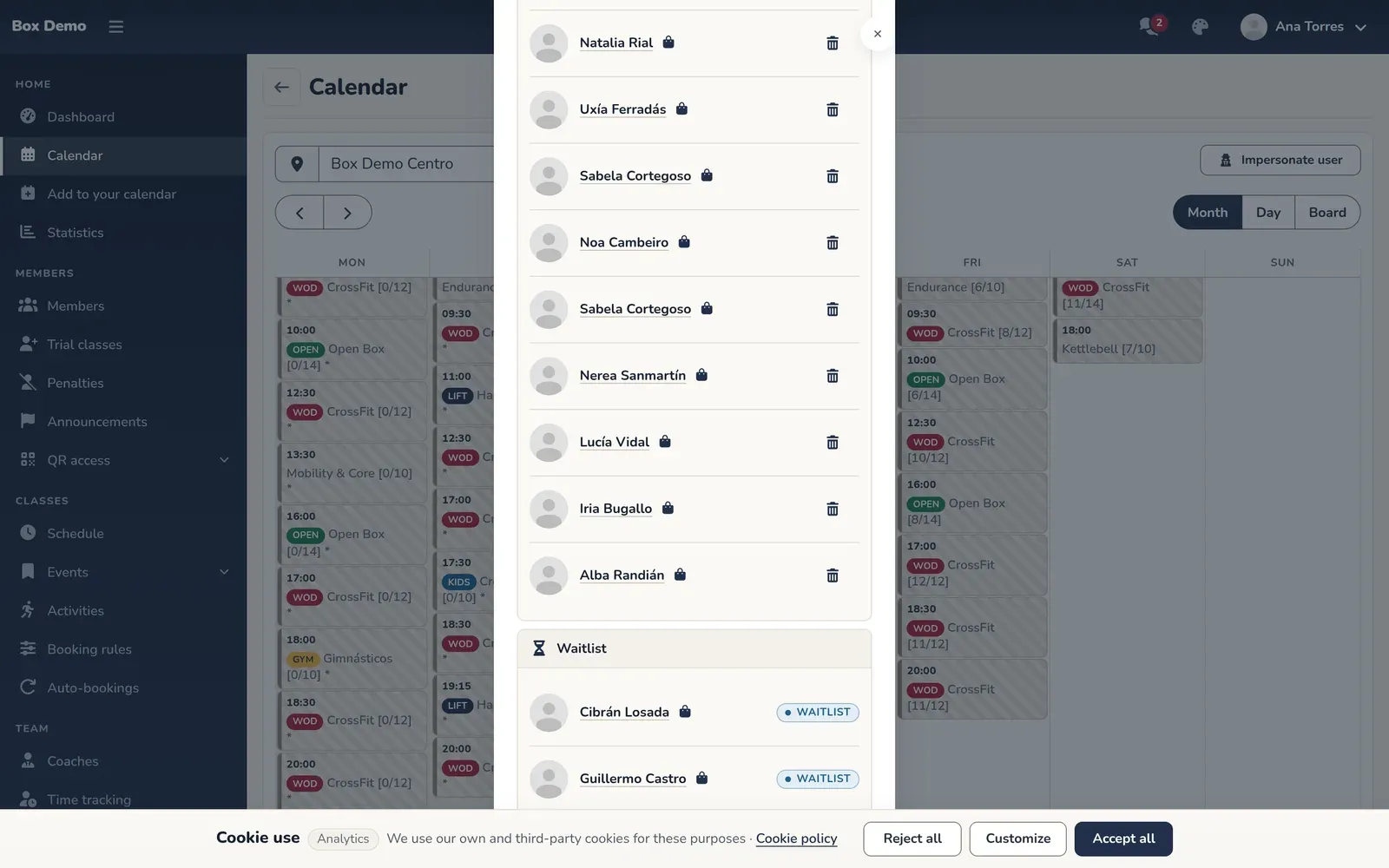
Section titled “The waitlist”- It appears when the class is full and the member could otherwise book it.
- Being on the list doesn’t take a spot or use any credit.
- When a member cancels, or you remove them, and at least one spot is free, RoninBox sends an email to everyone on the list.
- The spot goes to whoever signs up first. Once they sign up, they leave the list.
- Adding spots doesn’t send the alert.
See The waitlist.
Cancellation tiers
Section titled “Cancellation tiers”Each tier sets how many minutes before the class it applies from and what canceling costs from then on. A tier without minutes applies to any cancellation. Each one can:
- Delay the member’s next weekly opening by the minutes you choose. Delays add up and only affect that member and one opening. Requires weekly opening to be turned on.
- Not refund the credit. The member doesn’t get back the credit for that class and can’t sign up for it again.
- Not allow canceling. From that point on, the member can’t cancel on their own; the card tells them why and from what time.
For example: any cancellation adds 1 minute; from 60 minutes before, 5 minutes and the credit is lost. While signed up, the member can see on the card what canceling now would cost and from what time that changes. Tapping Cancel cancels right away, with no further questions. The details are in Booking rules.
When there’s no penalty
Section titled “When there’s no penalty”- If an administrator or coach cancels another member’s booking, the member gets the credit back and there’s no delay.
- If a class is deleted, all credits are returned, including those lost by canceling.
- A cancellation that doesn’t fall into any tier with a cost is free.
Closing a class
Section titled “Closing a class”A closed class is frozen for members: they can’t sign up, join the waitlist or cancel. The administrator can still add and remove people. See Managing a class.
Why a member can’t book
Section titled “Why a member can’t book”If a member can’t book, it may be weekly opening, capacity, unpaid fees or lack of credit, among other things. They’re all in Troubleshooting, and the rules are in Booking rules.
Next step
Section titled “Next step”If you’d like to see how these rules would work in your gym, get in touch with the RoninBox team at roninbox.com.