
Coach statistics in RoninBox
Published on
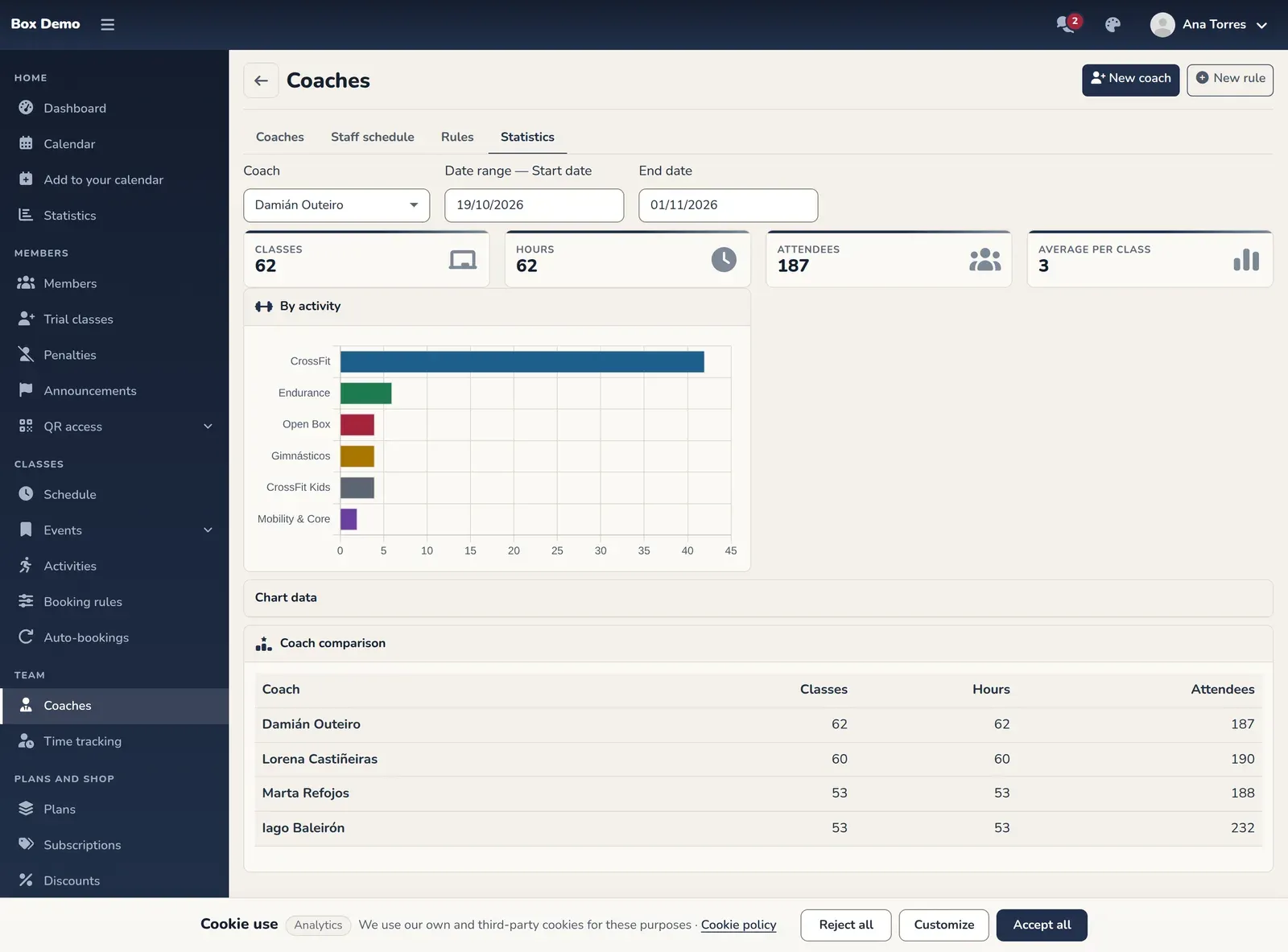
Coach statistics compare your team over a date range: each coach’s classes, hours and attendees. You’ll find them in Coaches, on the Statistics tab.
How to use it
Section titled “How to use it”- Choose the Coach and the start and end dates. When you open the tab, the range is the current month up to today.
- At the top you’ll see the selected coach’s figures: Classes, Hours, Attendees and Average per class, with charts by activity and by week.
- In Coach comparison you’ll see one row per coach with their classes, hours and attendees in the same range.
If there are no classes in the range, the screen shows “No classes in this range”.
Common issues
Section titled “Common issues”- Everything shows zero. Widen the date range.
- A coach’s figures don’t match the ones in My classes. Check that you’re using the same range: see my classes.