
How to take cash or card terminal payments
To take a cash payment in RoninBox, find the member, pick one of their outstanding monthly fees and enter what they pay you, whether in cash, by card on the card terminal (the gym’s POS terminal), by bank transfer or by direct debit. It’s the quick way to record a front-desk payment, and both admins and coaches can use it. Admins find it under Payments ▸ Record payments. Coaches, who use the member app, open it from a Record payments card on their profile.
This screen is only for charging what the member already owes. It doesn’t create monthly fees or charge one-off extras. For income that doesn’t come from a member, see Generic payments.
Record a payment
Section titled “Record a payment”-
Open Payments ▸ Record payments.
-
Type at least three letters of the name in Find member and pick the member from the list (mark 1).
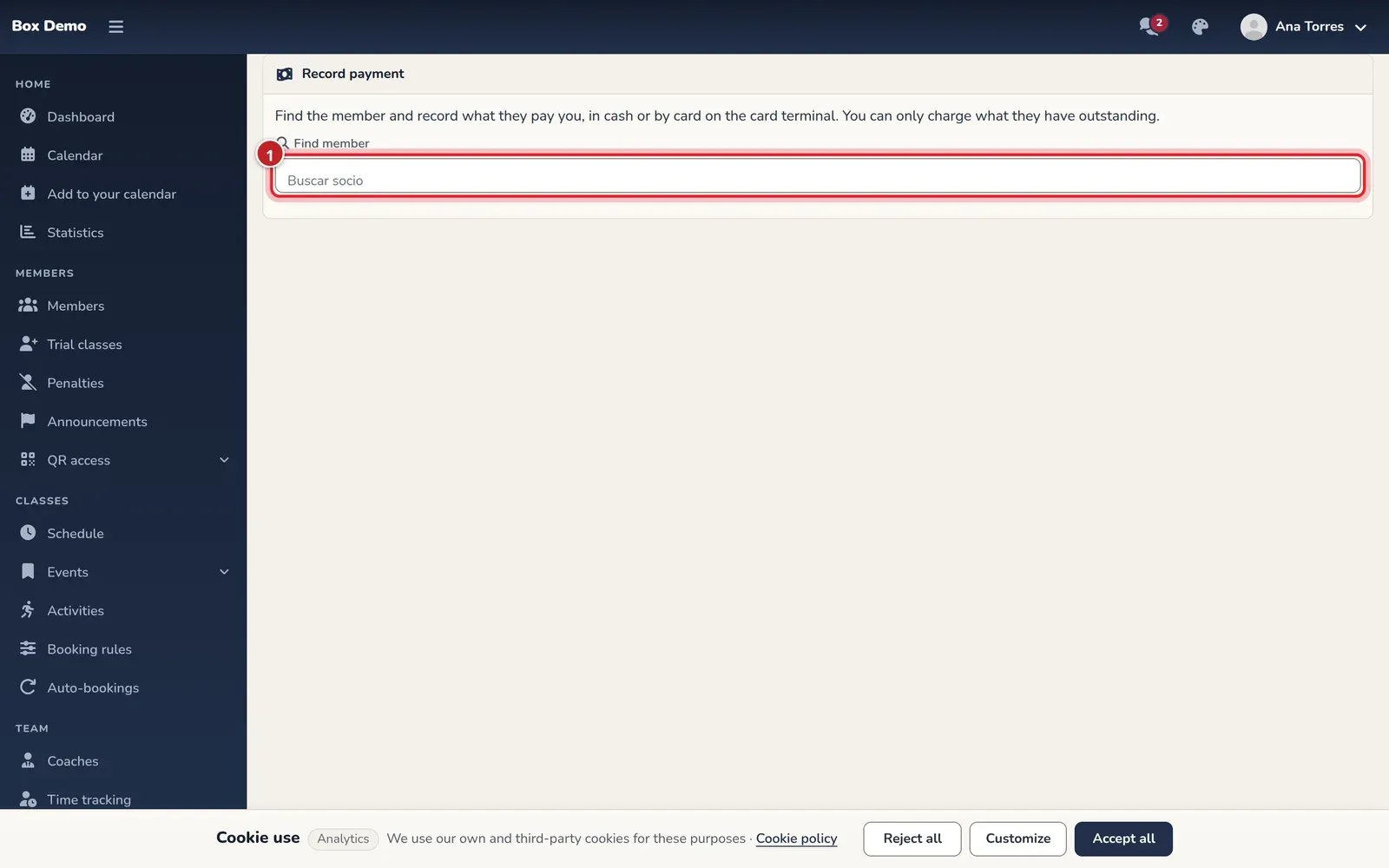
The member search. -
You’ll see their outstanding monthly fees, each with its month, plan, total and amount outstanding. Tap Charge on the one you want to charge (mark 2).
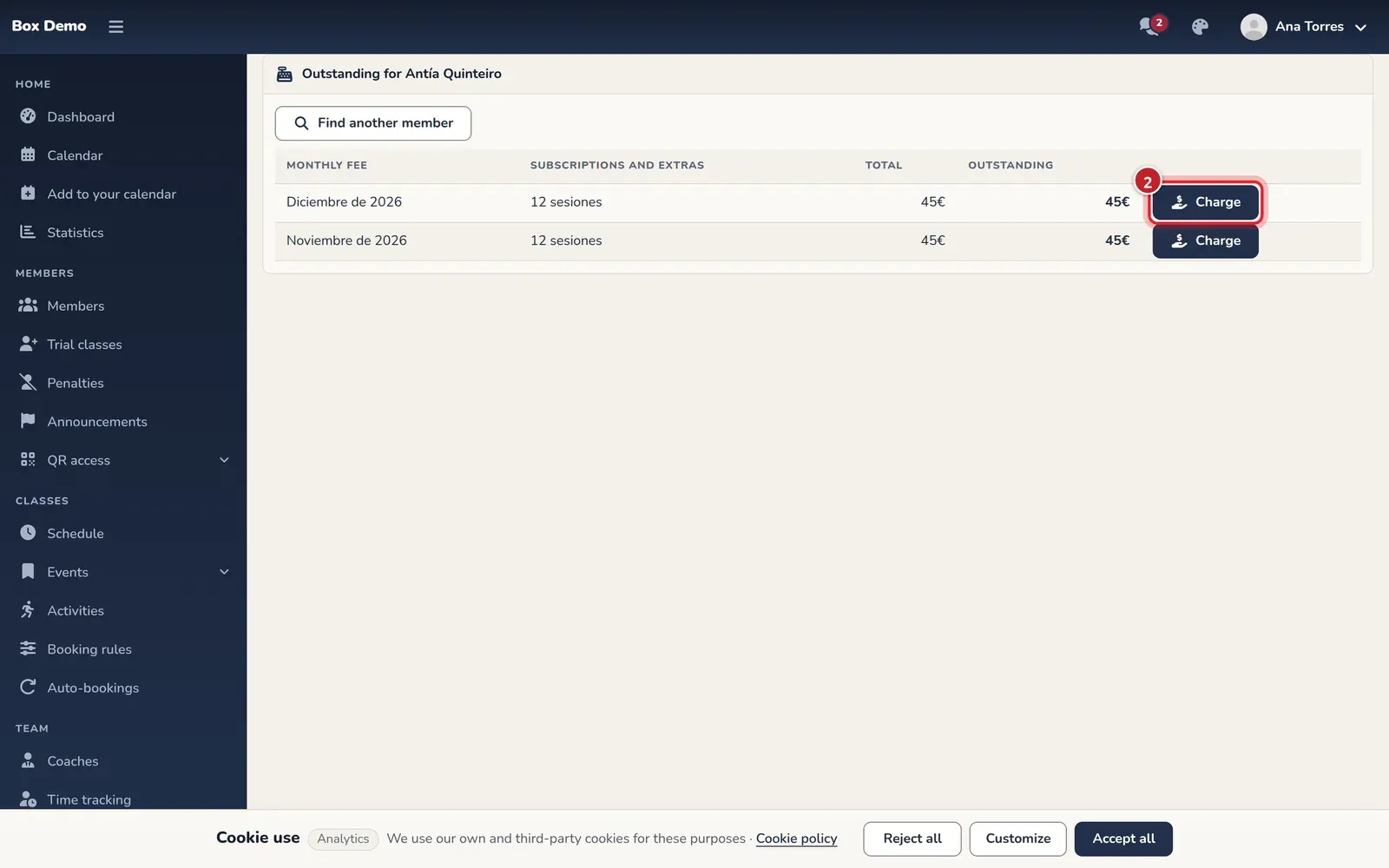
The member's outstanding monthly fees. The numbers match the steps. -
A window opens. Choose the Payment method: Cash (selected by default) or POS (card) (mark 3). If they paid you by Bank transfer or by Direct debit, tap Other method and choose it: the button then shows the one you picked.
-
Check the Amount (€). It’s prefilled with the full outstanding amount. Leave it as is (or empty) if they pay the total, or enter what they pay you (mark 4).

The payment window. The numbers match the steps. -
Tap Record payment.
RoninBox shows the message “Payment recorded.” and reloads the list. If the member no longer owes anything, the screen says so: “This member has nothing outstanding.”
What happens next
Section titled “What happens next”- The payment is saved as a payment on the monthly fee, with its payment method, and the outstanding amount goes down. If it reaches zero, the monthly fee is marked as paid.
- The payment shows up in the monthly fee details and in Monthly billing.
- If two people try to charge the same debt at the same time, the second one gets a warning instead of a duplicate payment.
Common issues
Section titled “Common issues”- I can’t find the member. The search needs at least three letters and searches by member name.
- I want to charge a month they don’t have yet. Only monthly fees with an outstanding amount are listed. If the member doesn’t have the monthly fee, create it first (see Monthly fees).
- I entered the wrong amount or payment method. An admin can delete the payment from the monthly fee details and charge again.