
How to create an announcement for your members
To create an announcement in RoninBox, write a title and some text and save them. An announcement is a notice from the box to all members, such as a holiday closure or a change in the rules. They see it on their Notifications screen.
Where to find announcements
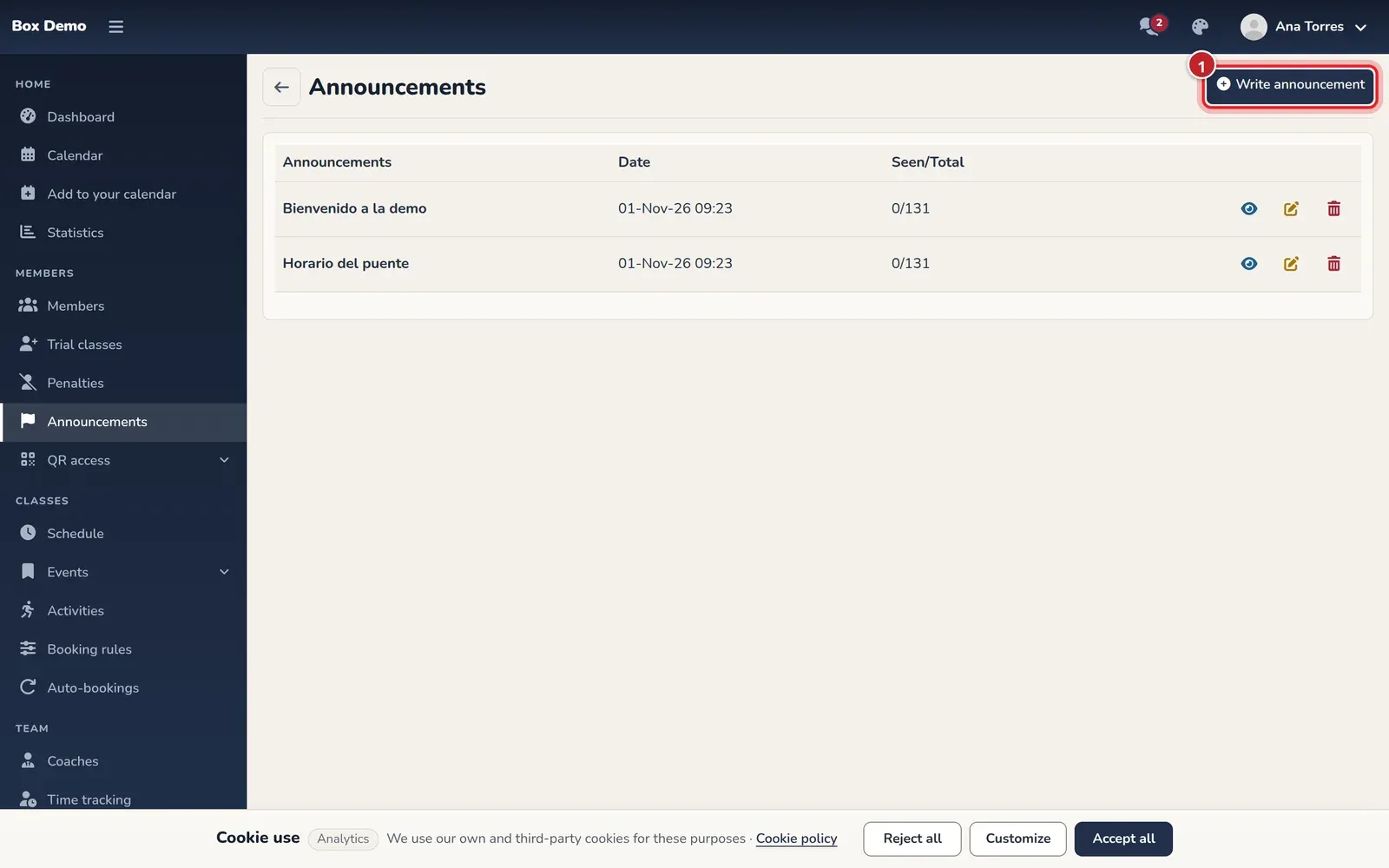
Section titled “Where to find announcements”Open Announcements in the side menu. The list shows the title, the date and three buttons for each announcement: view, edit and delete.
How to create an announcement
Section titled “How to create an announcement”-
Open Announcements and tap Write announcement (marker 1 in the first image).
-
Enter the Title (marker 1). This is what members see in the notice header.
-
Write the Message (marker 2). The editor supports bold, lists, links and other basic formatting.
-
Tap Save (marker 3). You go back to the list and the announcement is now visible to members.
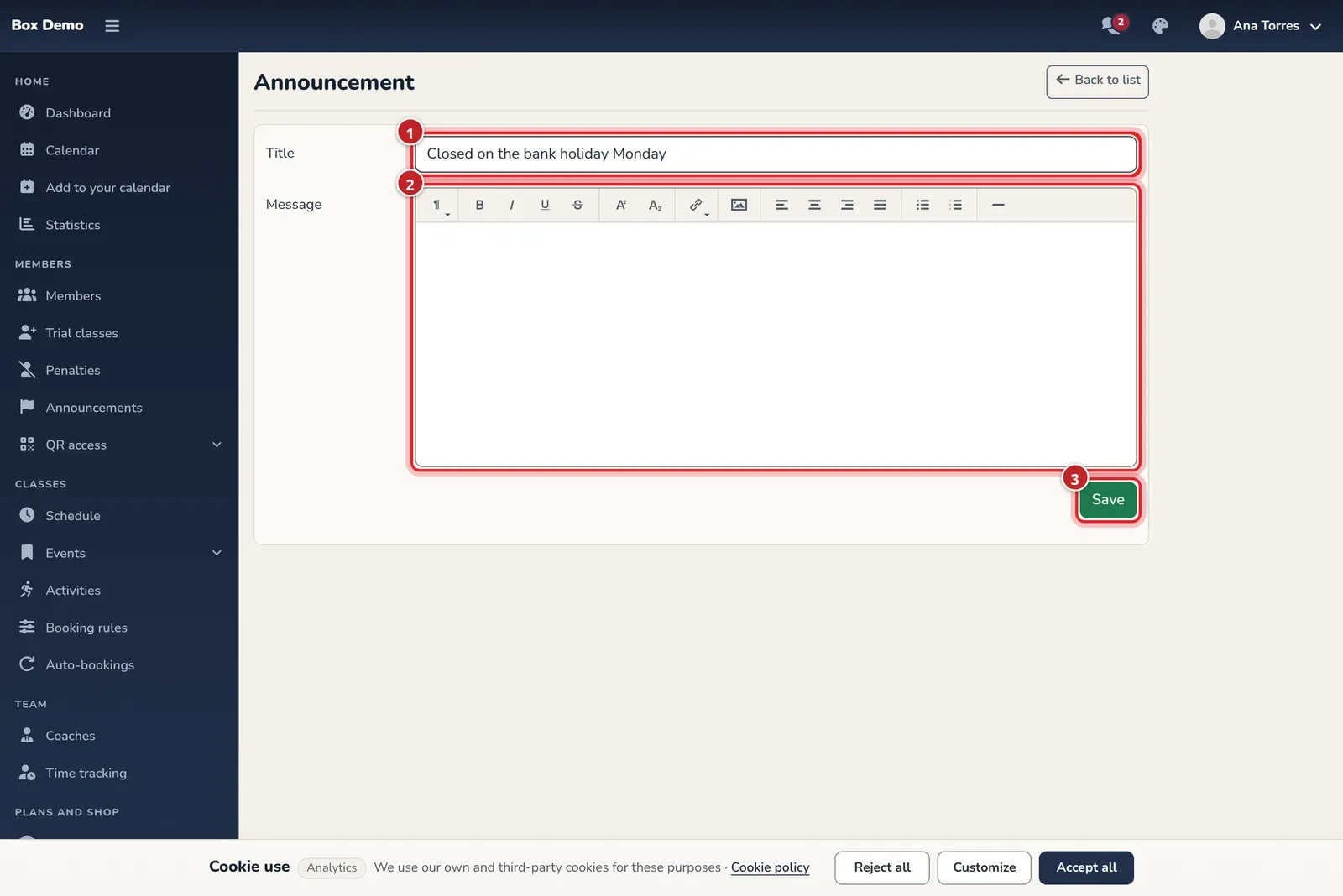
The announcement form: title, message and save.
Edit or delete an announcement
Section titled “Edit or delete an announcement”- The pencil opens the same form with the current text. Change what you need and tap Save.
- The eye shows the announcement exactly as members will read it.
- The trash can deletes it.
If you’re a coach
Section titled “If you’re a coach”Coaches can also create and edit announcements from the same menu, but not delete them: only administrators see the trash can. Every creation and edit is logged with who did it and when. Only the administrator sees this History, when opening the announcement with the eye, and nobody can delete it.
What members see
Section titled “What members see”- When there are unread announcements, a notice («You have new notifications») appears when they open RoninBox, with the Go to Notifications button. The top bar also shows a flag with the number of unread announcements.
- In Notifications each announcement is a card with its title, date, status (Unread or Read) and text.
- The member taps Mark as read and the announcement is marked as read for them. The card collapses.
- Only announcements from the last month are shown.
- Administrators don’t receive announcements: they manage them.
Common issues
Section titled “Common issues”- A member says they can’t see the announcement. Only those posted in the last month are shown. An older announcement no longer appears in their list.
- The Seen/Total column shows a dash. There’s no read count yet: it can’t tell you who has read it.
- I want to notify just one member. Use a message.