
CrossFit gym software: what to look for
CrossFit gym software has to solve five things every day: who’s coming to each class, who has paid, who’s coaching the class, what’s being trained today and how you stay on top of it all without chasing anyone. This guide goes through each need of a box and how RoninBox covers it, with a link to the manual for each feature so you can check for yourself what it does.
What a box needs, one by one
Section titled “What a box needs, one by one”| What the box needs | How RoninBox covers it | Learn more |
|---|---|---|
| A weekly schedule without creating each class by hand | You define rules with activity, days, times and spots, and the calendar offers the classes week after week. | Schedule builder |
| Bookings with a capacity limit | Members sign up from the calendar; if the class is full they join the waitlist and get an email when a spot opens up. | Waitlist |
| Rules to prevent abuse | Weekly booking opening and cancellation tiers: delay, lost credit or a block depending on notice. | Booking rules |
| Plans and class passes | Plans (monthly, unlimited, class pass), priced plans, packs, extensions and offers. | Create a plan, Create a pricing plan |
| Payments and tracking unpaid fees | One monthly fee per member and period, payments in cash, by card terminal or online, grace days and totals for collected and pending. | Monthly fees, Monthly billing |
| Coaching team | Rules that decide who coaches each class, a weekly roster and figures per coach. | Coaches |
| WODs and records | You publish the WOD, members log their score and save their RMs. | Create a WOD, RMs and movements |
| Communicating with members | Private messages and announcements for the whole box. | Messages, Announcements |
| Multiple locations | Locations with their own classes, schedules and plans, and views by location. | Locations |
| Access control | Optional QR code for check-in and check-out. | QR code access |
Schedule and bookings
Section titled “Schedule and bookings”The biggest time saver is not creating classes one by one. A schedule rule says which activity is offered, on which days, at what time and with how many spots. Holidays remove classes during time off. For a one-off session, you create a single class.
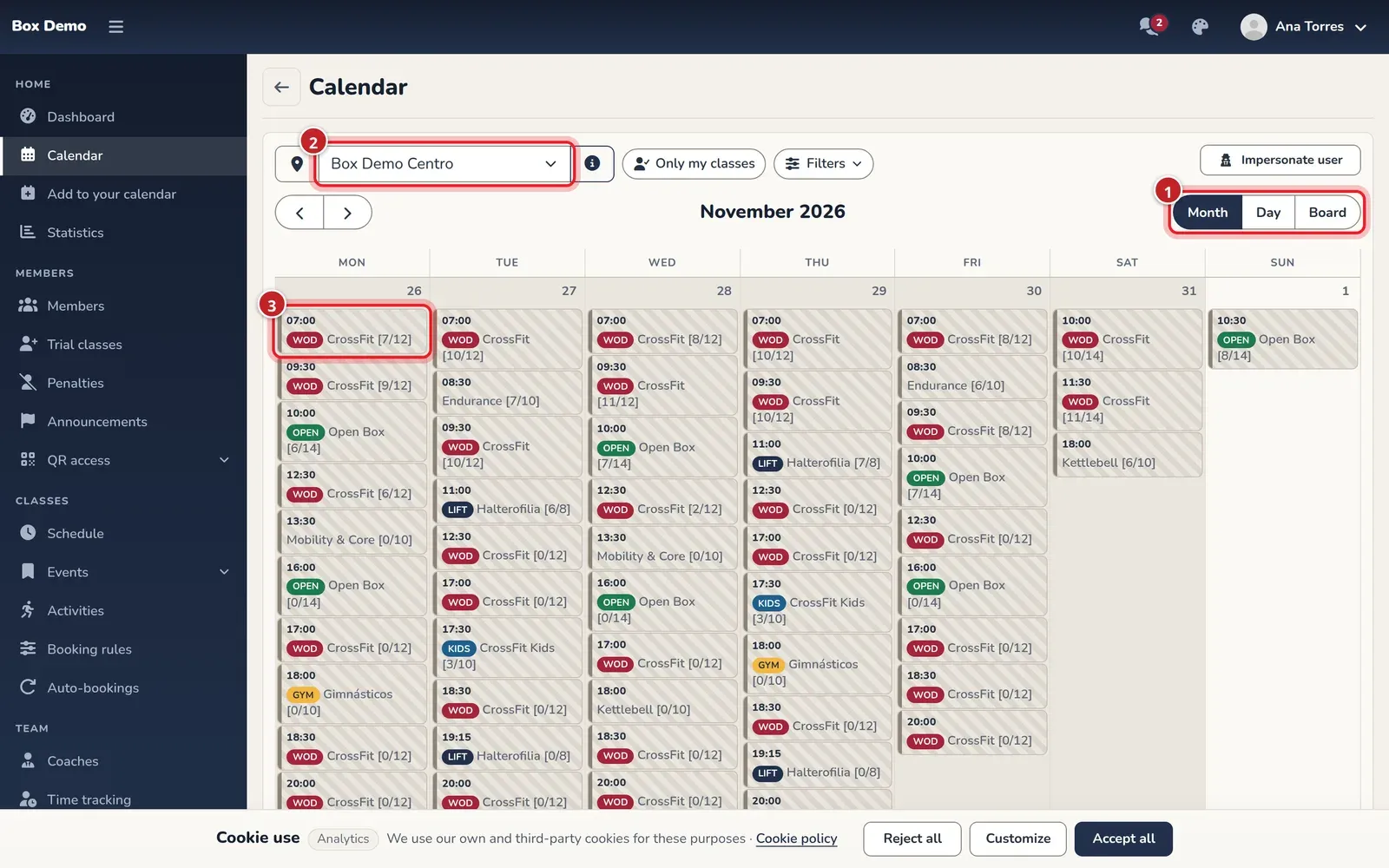
From the calendar you can open any class to see who’s coming, change the spots, close it or sign up a member on their behalf. More in How bookings with a waitlist work and Class schedules and calendar.
Payments without spreadsheets
Section titled “Payments without spreadsheets”Each month a monthly fee is generated for every member with what they owe. You record cash or card terminal payments in seconds, and if RoninBox enables online payments for your box, members can pay from their phone. The billing screen tells you what the month should bring in, what’s been collected and what’s pending. More in Recurring payments at a gym.
Your members’ app
Section titled “Your members’ app”Members book, cancel, see what they owe, save their records and view the WODs from their phone, without having to download anything. More in Member app for a gym.
What to know before you decide
Section titled “What to know before you decide”- Online payments are enabled on request. They aren’t set up from the app: you request them from RoninBox.
- There’s no self-service shop for members. Counter sales are recorded by an administrator.
- Some option names are misleading. The menu says “Subscriptions” where the rest of the manual says “plans”, and in the monthly fee type, “Calendar Month” isn’t actually the calendar month. It’s explained in the glossary.
- One RoninBox plan for your box. You can see what you pay for the software in My subscription. The RoninBox website describes it as unlimited athletes, initial setup included and no long-term commitment.
What getting started looks like
Section titled “What getting started looks like”According to the RoninBox website, you don’t have to migrate anything yourself: your schedule, plans and athletes are loaded for you, and your box signs in with its account from day one. The logical setup order is in Getting started. If you’re coming from WodBuster, you can also bring over your members, plans and classes yourself: How to import from WodBuster to RoninBox.
Next step
Section titled “Next step”If you’d like to see RoninBox with your box’s classes and plans, contact the RoninBox team at roninbox.com.