
How to request your time off in RoninBox
To request your time off in RoninBox, open My workday ▸ My vacation. There you can see how many days you have left, request the ones you want and follow how each request is going.
Who can request it and where
Section titled “Who can request it and where”Coaches and managers whom the gym has registered in time tracking can request time off, as long as the gym has it turned on.
- From the app (coaches): Profile ▸ My workday ▸ My vacation.
- From the admin dashboard (managers): Team ▸ My workday ▸ My vacation.
If you’re self-employed, the screen is called Days off: you enter the days you won’t work and they apply right away, with no approval and no balance.
Your balance
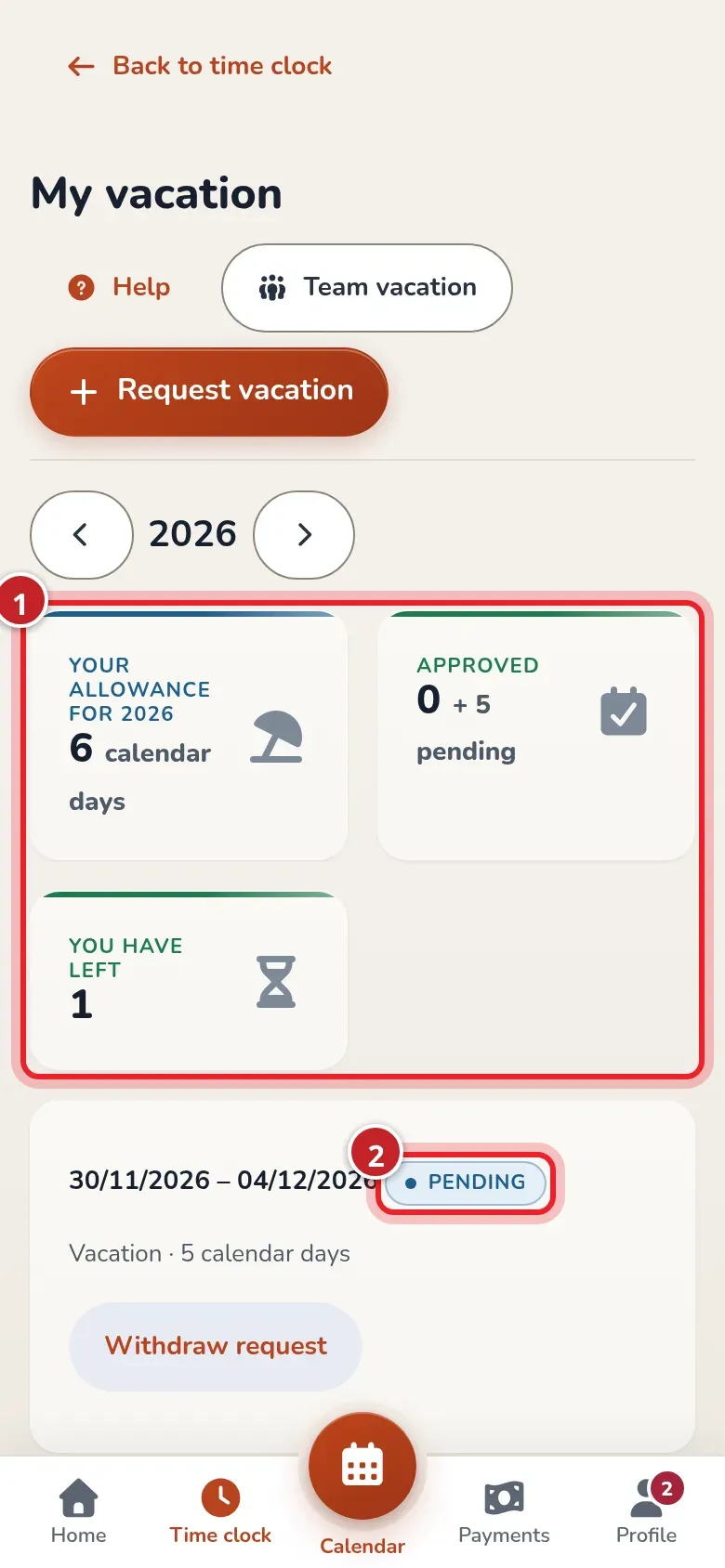
Section titled “Your balance”At the top you see your balance for the year: the days you’re entitled to, the approved ones (and the pending ones) and the ones you have left. If you joined partway through the year, you get the prorated share.
How to request time off
Section titled “How to request time off”-
Tap Request vacation.
-
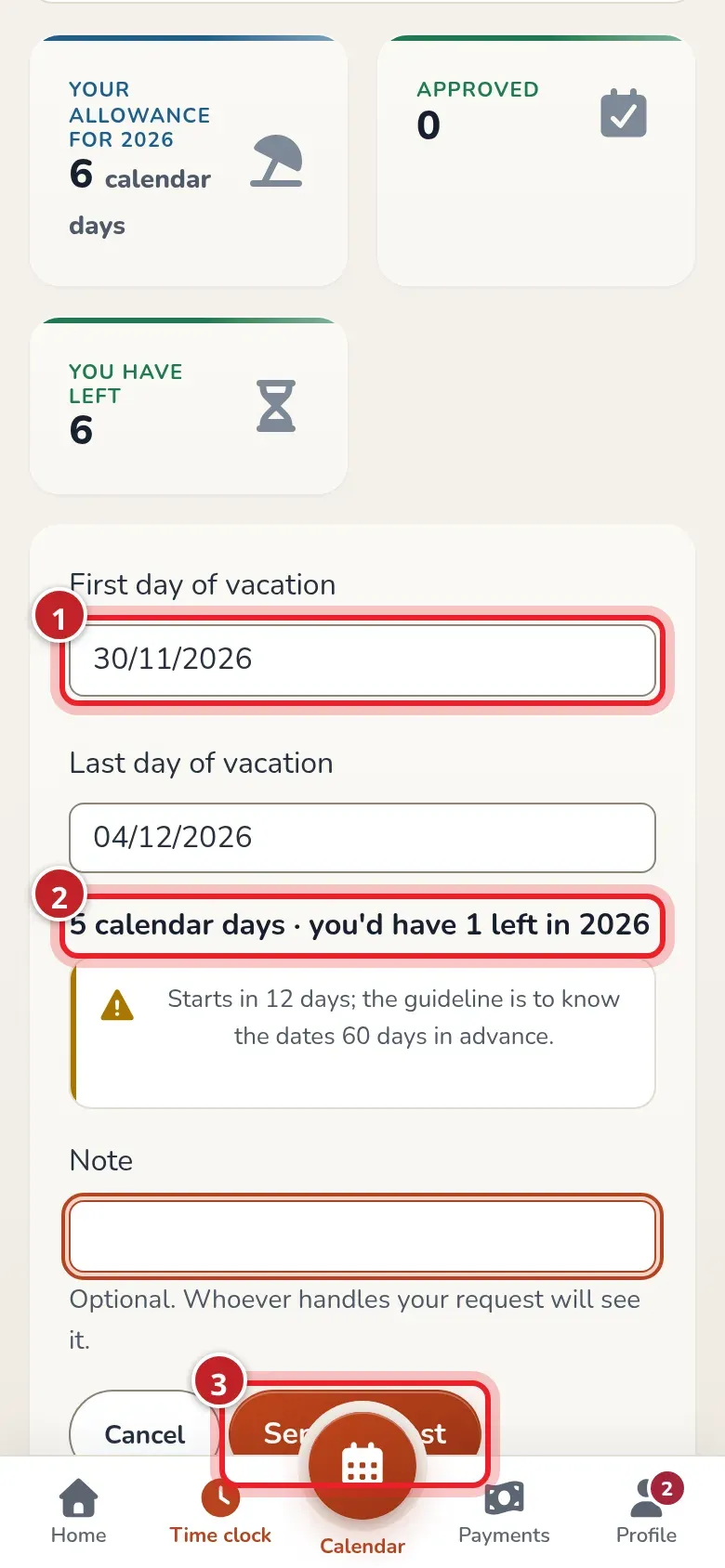
Choose the First day of vacation and the Last day of vacation (mark 1). Below you’ll see how many days that is and how many you’d have left (mark 2).
-
If something doesn’t add up, a warning appears: you’re over your balance, the date is very close or it starts on a day off. You can still send it.
-
Add a Note if you want and tap Send request (mark 3).
The request is marked Pending and whoever manages the gym gets a notification. Until someone decides on it, you can tap Withdraw request. When it’s approved or declined, you’ll get a phone notification and an email with the dates and, if it’s declined, the reason.
If your plans change for time off that’s already approved, tap Cancel before it ends.
Who else is on time off
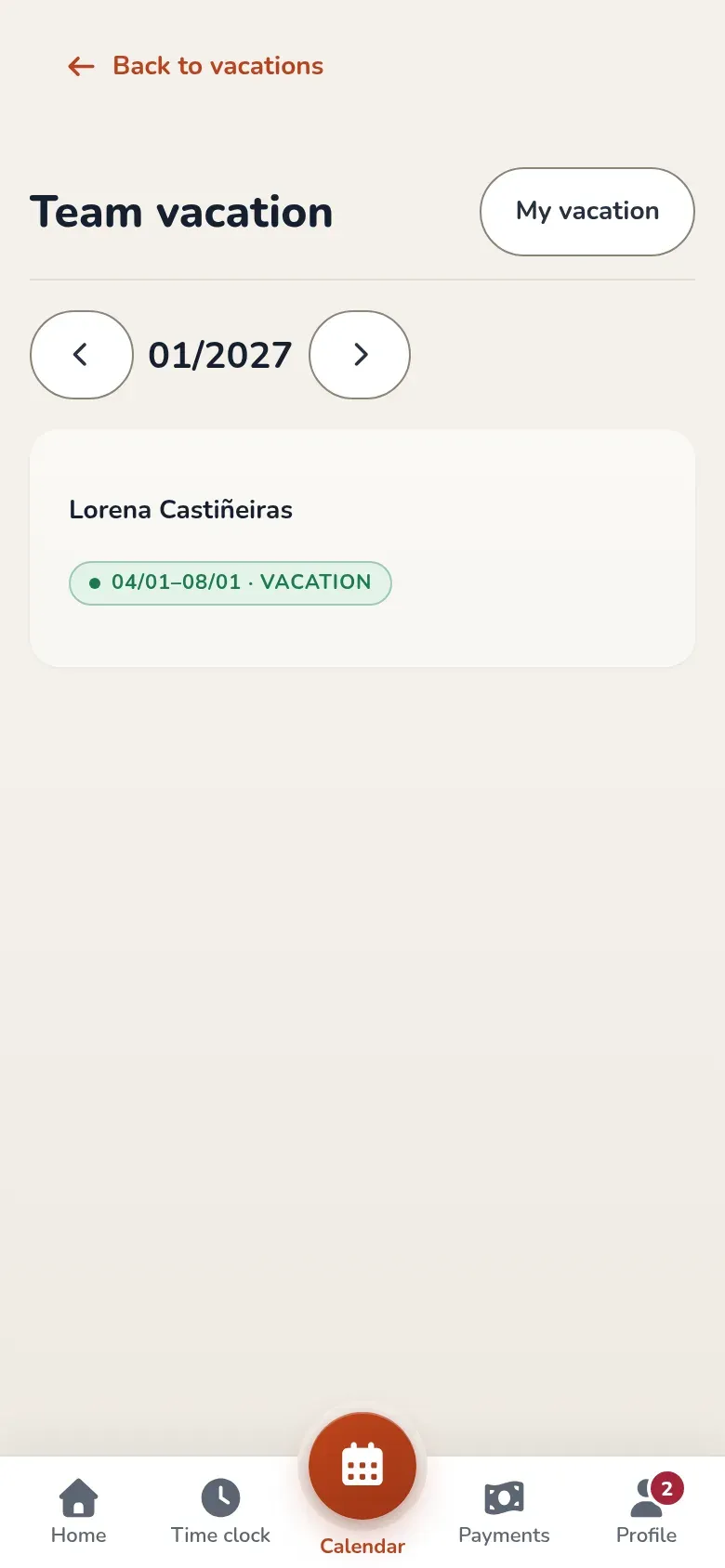
Section titled “Who else is on time off”Tap Team vacation to see which teammates have approved time off each month. That way you can plan before requesting yours. You only see the dates: not their balances or reasons.
How the gym handles them is covered in Manage your team’s time off.