
Unpaid fees and grace days for bookings
Unpaid fees in RoninBox don’t block a member right away: a member with an unpaid monthly fee gets a few grace days to keep booking, and after those days they can’t sign up for more classes until they pay. You decide how many days, and in each plan you can limit how many classes they can book while they owe.
What counts as unpaid
Section titled “What counts as unpaid”A monthly fee is pending as long as the member hasn’t paid its full total (plan plus add-ons, minus discounts). A member with any pending monthly fee has the status Pagos Pendientes on their profile. In the member list, that same status shows as Payment issues. Statuses are explained in Member statuses.
How bookings are blocked
Section titled “How bookings are blocked”When a member tries to sign up for a class, RoninBox checks their unpaid fees. The result depends on the gym’s Monthly fee type (see Monthly fee type).
With Monthly (calendar month). If the member has an unpaid monthly fee from a month before the current one, they can’t book any class, with no grace days. Then, for the monthly fee of the class’s month, grace days apply.
With Calendar month. There’s no previous-months rule. Only the monthly fee that covers the day of the class counts.
In both cases, if that monthly fee is unpaid:
- A class that starts within the grace days, counted from the start of the monthly fee, can be booked.
- A class that starts after the grace days can’t be booked.
- Within the grace days, if the plan has Maximum classes with pending payment (empty = no limit), the member can book classes up to that number in the period. After that, they can’t book more. That number counts classes in the activities that plan covers.
Joining a waitlist doesn’t count as booking and isn’t limited by that maximum.
Once the member pays, they can book again: you don’t need to do anything.
Example with Calendar month and 11 grace days: the monthly fee starts on October 5, ends on November 2 and is still unpaid. The member can book classes up to October 15, the first 11 days. A class on October 16 can’t be booked.
Set the grace days
Section titled “Set the grace days”-
Open Gym settings ▸ Payment settings.
-
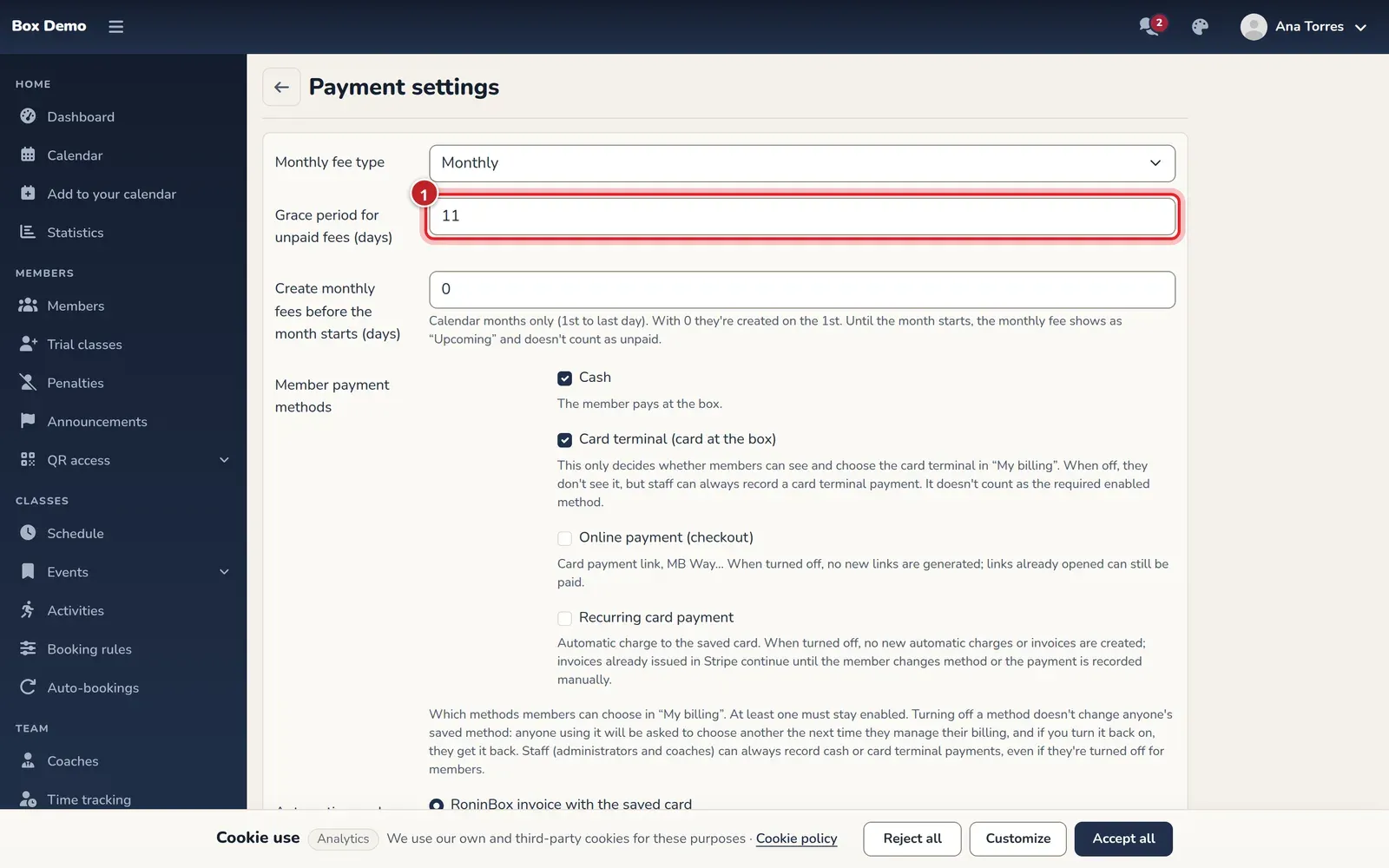
Enter the number of days in Grace period for unpaid fees (days) (marker 1). It must be between 1 and 28. If you haven’t changed it, it’s 11.
-
Save the form.
Limit classes for a member who owes
Section titled “Limit classes for a member who owes”The maximum is set on each plan, not on the gym.
-
Open Plans and shop ▸ Subscriptions and create or edit the plan (see Create a plan).
-
Fill in Maximum classes with pending payment (empty = no limit). It accepts 0 to 999.
-
Save.
A 0 prevents booking any class while the monthly fee is unpaid. A positive number allows that many. Empty means no limit: the member can book everything in their plan until the grace days run out.
Where to see who owes
Section titled “Where to see who owes”-
Member list. In Members ▸ Members, set the Status filter to Payment issues. You’ll see only members with a pending monthly fee.
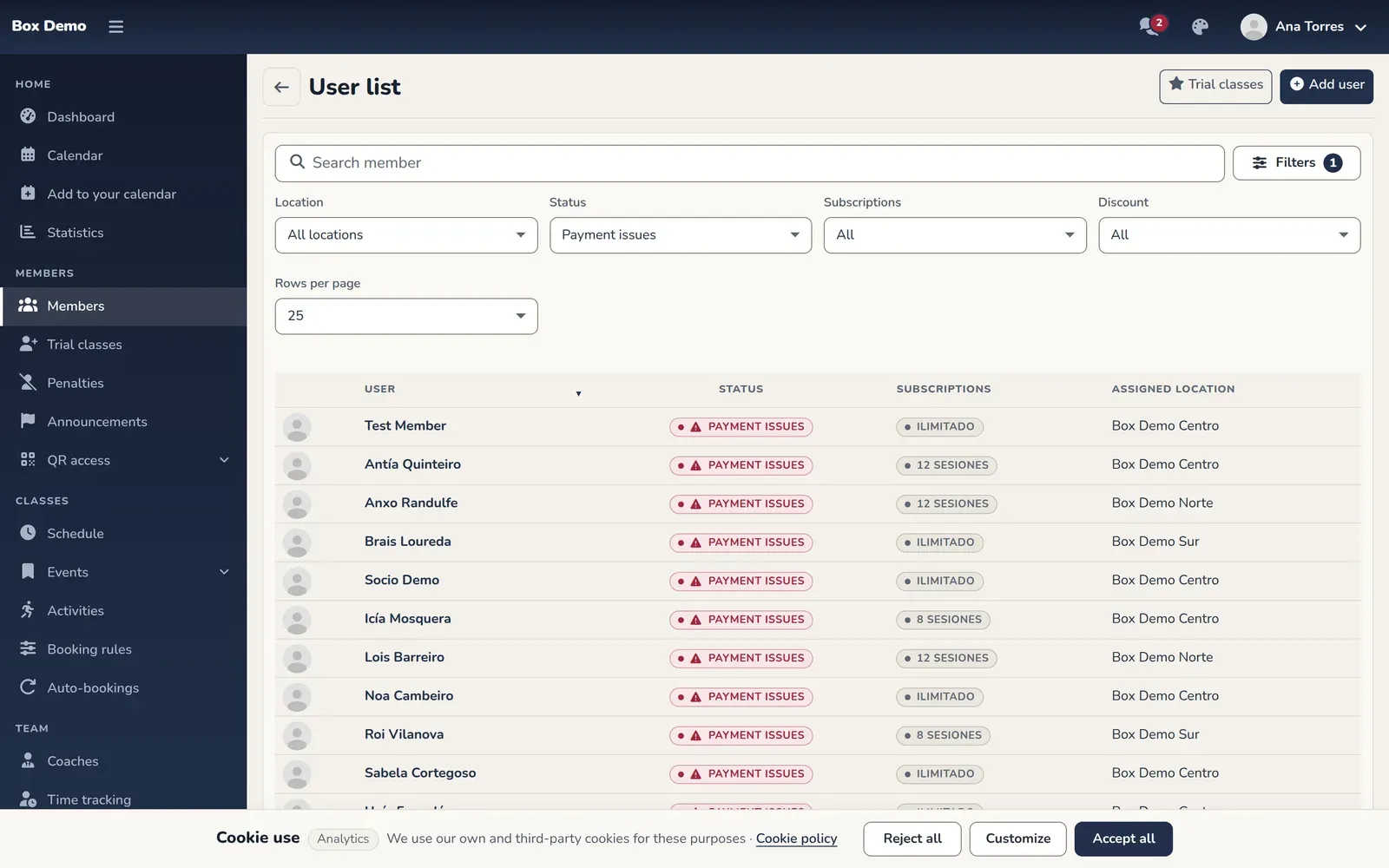
Members with pending payments, in the member list. -
Monthly billing. With the Status filter set to Pending, you see a month’s pending monthly fees (see Monthly billing).
-
Member profile. In Monthly fees, each period with an outstanding balance shows Payment pending.
To collect payment, use the monthly fee details or Charge in cash or by card terminal. Members can pay on their own if the gym has online payments.
Common mistakes
Section titled “Common mistakes”- A member who paid this month can’t book. With Monthly, check whether they still owe a previous month. Even if the current one is paid, that previous month blocks them.
- I changed the grace days and the member is still blocked. Days are counted from the start of the monthly fee, not from today. Check the start date.
- The member paid and still can’t book. Check whether they have class credit in the period: paying removes the block, but doesn’t add classes their plan doesn’t include.