
Generic payments: income outside monthly fees
Generic payments are gym income that doesn’t belong to any member’s monthly fee, such as a T-shirt sale or a registration fee. Each one is just a description and an amount. You record them in Payments ▸ General payments, and only the administrator can see that screen.
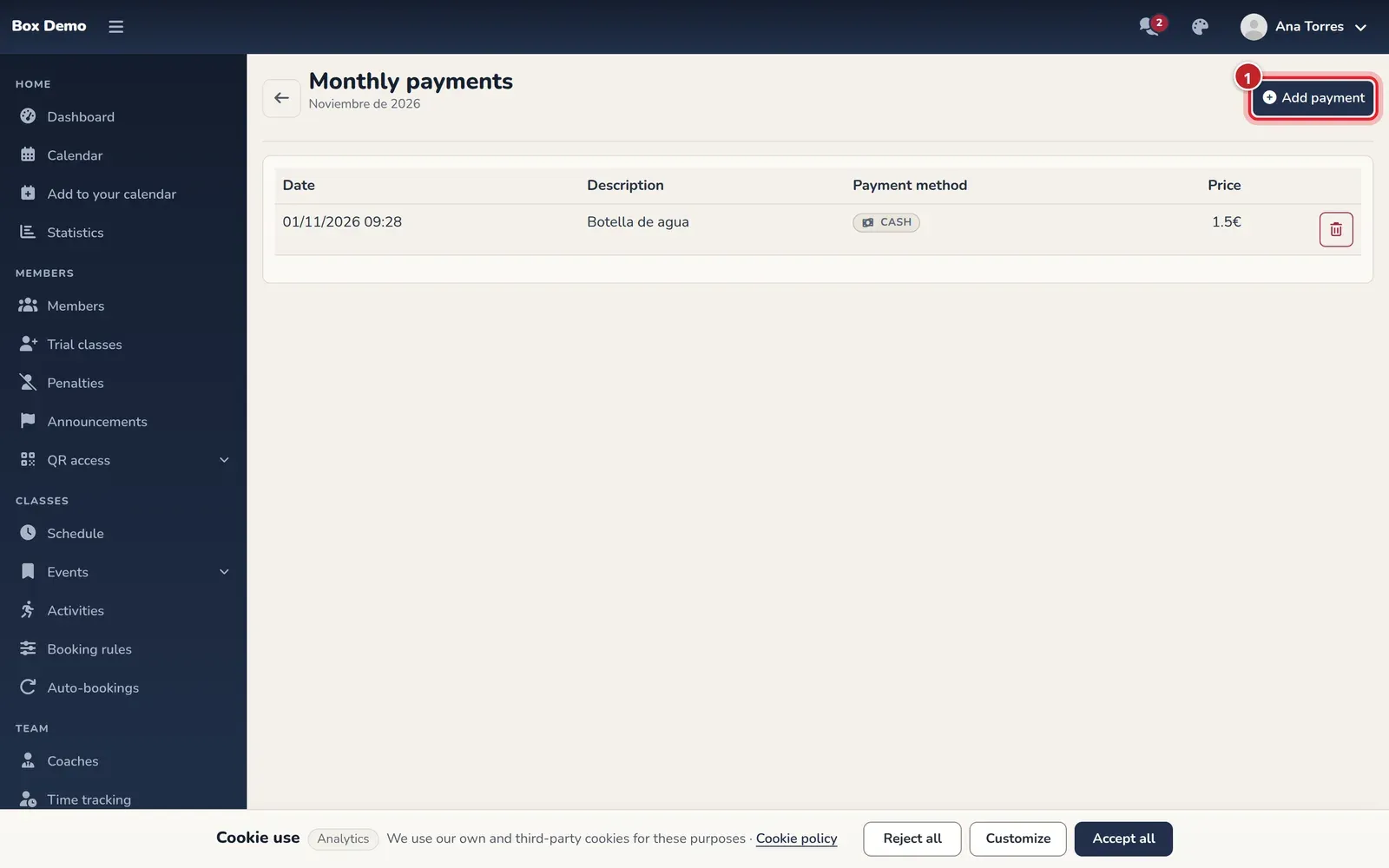
The screen shows the current month (its name appears under the title) and a table with the date, description and amount of each payment.
Record a generic payment
Section titled “Record a generic payment”-
Open Payments ▸ General payments.
-
Tap Add payment (marker 1).
-
Enter the Description (marker 2), for example “Gym T-shirt”.
-
Enter the amount in the Payment field (marker 3) and choose the Payment method: Cash (selected by default), POS (card), or Bank transfer and Direct debit under Other method.
-
Tap Generate payment (marker 4).
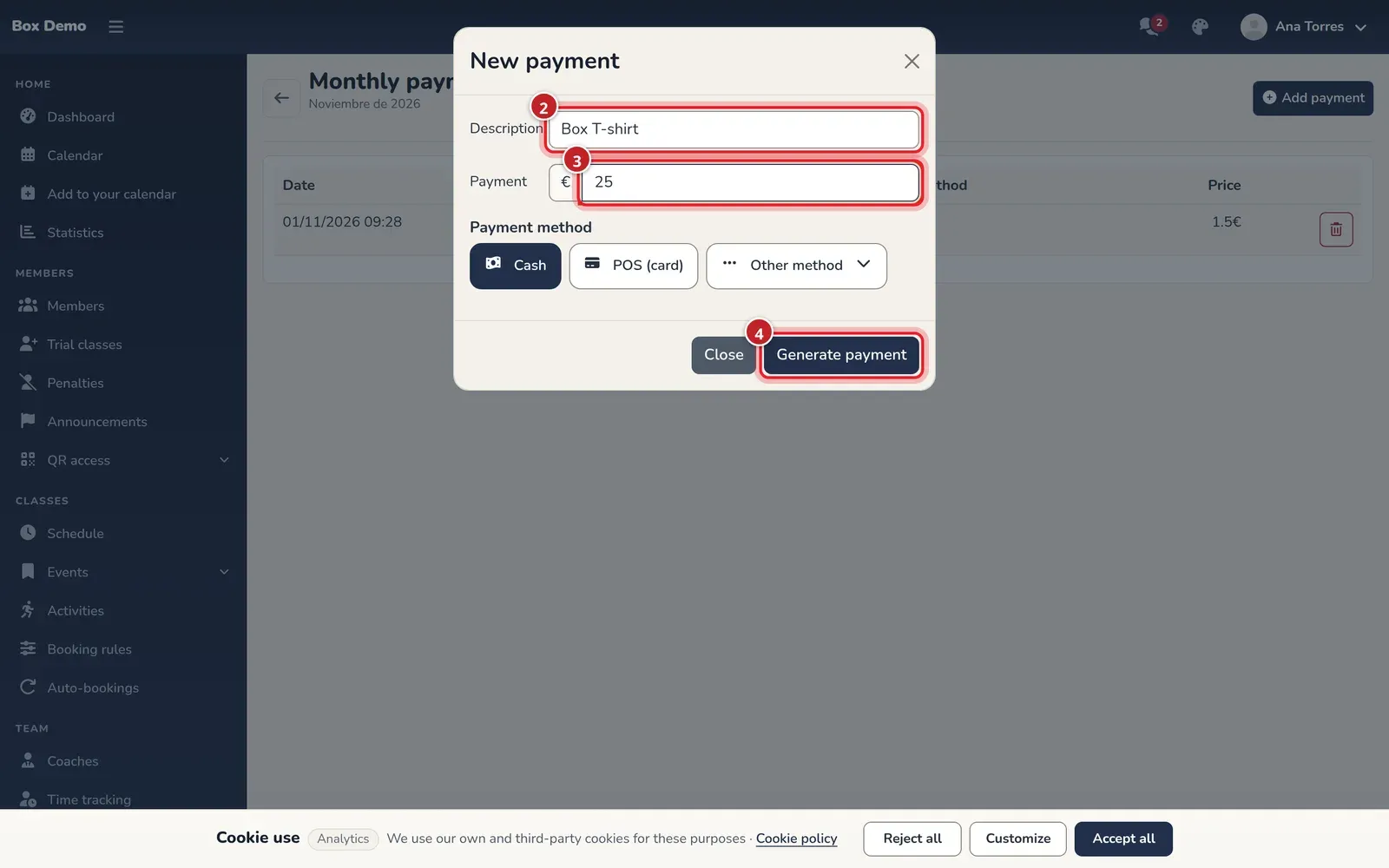
The window for recording a generic payment. The numbers match the steps.
The payment appears in the table with the current date and time and counts toward the month’s totals (see Monthly billing).
Delete a generic payment
Section titled “Delete a generic payment”Tap the trash can in its row (Delete payment). The payment is deleted immediately and the table updates.
Common mistakes
Section titled “Common mistakes”- I want to charge a member. A generic payment isn’t linked to any member and doesn’t reduce anyone’s outstanding balance. For that, use their monthly fee (see Monthly fees) or Charge in cash or by card terminal.
- I can’t see the payment I recorded last month. The list only shows the current month. It still counts in that month’s billing.
- The menu doesn’t show Generic Payments. It’s an administrator-only option.