
How to set up shop taxes
To set up shop taxes in RoninBox, you first create a tax category (for example “Standard VAT”) and then add a tax rate to it with its percentage (for example 21%). Each product variant is linked to a category, so the sale calculates the tax.
Where to find them
Section titled “Where to find them”Open Shop ▸ Taxes. The page has two lists: Tax categories and Tax rates. Edit each row with the pencil and delete it with the trash can.
Create a tax category
Section titled “Create a tax category”-
In Tax categories, tap New category.
-
Enter the Name (for example “Standard VAT”) and, if you like, a description.
-
Tap Save.
Create a tax rate
Section titled “Create a tax rate”You need at least one category. If there are none, RoninBox lets you know.
-
In Tax rates, tap New rate.
-
Enter the Name, for example “VAT 21%”.
-
Choose the Tax category.
-
Enter the Percentage as is: 21 for 21%.
-
Decide whether to check "The product price already includes this tax".
-
Tap Save.
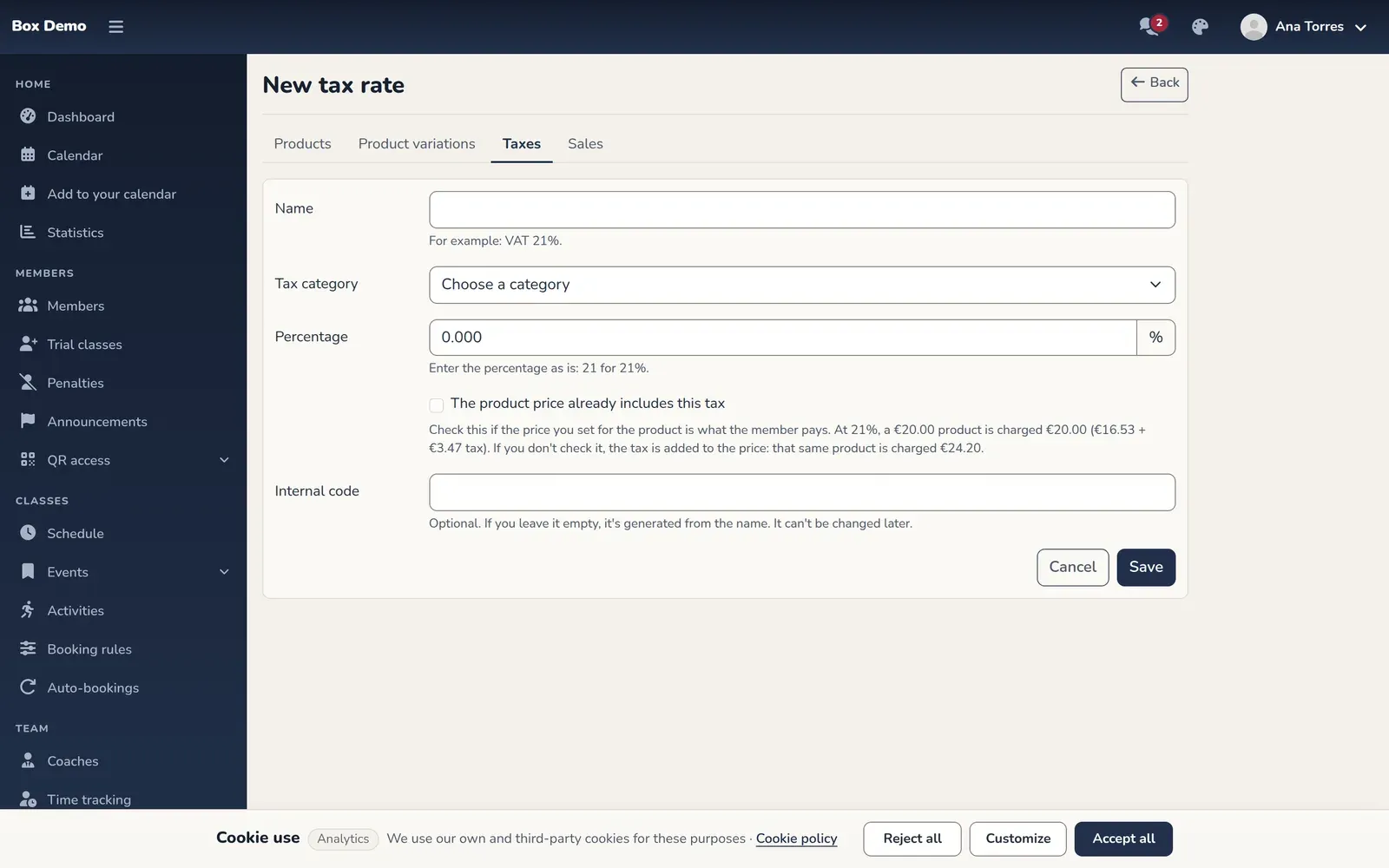
The form for a new, empty tax rate. The demo list contains test rows, so it isn't shown.
Tax included or added
Section titled “Tax included or added”This checkbox changes what the member pays. With a 21% rate and a €20.00 product:
- Checked (VAT included): the member pays €20.00, which includes €16.53 base and €3.47 tax.
- Unchecked (VAT added): the tax is added and the member pays €24.20.
In each product’s variant sheet, the price is labeled “Price (VAT incl.)”. In each sale’s details you see the tax broken down and whether it was included or added. See Shop sales.
Assign the category to a product
Section titled “Assign the category to a product”In the variants step of each product, the Tax column lets you choose the category for each variant. See Products.
Common errors
Section titled “Common errors”- I can’t create a rate. A tax category is missing. Create one first.
- I can’t delete a category. Products use it or it has rates. Change the products’ category and delete its rates first.
- A product shows no tax. Its variant is set to “No tax” or its category has no rates.