
How to add an extension to a member
To add an extension to a member, open their profile, go to the Extensions tab and tap Add extension. An extension is a standalone line within a monthly fee: extra classes of an activity and, if you want, an amount.
There are two different uses, and both are covered on this page: the extension for a member and the catalog of templates that feeds the packs.
Add an extension to a member
Section titled “Add an extension to a member”-
Open the member’s profile (member profile) and go to the Extensions tab.
-
Tap Add extension.
-
Fill in the form:
- Description: the name of the extension.
- Number of activities: how many classes it adds.
- Price: what gets added to the monthly fee.
- Activity: the activity the classes give access to.
- Monthly fee: which of the member’s monthly fees it’s added to.
-
Save.
When you save, the extension is added to the chosen monthly fee with its price. If you’ve selected an activity and a number of classes greater than zero, the member gets those classes to book. A negative number subtracts available classes for that activity.
The tab shows each extension with its activity, its classes and its price. The trash can deletes it. If any of its classes have already been used, the button is locked with a padlock.
The “Pack Extensions” catalog
Section titled “The “Pack Extensions” catalog”Under Packs and offers ▸ Pack extensions you’ll find the catalog: extensions that don’t belong to any member. They serve as templates for packs.
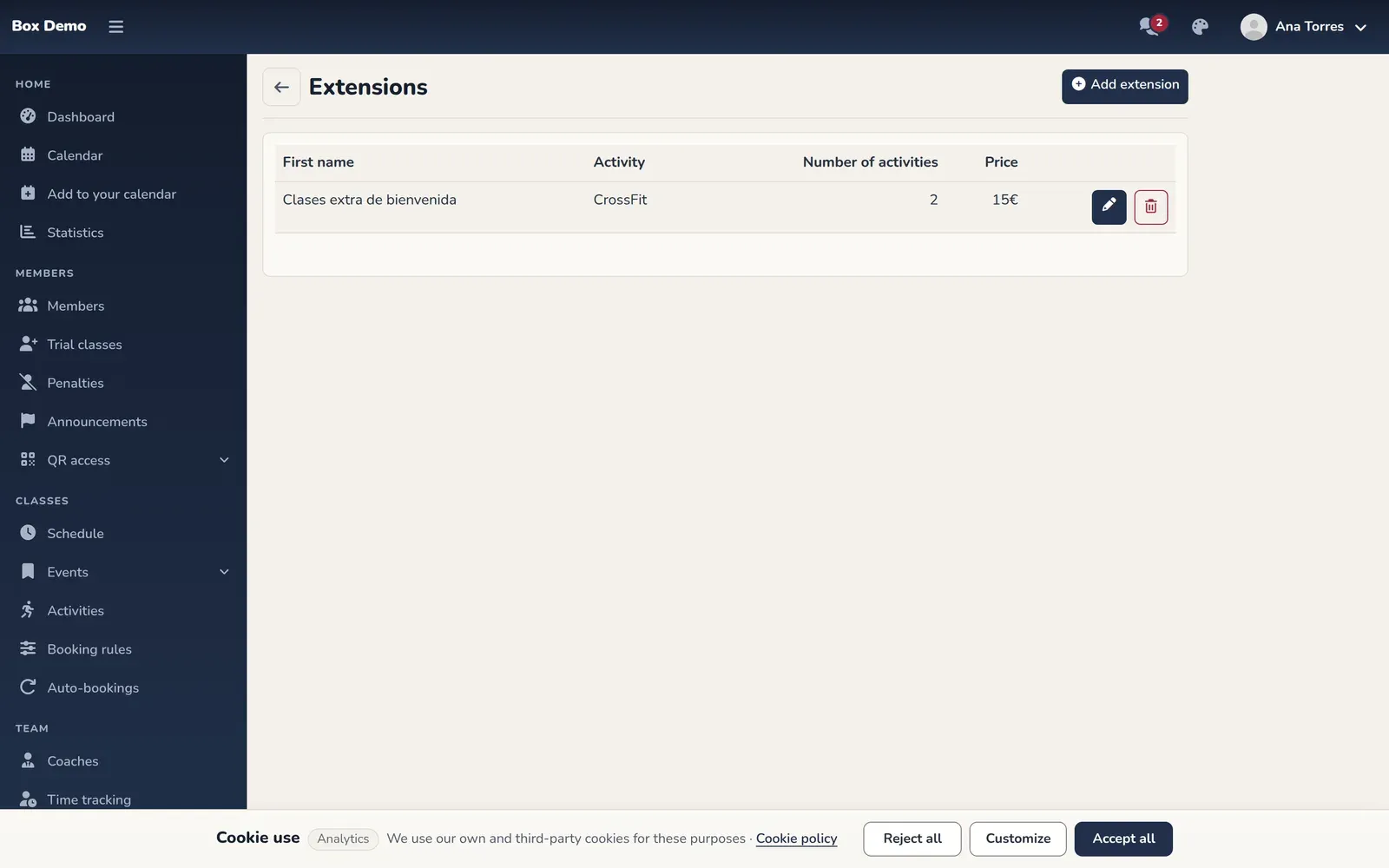
To create one, tap Add extension and fill in the description, number of activities, price and activity. It’s the same form as above, but without the monthly fee. The pencil edits and the trash can deletes, after you confirm.
Common mistakes
Section titled “Common mistakes”- The member doesn’t get the classes. Check that you’ve chosen an activity and a number of classes greater than zero.
- It won’t let me choose a monthly fee. The list comes from the member’s own monthly fees. If they don’t have any, create one first (monthly fees).